

How to add a gender-neutral salutation in Shopware 5
Archive note. First published on 21 April 2023. The products, interfaces and recommendations discussed here reflect the time of publication.
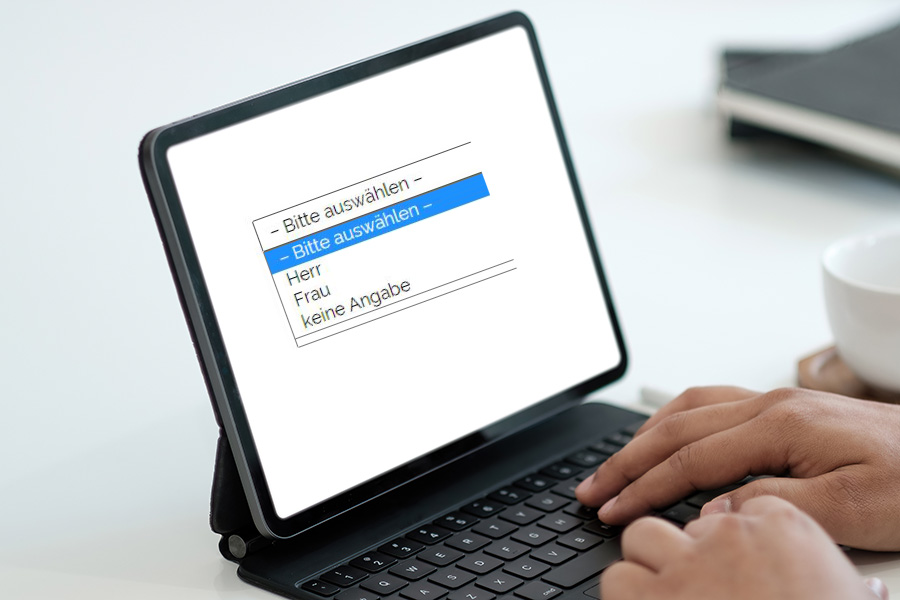
The title Divers for the third sex is often not integrated in online shops by default. In order to be able to include this third or various title in the online shop, it is important to change and supplement certain settings at Shopware 5. Since the title of a different person is neither master nor woman or an alternative equivalent, you have to pay attention to some points for the complete setup and conversion.
Various salutations in Shopware 5 forms supplement
In order to provide your customers with the various salutations in Shopware 5 Online-Shop — i.e. in addition to “Lord” and “Woman” also a third neutral salutation — you need to know exactly which adjusting screws have to be rotated. The most important and first step to insert a third salutation as shop operator in your Shopware 5 Online-Shop is the definition of an additional salutation. For this you must insert a third variant in the basic settings in the area of registration and registration. Here definitely pay attention to the form, the abbreviations must necessarily be small written and separated by commas without spaces. So the filled field ideally looks like this: mr,mrs,divers.
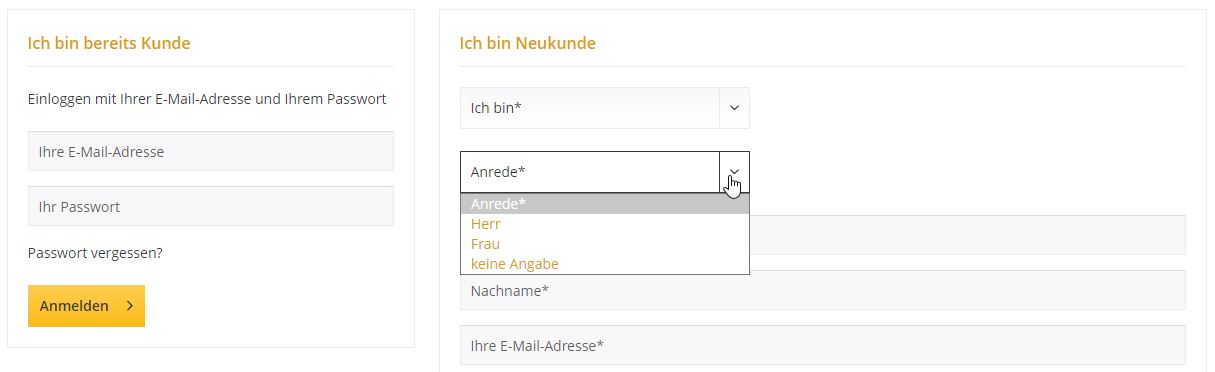
If the foundation stone is laid, you will have to fill the new variant divers with the corresponding information. To do this, simply use the text blocks, in the standard there are only two available here, by adjusting the basic settings you will now find three text blocks here. Simply fill with the desired formulation – such as “divers”. This formulation will then be displayed in forms in the shop for your customers. In addition to the selection “Mr” and “Woman”, there is also a third variant. Here you can decide whether they prefer “divers” or simply the completely neutral “no indication” and want to offer their customers.
How are customers addressed with the various addresses?
If you have the third different address, the use in communication has to be stopped. For this there are numerous points that you should have on the note and for which you ideally also consult an expert. For example, a query must be stored in the e‑mails of the customer communication, in order to contact customers simply with first and last names without “Lord” or “Woman”. This applies naturally also to the area “My account” and other connected pages such as the shopping cart and the checkout. The settings and adjustments are relatively wide and have to be inserted exactly with the appropriate code, therefore you should rather turn to our specialists for Shopware if uncertainty arises. We will be happy to help you further and ensure that your online shop is equipped with a third different address reliably and quickly.
Where does this various title come from? More about the General Equal Treatment Act (AGG)
According to the General Equal Treatment Act (AGG), in addition to male and female, intersexual people now have a further opportunity to register in the civil status register since the end of 2018. The so-called “Third Option” allows non-binary people to register as “divers”. Germany is therefore one of the few countries in the world where the existence of more than two genders is legally recognised. Within the framework of the General Equal Treatment Act (AGG), this affects in particular the protection of discrimination in working life, but also in everyday life or when creating texts should be taken into account for the correct gender-neutral address. This also applies to filling out forms, whether analogue to paper or digital.
Male, female or divers — What is the right gender-neutral address?
Finding the right gender-neutral address can be difficult at first, especially for cover letters, texts or job advertisements. According to the AGG, all job advertisements must be formulated with a gender-neutral address. In addition, there is a decision of the Federal Constitutional Court on the formulation of a job advertisement: This must contain a gender-independent formulation, the gender gap or the gender star and a job title including the parenthesis (d) or (divers).
More difficult is the direct address of a person, here instead of the previous address with “Herr” or “Woman”, you can simply design the address with the full name and a neutral welcome. So for example “Hello Kim Mustermann” instead of “Dear Mrs Mustermann”. In addition to individually written cover letters and advertisements, it is especially important to pay attention to a gender-neutral address for address forms and registration forms.
Salutation fields and online forms — that’s what you need to pay attention to in the salutation for divers
The right address for various people is also required by the AGG on the subject of services and access to goods. When you buy online, you often only see the possibilities of man and woman being out of date and can lead to warnings in case of doubt. The AGG sees a violation and a disadvantage due to gender, so that in the worst case, even high fines can be imposed. Therefore, always pay attention to a third possibility of a different address and make it available to your customers. Only in this way can a legally valid purchase contract come about. Dealers who have not adapted your forms until now should urgently do so!
The following tips need to be taken into account when addressing divers:
- Whether you are looking for a title field, registration forms, newsletter subscriptions or other online forms, you can offer the title “divers” or “no indication” in your drop-down menu.
- In the newsletter you have the possibility of a creative address such as “Dear Interested” or “Dear Subscribers”.
- If you prefer the direct address, you can also use the gender star or colon: “Dear Kim Mustermann” or “Dear Kim Mustermann”
- If the address is not necessarily relevant, you can also take the field completely out of your forms and only ask for first name and last name.
Schreibe einen Kommentar zu "How to add a gender-neutral salutation in Shopware 5"