

Local SEO automation for reviews, photos and Q&A
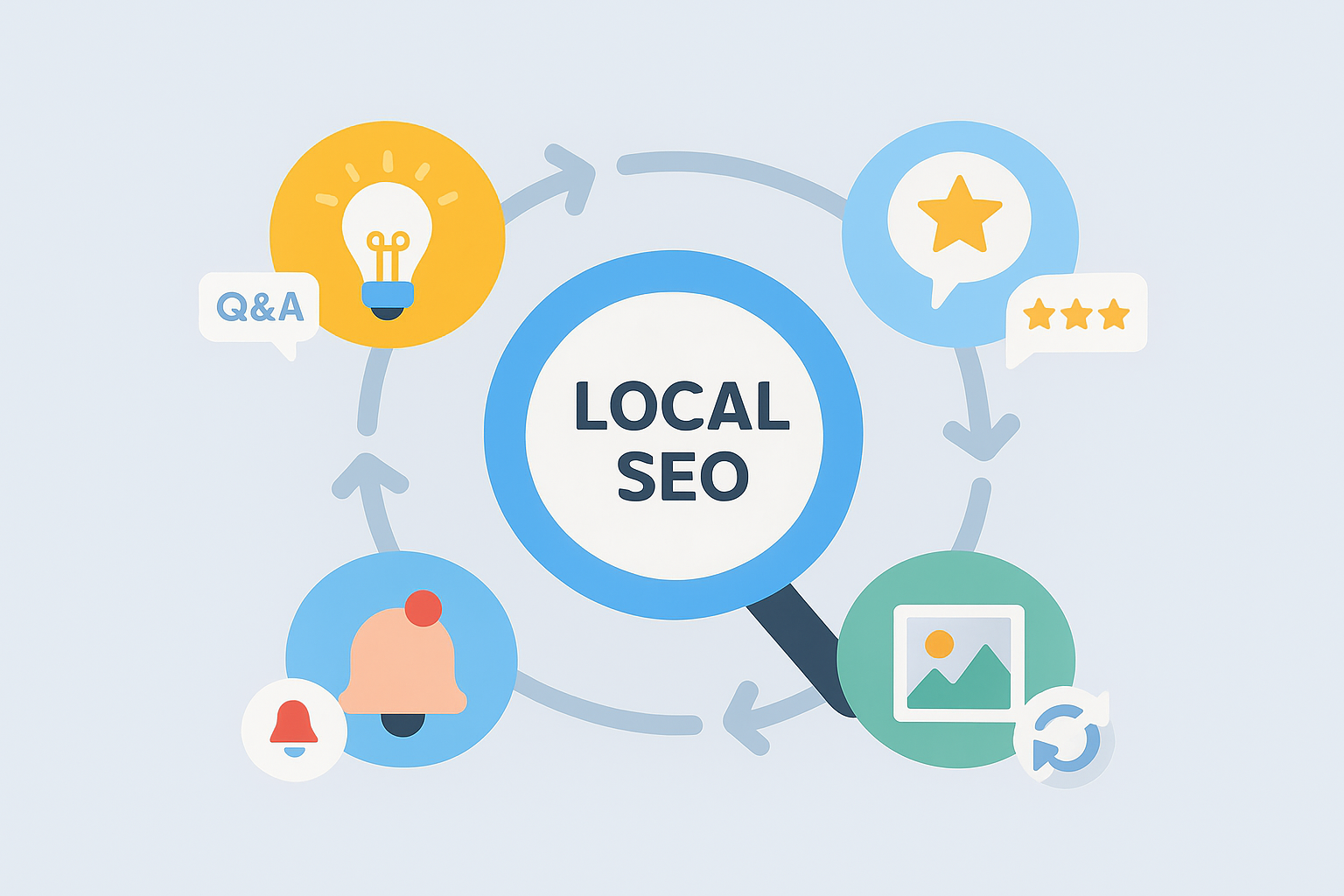
Local visibility is no longer created by classic local SEO factors such as keywords, categories or backlinks. For many users reviews, current photos, questions & answers and professional reputation management are the decisive signals before they get in touch or plan a visit
This is where the problem begins: These elements constantly change – Reviews come in every day, new photos are created continuously, opening hours have to be adjusted seasonally and customers always ask new questions in Q&A. If all this is maintained manually, you quickly lose track of it – and important profiles become obsolete.
Automation creates clear structures here. It ensures that evaluations are automatically collected and prioritized, photos are regularly updated and new questions immediately become visible for editing
Thus, Local SEO becomes a stable, scalable system from time-consuming day-to-day business that works reliably in the background and makes corporate profiles look up to date, professional and trustworthy at all times.
In this guide, I’ll show you step by step how modern local automation works – from rating capture to Q&A care – and how to technically cleanly implement these processes with automation platforms such as n8n or Pabbly.
1. Why Local SEO automation is crucial today
Local SEO has changed massively in recent years. Users often decide within a few seconds whether a location is trustworthy or not – and today this decision is mainly based on reviews, photos, answers to questions and complete location information
Customers expect:
• Immediate answers to questions
• current, authentic photos
• transparent and credible assessments
• correctly maintained information such as opening hours or services
All these signals affect not only the ranking, but above all trust in the brand – and trust is the most important factor for local conversions.
Automation in this context does not mean “automatic texts from the bot” but reliable processes, which ensure that nothing remains:
• Recurring tasks are reliably executed
• Reviews are detected and processed faster
• Photo updates run regularly and structured
• Q&A becomes visible immediately and can be answered cleanly
• all profiles remain consistent across all locations
The result is a local presence that not only looks neat, but also stable, up-to-date and trustworthy – exactly what customers expect today and what search engines value positively.
2. What Local SEO Automation Really Means
Local SEO automation doesn’t mean “turn on a few tools,” but to transfer the daily tasks around reviews, location data, photos and Q&A into reproducible, clean workflows.
In essence, it’s about creating processes that run in the background while focusing on quality and strategy.
What is specifically automated – real practical examples:
- Automatic review invitations 📩
Example: After each purchase, appointment or completed support ticket, an automatic evaluation request is sent. No employee has to think about it. - Structure reputation management
All reviews from Google, Trusted Shops, Facebook or industry-specific portals run in a central dashboard.
Mark automations:
– negative reviews immediately
– common patterns (e.g. “delivery time”, “friendliness”),
– Answers still missing - Photo uploads from a central media folder 🖼️
A company has a picture pool: team photos, interior shots, product images.
Automations check in a fixed rhythm (e.g. weekly) whether new photos are available and upload them automatically into Google’s company profiles. - Alerts for negative feedback or conspicuous patterns
• 1‑star rating → immediate notification
• Mark certain keywords such as “uncourteous” or “long waiting time” → internally
• sudden rating flood → alarm to detect manipulation or incidents - Q&A sync with intelligent response templates
Customers often ask the same questions:
“Are you open on Sunday?”
“Is there parking space?
“How long does the repair take?
Automation immediately recognizes new questions and proposes suitable answer blocks that only need to be confirmed. - Location data sync for multiple platforms
If opening hours, telephone numbers or services change, they will automatically be updated to:
Google, Bing, Apple, Here, Facebook, Yelp etc. updated.
Especially practical for branches, franchises or associations. - Monitoring of important local SEO indicators
Automations create weekly reports on:
– evaluation scores
– Number of new reviews
– Q&A activity
– Photo calls
– Profile calls
– Route requests
What automation does NOT replace
Automation takes over the routine – not humanity.
You gain time for what really matters:
• personal answers,
• individual customer feedback,
• Brand maintenance,
• better content.
That’s why automation is a real leap in quality: it creates the basis for you to actively shape the local perception of your brand.
3. Automate reputation management – the strongest lever
Reviews are often more crucial to local visibility than classic SEO factors. They influence ranking, click rate and the trust of potential customers. Reputation management – whether called “Online Reputation Management” or “Brand Reputation Management” – is therefore one of the strongest levers in the Local SEO
The problem is that many companies only react when it’s time to do so. This means that negative ratings are discovered late, recurring patterns are overlooked or valuable positive feedback is not used.
What can be automated in reputation management (practical):
- Automatically sort ratings according to tonality / sentiment 💬
Automatic analyses identify immediately:
– negative votes,
– neutral feedback,
– particularly strong positive reviews.
So you can see at a glance where action needs to be taken. - Report critical reviews immediately internally ⚠️
Instead of being noticed only after days or weeks, every negative evaluation solves:
– an internal email from,
– a Slack/Teams Alert
– or a task workflow in CRM/Ticket systems.
This accelerates the reaction time massively. - Detect common patterns
Automated evaluations show topics that appear again and again, e.g.:
– ‘delivery time’,
– “Difficult to reach by telephone”,
– “Friendliness”,
– “Price transparency”.
Such patterns are extremely valuable for optimizations. - Collect central mentions from different platforms 📍
Many industries have more than just Google reviews:
Facebook, Trusted Shops, ProvenExpert, TripAdvisor, Booking – depending on the business model.
Automation bundles all these feedback in one place. - Standardize Response Workflows ⚙️
Instead of having to think again every time,
Answer blocks for typical situations are prepared:
– Thanks for positive feedback
– Sorry + solution for complaints
– References to support paths
– Request for contact in complex cases
So the tonality remains uniform and professional.
Why automation has the greatest effect here
Reputation never runs “by the way”. When reviews are received daily, processing must also be reliable.
Automation ensures that:
- no evaluation is overlooked,
- Reaction times remain constant,
- Recurring problems can be detected faster,
- The profile is permanently maintained and trustworthy.
For Local SEO, this is one of the strongest competitive advantages – as many companies have significant gaps here.
Automated reputation management (overview)
Practice workflows for automated reputation management
Workflow 1: Negative rating → Instant alert + Ticket
Objective: Critical evaluations are visible and edited within minutes.
Destination:
- New rating arrives (Google / additional platform)
- Automatic Sentiment Check: Negative → “Critical”
- Immediate mail + Slack/Teams notification to service
- Automatic ticket creation in the CRM/Service tool
- Add link to rating + recommended reply template
- Status will only be completed when a response is deposited
Benefit: No critical evaluation remains unnoticed, reaction time is drastically decreasing.
的 Workflow 2: Identify patterns → internal quality feedback
Objective: Identify and pass on recurring problems early.
Destination:
- Reviews from multiple platforms are collected
- Automatic text analysis detects frequent keywords:
“Supply time,” “Price,” “Friendliness,” “Achievability,” “Parking,” - These samples are aggregated monthly
- Automatic report to management / site manager
- Optional: Heatmap by location
Benefit: Not only answer – understand what customers really say.
the Workflow 3: Positive ratings → use visible
Objective: Strong evaluations are used automatically in marketing channels.
Destination:
- Rating recognized with 4–5 stars
- Automatic tagging: ‘positive’
- Selection of the best comments by topic (e.g. “Consulting”, “Service”),
- Export for social media, website testimonials or ads
- Optional: Automated proposal for social media posting (Review Post?)
Benefit: Positive voices do not go down, but actively strengthen the brand.
the Workflow 4: Monitor evaluation development
Objective: Automatically detect trends and changes.
Destination:
- Weekly evaluation of all sites
- Automatic KPI reconciliation:
– average star rating
– Number of new evaluations
– Positive/negative ratio
– Thematic clusters - In case of severe deviations: automatic alert (e.g. ‘evaluation break-in’)
- Dashboard update in the reporting tool
Benefit: Changes are detected early – before there are ranking problems.
the Workflow 5: Evaluation invitations after each contact
Objective: Reliablely generate more reviews without manual processes.
Destination:
- Completion of a purchase, date or ticket
- Data transfer from Shop/CRM
- Automatic evaluation request after X hours/days
- Optional: Follow-up if no rating has been submitted
- Redirect negative feedback internally instead of posting publicly (e.g., “We would like to help…”)
Benefit: Steady assessment structure that strengthens local SEO in the long term.
the workflow 6: multi-platform reputation sync
Objective: Keep an eye on all relevant platforms.
Destination:
- Reviews from Google, Facebook, Trusted Shops, ProvenExpert, TripAdvisor etc. will be collected
- Check tonality, categorize
- Internal forwarding + prioritisation
- Keeping answers uniform per platform (response templates)
Benefit: Uniform external representation on all platforms.
4. Review Automation – Automatically collect & control reviews
Reviews are one of the strongest “currencies” in Local SEO. They influence how good a location is, how trustworthy it looks and how high the click rate is from the local search. Nevertheless, many companies continue to rely on manual valuation requests – or leave them completely away.
Review Automation ensures that assessments are reliable, regular and structured without anyone having to think about it
What a modern evaluation logic looks like in practice
- Automatic evaluation request after purchase / date / ticket completion
As soon as a process is complete, an evaluation e‑mail or SMS is automatically triggered.
This guarantees constant activity in the evaluation profile – one of the most important ranking factors - Follow-up after X days if no evaluation has been submitted
Many customers simply forget it.
A friendly follow-up (e.g. after 3 or 7 days) significantly increases the rating rate. - Check negative feedback first internally ⚠️
Instead of publicly giving 1 star, critical voices are led to an internal support page:
“So that we can help you as quickly as possible…
This prevents unnecessary reputation damage and gives the company the chance to solve problems directly. - Automatically highlight positive reviews
5‑star reviews can be automatically collected and:
– stored in an overview,
– integrated into local landing pages,
– or be used as a social proof in ads - Merge reviews from multiple platforms
Many companies receive reviews on several portals: Google, Trustpilot, Facebook, Yelp, Booking etc.
Automation bundles these feedbacks in a central dashboard that makes trends, topics and problem areas immediately visible.
Important: Review Automation is not a trick – but structure
The purpose of Review Automation is not to create artificially beautiful profiles or manipulate reviews.
It is about real, authentic customer feedback, which is reliably obtained and professionally processed.
Automation ensures that:
- continuously receive evaluations;
- critical voices are quickly recognized,
- positive voices are used visibly,
- and the profile remains permanently fresh and credible
This makes Review Automation one of the most important building blocks in modern local SEO – and a strong competitive advantage.
Automated review invitations
5. Manage photos & media in profile automatically
Images are among the most underestimated local SEO factors. Many companies focus solely on texts and reviews – but Photos have a significant impact on how users perceive a location. They have a direct effect on:
• the click rate from the search results
• trust in the brand
• the conversion rate on Google Maps
• the entire profile quality and actuality
Google measures exactly how often photos are viewed, shared or clicked. Profiles with fresh, relevant images perform measurable better than static profiles.
Typical automations that reliably keep photos up to date
- Regular upload of new photos from a defined photo folder 🖼️
Companies often have an internal image archive – team, rooms, products, services.
For example, automation checks weekly whether new photos have been added and automatically uploads them to Google’s company profile. - Automatic deletion of outdated images
Seasonal content such as Christmas decoration, summer actions or construction site situations can make the profile obsolete.
Automations remove such photos after a defined period of time or replace them with new variants. - Synchronize location photos at branches and franchise
Many companies with multiple locations have the problem:
One location has top-current photos, the other year old cell phone snapshots.
Automation ensures that all stores receive consistent and up-to-date image sets – centrally maintained, played everywhere. - Automatically mirror photos from social media folders 📲
Many pictures are created first on social media.
Automations can automatically copy these images to the local company profile as soon as they are stored in the social folder. - Push notification when Google adds automatically generated images ⚠️
Google sometimes creates images itself – screenshots, interior shots, street views or automatically generated collages.
Automations report such uploads immediately, so you can check whether they match the brand image.
Why Photo Automation Is So Important
A current, visually maintained profile is “living, professional and trustworthy” for customers.
Google additionally rewards this activity with:
• Better interaction rates
• higher visibility in Google Maps
• Stronger conversion signals
Automations ensure that photos are not only “there”, but continuously updated, checked and maintained – without manual effort.
Photo workflows for Local SEO
6. Automate Q&A Smartly – Answers, Monitoring & Templates
The Google Q&A function is underestimated by many companies – it appears to be extremely visible directly under the ratings. Users rely on reliable, up-to-date and official information there.
Without automation, however, the following happens quickly:
• questions remain unanswered for days,
• Foreigners respond falsely or semi-knowingly,
• the same questions appear again and again at several locations.
Automation ensures that no question is overlooked and every answer is quickly, correctly and brand-compliant.
What enables Q&A automation in practice
- Immediate notification of new questions 🔔
As soon as a user asks a question, the system triggers a real-time notification – via email, slack or CRM entry.
Companies no longer have to check all profiles manually. - Answer Templates for Common Questions 📄
Many questions are repeated:
“Are you open on Saturday?” “Is there a parking space?” “Do you offer repairs?
With templates, the team immediately receives the appropriate text block – quickly, correctly and uniformly formulated. - Escalation in complex issues ⚠️
If a question is technical or legally sensitive:
The system recognizes certain keywords (e.g. guarantee, complaint, contract) and marks them for release by the right contact person. - Q&A synchronization over multiple locations 🏬
Branches benefit enormously from this:
Once a frequent question is answered cleanly, it can be automatically transferred to the Q&A sections of all suitable locations. - Monitoring whether questions have already been adequately answered 👀
Google allows multiple people to give answers.
Automation checks whether the official company response is present – and whether foreign answers should be corrected or exceeded.
Why Q&A automation is so important for Local SEO
Officially maintained Q&A areas:
• more trustworthy,
• Reduce recurring support requests,
• prevent false foreign responses,
• increase conversion rate (because ambiguities are resolved immediately),
• and strengthen the overall reputation management.
In short: Q&A automation ensures that your profile looks competent, fast and professional – without having to check everything manually every day.
Automation in Google Q&A
7. Multi-site automation – perfect for branches, franchises & chains
The more locations a company has, the greater the manual effort – and the higher the risk that profiles will appear outdated, contradictory or incomplete.
Automation solves exactly this problem and ensures that all locations are displayed uniformly, currently and brand-compliant.
What multi-location automation does in practice
- Manage opening hours centrally → automatically transferred to all locations 🕒
No more individual care. Holidays, seasonal changes or summer time are entered once and played on all profiles. - Update special opening hours & holidays bundled 🎄
This is where most of the errors happen. Automation ensures that no location appears “closed” by mistake, even though it is open – or vice versa. - Analyze evaluations across locations 📊
An automated dashboard shows which location:
– has the best reviews,
– has special problems,
– above average is often mentioned.
Patterns, teamwork or service problems can be identified early on. - Centrally distribute photos & media from a DAM system 🖼️
All locations automatically receive:
– current outdoor photos,
– interior photos,
– team photos or
– seasonal banners.
This prevents outdated, poorly exposed or non-brand-compliant images. - Automatically evaluate site metrics 📈
Automatedly created reports show:
– profile calls,
– click on “Route”, “Call” or “Website”,
– evaluation development,
– response times to Q&A,
– Visibility changes.
Perfect to compare performance between locations.
Why This Is Crucial
Multi-location automation creates consistency and prevents individual branches from looking worse than others.
A huge advantage for franchisees, retail chains and service providers with many locations – and a large ranking factor at Local SEO.
8. Local-SEO tools – which processes can be automated particularly well
The crucial point for this article:
We’re not talking about classic local SEO optimization (rankings, keywords, backlinks), but about local automation – that is, running processes that would otherwise be maintained manually.
This clearly separates this content from your existing local SEO main page.
For automated Local-SEO, some tool groups are particularly well suited because they reliably perform recurring tasks and keep data synchronous across different platforms.
Review Automation Tools – Get & Evaluate Reviews
Automate these tools:
- Evaluation requests for purchase or date
- Follow-up emails with no evaluation
- Sentiment evaluation (positive/neutral/negative)
- Routing in critical reviews
Examples: Grade.us, Trustpilot, Yotpo
(no ranking focus, exclusively automation logic)
Reputation management platforms – central control of the online reputation
This is not about SEO, it’s about:
- automatic collection of all reviews across multiple platforms
- Filtering by Tonality
- automatic alerts to the team
- Answer Templates & Escalation Workflows
Examples: Reputation.com, ReviewTrackers
Local-Listing Management & Profile-Sync
Instead of maintaining each platform individually, automation tools take over:
- Synchronization of opening hours, names, categories
- Holiday Sync
- Error check (duplicates, wrong addresses)
- Notifications for changes by users
Examples: Yext, Moz Local, Uberall
Important:
No ranking tips, but pure data maintenance automation.
Photo and Media Automation
Many companies underestimate images – but fresh photos have a direct impact on trust and CTR.
Automate these tools:
- regular uploads of new images
- Deletion of outdated or inappropriate photos
- Synchronization over multiple locations
- Checking automatically generated images
Examples: DAM systems such as Bynder, Airtable workflows, Cloud Sync
Q&A monitoring tools
Google Q&A can quickly appear unprofessional if questions remain unanswered.
Automation takes over:
- Notification of new questions
- Reply templates for common topics
- Escalation of complex or sensitive issues
- Monitoring open Q&A
Can be used via n8n/Pabbly + API-Scraper, for example.
Multi-Listing Sync – beyond Google
Many companies forget platforms outside of Google.
Tools with multi-listing sync automatically take over:
- Entries for Bing, Apple Business Connect, Yellow Pages
- Sector books & navigation services
- Data reconciliation & error corrections
This keeps the overall visibility consistent – not only with Google.
9. Practice workflows – automated processes that deliver results immediately
Local automation becomes exciting when translated into tangible workflows that can be directly implemented.The following six processes deliver measurable effects without a long lead time – whether for local service providers, restaurants, branch offices or craft businesses.
Workflow 1: Review invitation after each completed purchase
Objective: More real reviews, evenly distributed across all locations
Destination:
- Trigger: Purchase, closing date or service terminated
- Automated shipping: Email or SMS with rating link
- Follow-up: Reminder after 3–7 days if no evaluation has been made
- Distribution: Positive reviews are promoted on Google
- Analysis: Evaluate reviews by location and sentiment
Benefit: Continuous flow of authentic reviews, without copy by hand
Workflow 2: Negative rating → Instant alert
Objective: Minimize reaction time, avoid escalation
Destination:
- Sentiment check (negatively detected)
- Internal alarm e.g. e‑mail to responsible person
- Provide an answer (Service, Sorry, Solution)
- Problem document and record in the CRM/Support system
- Follow-up with customer, if necessary solve offline
Benefit: Fast, controlled reactions instead of unconsidered answers
Workflow 3: Automatically update photos
Objective: Profiles look professional, up-to-date and lively
Destination:
- Define upload folder (e.g. Drive/Dropbox/DAM)
- Weekly Sync on Google Business Profile
- Automatic deletion of seasonal or outdated images
- Generate location variants (Filiales, product variants)
Benefit: Never again old Christmas pictures in March or “empty rooms without customers”
Workflow 4: New Question in Q&A → Answer Template + Release Process
Objective: Uniform, fast responses without risk
Destination:
- Automatically detect question via API or monitoring
- Generate a reply from templates and FAQ
- Shared by staff (human check)
- Publication in profile
- Option: Improve template when new question appears
Benefits: No open, embarrassing or false answers in Google profile
Workflow 5: Maintain location data once → sync everywhere
Objective: Consistent data on all platforms
Destination:
- Maintain data centrally (Opening hours, categories, description, services)
- Automatic synchronization with Google, Bing, Apple Business Connect, Yelp, Yellow Pages
- Automatically update holiday & special periods
- Warnings for user changes
Benefit: No faulty opening hours and no platform that was “forgotten”
Workflow 6: Automated Local Reporting
Goal: Identify trends without manually collecting data
Destination:
- KPI capture: reviews, star average, click rate, views, ranking signals
- Weekly automatic report by e‑mail or dashboard
- Compare locations (benchmarking)
- Alerts with trend deviations (e.g. many 1‑star reviews)
- Determine measures (training, product adjustment, service instructions)
Benefits: Decisions are not based on gut feeling, but on real local signals
Example workflows in comparison
10. Best Practices for Sustainable Local Automation
An automated local system only works in the long term if it is maintained cleanly. The goal is not “everything automatically” but a system that takes over routine work and controls quality at the same time.
) Check data quality regularly
Automations only use when the base is right. This includes:
- correct opening hours including special days
- complete services, categories & descriptions
- neat image quality in the upload folder
- no outdated texts or prices
Consequence: A monthly audit prevents bad data from being distributed automatically.
2) No excessive automations
What should not be automated:
- Public responses without human release
- Prices frequently changing
- Complex problem cases in support
Automation must not be “inhuman.” Automatic answers are allowed – but only with a final check by an employee.
3) Each evaluation counts – not only the negative
Many companies only react when a bad rating comes in. Positive reviews are just as important:
- Thank you,
- react briefly;
- use personalization (name, reference to the service),
- Strengthen trust.
Effect: Positive feedback is more authentic, the brand gains personality and appreciation.
4) Tracking the right KPIs
Not the number of stars alone counts. In reporting should appear in particular:
- Reaction time on ratings & Q&A
- Value per location (growth!)
- Star distribution over time
- Sentiment share (positive/neutral/negative)
These KPIs show whether the system works or only “runs.”
5) Gradually expand, not everything at once
A typical structure:
- Automate reviews
- Add negative alerts & monitoring
- Automate photos
- Expand Q&A system
- Add Multi-Location Sync & Reporting
的 Priorization after impact: Always start with the strongest lever → Reviews.
11. Automated local workflows as a real competitive advantage
Many companies underestimate how strongly reviews, photos and Q&A today decide about local visibility. Those who only occasionally use these areas give away valuable opportunities – not because of poor rankings, but because the profile looks unreliable or outdated.
Automated local workflows ensure that this area does not depend on chance. Instead of “when time is”, a system that constantly observes, sorts, structures and prepares important tasks – the decision about formulations or releases remains with humans.
Companies that consistently use local automation:
- become visible in maps and local search
- collect more high quality reviews and current photos
- reduce manual care time for multiple locations
- Enter consistent, professional and trustworthy on
- strengthen their digital reputation permanently and measurable
Automation creates a local presence that is active every day – without daily effort.
FAQ: Frequently asked questions about local SEO automation
- What does local SEO automation mean?Local SEO automation is the automated maintenance of Google company profiles and other locations. These include:
的 Get and sort reviews
Automatically update photos
Watch and answer Q&A
Keep location data synchronous
Improve response times
The content remains human, but recurring tasks run automatically. - How does automated reputation management work?Reputation management is automated by collecting, analyzing and prioritizing evaluations:
Sentiment analysis detects negative reviews
Alerts report critical cases immediately
Responding templates accelerate the response
Several platforms (Google, Trustpilot …) are evaluated centrally
Thus, no evaluation is lost and customers receive faster answers. - Is Review Automation Legal and Allowed?Yes — as long as only real customers are asked for a review.
Review Automation only ensures that feedback is obtained regularly and fairly:
✔的 Invitation after purchase, appointment or service
• Follow-ups if no evaluation is made
No fake or purchased reviews
This improves the number of real reviews and credibility. - How can photos be managed automatically?Photos can be automatically maintained by:
To upload images from a central folder
Automatically remove seasonal or outdated photos
Several locations can be supplied with matching images
的 Alerts appear when Google adds its own images
This keeps the profile up to date and professional. - What can be automated with Google Q&A?The following processes can be automated with Google Q&A:
— Notification of new questions
的 Suggestion of appropriate reply texts
的 Escalation on complex topics
的 Synchronization over multiple locations
This way, every question is answered promptly and the profile looks competent and well-kept. - For whom is local SEO automation particularly worthwhile?Automation is especially worthwhile for companies with:
Several locations
High customer feedback (e.g. gastronomy, crafts, retail trade)
Many service requests
的 Franchise or branch structures
Automation saves a lot of time there and ensures uniform quality.
Schreibe einen Kommentar zu "Local SEO automation for reviews, photos and Q&A"