

Automating Google Ads workflows: feeds, negative keywords and alerts
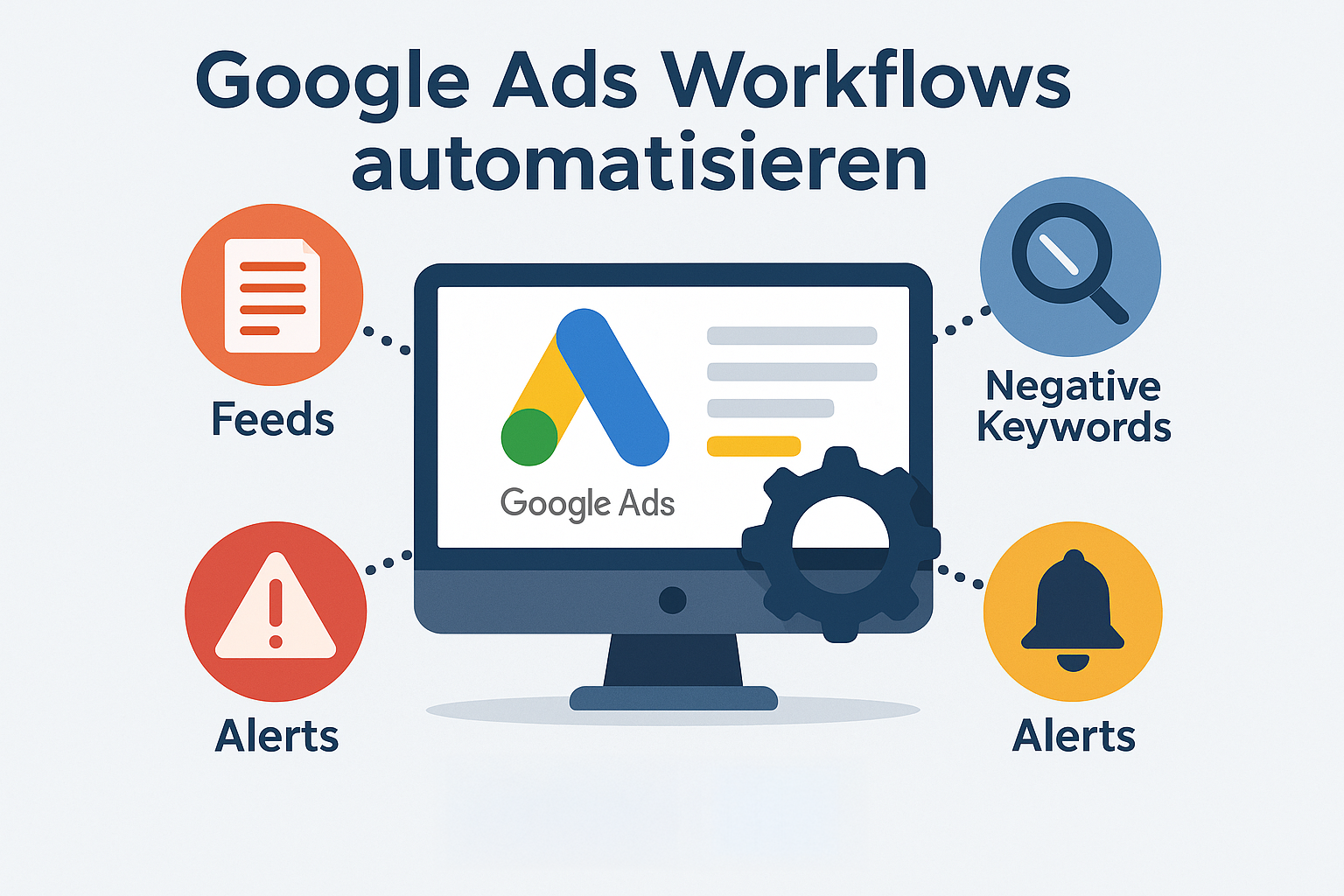
Google Ads is no longer a simple bidding system. Modern accounts consist of a mixture of performance max campaigns, shopping feeds, search campaigns, remarketing lists, target group signals and constant changes in search queries. In addition, there are constantly new products, price changes, 404 errors, budget fluctuations and quality factors that need to be adjusted daily.
In practice, this means:
He who still maintains his account manually works reactively – and loses money.
Automated workflows solve exactly this problem. They take over the activities that occur every day but nobody likes to do:
- Product feeds are automatically updated without you touching any price manually
- Search queries with bad conversions or high cost waste automatically end up in negatives
- Alerts immediately point to errors that are not noticed until weeks later in the report
- Budget and performance deviations are checked in real time
- 404 pages, expired products or missing GTINs are detected automatically
The practical benefits:
You don’t have to go through search terms every day, synchronize prices or manually control campaigns. Instead, central processes run permanently in the background. You only take decisions that are really strategic – scaling, structure, target groups, creatives.
What this guide is about:
I’ll show you step by step,
- how Google Ads automation works today,
- which workflows bring measurable time savings,
- and how you achieve scaling without losing control of the account.
Why Google Ads Automation is indispensable
The bigger an account becomes, the faster the daily mandatory tasks grow: Check bids, clean search queries, keep feeds synchronous, monitor budgets, check rejected products, test ad variants and fix bugs in campaigns.
In practice, this is difficult to handle manually – especially not reliable.
Automation solves this problem precisely because it starts where people typically make mistakes or simply don’t have time:
What automation means in practice
- Processes run daily or even hourly in the background:
Search queries, feeds, product prices, conversions, issues – everything is checked automatically. - Errors appear immediately – not only in the monthly report:
Rejected products, 404 links, output explosions or a suddenly empty feed log in via alert. - Budget automatically migrates to working campaigns:
Rules recognize trends and react faster than any manual intervention. - Search terms are kept clean:
Poor queries (high costs, no conversions, low relevance) automatically migrate into negatives. - Optimizations are based on objective data instead of gut feeling:
Workflows analyze patterns over weeks – not just the last two days.
The central advantage
Automation creates what is most valuable in Google Ads:
Scaling without loss of control.
Instead of repeating the same tasks every day, focus on what the account really does:
- Improve Campaign Structure
- Testing new target groups
- Developing Creatives
- Optimising bid strategies
- Plan seasonal actions
Routine work disappears – strategy wins.
Feed automation – the basis for shopping & performance Max
The product feed is the foundation of any successful shopping or performance max campaign. If data is incomplete, outdated or misstructured, campaigns lose reach, relevance and quality. That’s why feed automation is one of the strongest levers in the entire Google Ads setup.
What feed automation does in practice
With automated workflows, all product-relevant information is constantly updated and optimally prepared for Google:
- Dynamic title optimization:
Titles are automatically built up according to best practices
(Brand + product type + variant + characteristics),
which significantly increases the relevance and click rate. - Automatic price and inventory synchronization:
Price changes or out-of-stock situations are transferred immediately to Merchant Center –
no risk of rejections due to price deviations. - Automatic Google Taxonomy Mapping:
Products are automatically classified into the appropriate Google categories. - Quality control & alerts:
Feed errors, rejected products or upload problems
The system automatically triggers alerts – long before performance suffers. - Rule-based custom labels:
Automated by margin, season, bestseller, stock status or campaign priority.
Which tools can be used for this
You set to professional Google Ads Management Tools, which represent exactly such tasks:
Feed enrichment, rule-based optimization, monitoring and warning messages.
These include solutions such as:
- Channable (Feed Management & Channel Automation)
- DataFeedWatch (rule-based feed optimization)
- Specialized PPC automation tools (rule-based workflows, alerts, feed checks)
The wording makes it clear:
👉 You work with powerful tools that professionally support feed automation – including Optmyzr without making it too prominent.
Why this approach is so effective
All changes in the shop flow automatically and without errors into Merchant Center and then into Google Ads. Thus:
- more stable shopping and P‑Max campaigns,
- budget losses are avoided by rejections,
- large ranges can be controlled without extra effort,
- the data quality remains constant high.
In short: The feed works for you – not the other way around.
Feed problems & suitable automations
Automate query mining – Keep search terms permanently clean
Search Terms are among the most valuable data sources in Google Ads. They show exactly, what users have actually searched for – not what you deposited as a keyword.
The problem: the larger the account, the more confusing the search query list becomes. Manual evaluations are fast time consuming and inefficient.
This is where automated query mining starts.
What automated query mining does in everyday life
Modern workflows analyze search queries every day or even every hour and carry out concrete measures – without anyone having to intervene actively:
- Automatically identify any relevant search terms:
Systems scan search terms on patterns that do not match the target audience
(e.g. free requests, false marks, training terms, DIY searches etc.). - Deriving negative keywords automatically:
Rules define which terms should be excluded immediately –
e.g. with too high a CPC, poor conversion rate or a clear misrepresentation of topics. - Mark weak search terms:
Search terms with poor performance end up in a “Review” list –
ideal for weekly quality checks. - Form clusters (theme clustering):
Automations group search queries by topic, intent or product family –
Perfect for later campaign structure or new ad groups. - Identify keyword opportunities:
Keywords that perform well are proposed as potential keywords –
including volume and quality evaluation.
Why automated query mining is so important
Search queries change quickly. Without automation, unwanted keywords are often discovered only when they have already burned budget. With automated workflows on the other hand:
- the account is daily adjusted;
- decreases the proportion of irrelevant clicks,
- increases the efficiency of budgets,
- improve quality factors in a measurable way,
- campaigns remain stable for a long time.
This creates a “self-cleaning” Google Ads account that remains permanently clean and efficiently uses its budgets.
Automatically maintain negative keywords – the shield of your account
Negative keywords are one of the most important levers to avoid unnecessary costs and keep the quality of a Google Ads account permanently high.
While campaigns and bid strategies get a lot of attention, the maintenance of negative lists is often underestimated – in particular, it decides: how clean, efficient and controllable an account remains.
Automation ensures that these lists are no longer updated manually, but are maintained permanently.
Why a clean negative structure is so important
A professionally managed Ads account consists of at least two levels:
- Campaign or ad group structure
– defined, where displays should appear. - Negative keyword structure
– defined, where ads may never appear.
Especially in performance max and broad match campaigns, this second level is crucial to avoid scatter losses and maintain control.
Typical negative clusters that should be maintained automatically:
- Brand-Protection:
Prevents campaigns from offering on competitive brands. - Own brand variants:
So that shopping or PMax campaigns don’t compete against each other. - Irrelevant generic terms:
e.g. “free of charge”, “pdf”, “login”, “used”, “jobs”, “help”, “definition”. - False categories assigned:
Particularly important for products with several meanings
(e.g. feed mark ‘Tiger’ vs. animal suchanfragen). - Non-purchasable search intents:
For example, “how does it work, “what does it mean?
How Automation Helps
Instead of maintaining lists manually, automated workflows ensure that:
- new negative terms from searches are automatically recognized ,
- lists are regularly updated,
- unwanted terms are written directly into the account,
- certain terms are automatically excluded from each type of campaign ,
- Alerts are triggered when unusual searches occur.
This logic runs in the background and ensures that accounts remain clean in the long term – even if search trends change.
Perfect for complex accounts & performance Max
Especially at Performance Max, automation of negative care is indispensable:
- PMax generates a lot of searches outside of classic keyword logics.
- Without negative workflows, campaigns can quickly play out on expensive or irrelevant terms.
- Automated lists ensure budget focus, better data quality and higher ROAS stability.
In short:
Automated negative lists are the shield that prevents Google Ads from burning uncontrolled budget.
The bigger the account – the more important this building block becomes.
Examples of negative keyword clusters
Budget monitoring & alerts – detect problems before they become expensive
Many errors in Google Ads become visible only when budget has already been burned – be it through paused campaigns, faulty feeds, increased click prices or a defective tracking.
Automated alerts ensure that such problems are detected at an early stage and do not become noticeable only in the monthly report.
What automated alerts can monitor
Automated monitoring attacks directly at places that are particularly susceptible to errors or outliers in everyday life:
- Budget consumption faster than planned
The daily budget is already used up at noon – campaigns stop early. - Budget is not exhausted
Ads are barely running because keywords or placements are not delivered. - Conversion collapse
Sudden declines may indicate tracking errors, landing page problems or market changes. - Unusual CPC increase
Report automated alerts when click prices rise exceptionally strongly. - Rejections in the product feed
Especially critical at Shopping & Performance Max – missing product data stop delivery immediately. - Intentional pause of campaigns
More often than you think: Campaigns are disabled by limits, external interfaces or feeds. - 404 or 500 error on target pages
A broken link can cost hundreds of clicks within a few hours – alerts prevent exactly that. - Tracking breaks down (GA4 or conversion tracking)
Without clean data, bidding strategies do not work.
Why Alerts Are So Important
Manual monitoring is hardly realistic in larger accounts.
Automated alerts ensure that:
- critical abnormalities become immediately visible,
- Problems proactive instead of being solved retrospectively,
- budget wasting drastically,
- more stable running campaigns,
- Performance Max & Shopping reliably perform.
Alerts can be output by e‑mail, in the dashboard or via an internal reporting system.
A continuous monitoring is created – an early warning system that protects your account.
Alert system: What should be monitored
Automate 404 check & URL monitoring – so that no click is empty
Defected target pages are among the most expensive and at the same time common problems in Google Ads.
A campaign can run technically flawlessly – but if the target page is not reachable, poorly loaded or forwarded to a wrong URL, every click burns cash.
Automated URL monitoring ensures that such errors are detected immediately before they impact the performance.
What automated URL checks can check
Modern monitoring workflows regularly test all target pages of your campaigns – often every hour or several times a day:
- 404 error (page not found)
Often happens when products are sold out or URL structures are changed. - Transfer chains (301/302-loops)
Long or faulty redirects deteriorate charging time and quality factor. - Slow or unstable sides
Poor performance leads to higher CPCs and fewer conversions. - Unreachable product pages
Especially critical with Shopping & Performance Max, since many target pages are controlled via feeds here. - Unexpected status codes (500s, 403, 503)
Server errors or maintenance pages are reported immediately.
Why URL monitoring is essential – especially in e‑commerce
In the online trade, product pages often change daily:
- Articles go out of the assortment
- Variants are changed
- Categories are reorganized
- seasonal landing pages come and go
If Google Ads doesn’t notice these changes, ads will continue to be delivered – but the clicks don’t land anywhere.
Automatic URL checks prevent exactly that:
- Clicks are not wasted
- Quality factors remain stable
- Performance Max works efficiently
- Shopping ads run without failures
- Dealers avoid rejections in Merchant Center
How Alerts Are Combined
An optimal workflow looks like this:
“Check URL → Identify error → Mark campaign/asset → send alert → optionally automatically pause”
This creates a kind of shield around the entire account – errors are detected within minutes, not only in the monthly report.
Anomaly detection – if data shows that something is “not normal”
The next evolution of Google Ads automation is no longer just rigid rules such as “If CPA is higher than X, then…”.
Modern systems use anomaly detection to automatically determine if key figures behave unusually – that is differently than usual.
Typical anomalies & what they mean
Anomaly detection detects patterns that you would hardly see in time with human eyes.
Which anomalies can be detected automatically
The monitoring runs continuously in the background and checks historical comparative values:
- Spicy performance jumps
e.g. sudden crash of conversion rate compared to the last 7 or 30 days - Unusual increases in click volume
often indicates bot traffic, bad placements or new search trends - strong deviations in the CPA or ROAS
Campaigns suddenly burn budget or deliver above average good results (both cases are relevant) - Unusually low or high CTR values
may indicate advertising errors, refusals or new competitors - Traffic breaks
top Campaigns suddenly lose visibility → very often an indication of feed problems, tracking errors or wrong settings
Why anomaly detection is so powerful
While classic rules only make black-and-white decisions (“higher than X”, “lower than Y”, anomaly detection detects changes in context:
- compared to the usual weekly/month pattern
- measured by seasonality
- in relation to similar campaigns
- Based on historical performance values
Thus, the system detects problems exactly at the moment they arise.
Example from practice:
On a Monday at 09:15, the conversion rate of a PMax suddenly drops by 45%.
Human: Often only weeks later does the monthly report appear.
Automated: Alert after 15 minutes – “Conversion rate unusually low vs. 7‑day history”.
What is prevented from doing so
- expensive failures due to faulty feeds
- wrong landing pages due to 404 errors
- Hours or days of inefficient delivery
- CPC spikes that run out of budgets
- Tracking failures that blind strategies
The result
Anomaly detection is like a early warning system for PPC accounts:
It is discovered when something is different – and ensures that you can react before expensive damage occurs.
Scalable workflows – the most important automations in overview
A professionally automated Google Ads setup does not consist of a single rule, but a set of cleanly matched workflows that run every day in the background.
These automations ensure stability, prevent budget losses and ensure that accounts can scale without increasing manual effort.
Below you will find an extended, practical overview of the most important automations – including benefits and concrete applications.
Central PPC workflows that are mandatory in any customer project
| Workflow | Benefit | Example of practice |
| Feed Sync | ensures up-to-date, complete product data in Shopping & Performance Max | Changes in the shop (price, stock, title) are passed automatically to Merchant Center & Google Ads |
| Query mining | keeps search terms clean and reduces irrelevant clicks | irrelevant terms are analyzed daily and automatically blocked |
| Negative keyword automations | protects budgets from inappropriate searches | Automatic exclusions for competitive brands, free terms or false intentions |
| Budget Alerts | prevents overspending and supply gaps | CPA rises suddenly → Alert is triggered → Campaign is checked |
| 404 monitoring | ensures that all target pages work | Workflow detects broken URLs or forwarding loops and reports them immediately |
| Performance alerts | detects eye-catching key figures in real time | CTR or conversion rate breaks → Warning will be sent |
| RLSA / Customer Match Sync | automatically keeps target group lists up to date | new customers from CRM are added daily to Google Ads target groups |
| Tracking Health Checks | ensures that conversion data is reliably measured | GA4 or Tag Manager no longer sends conversions → instant notification |
| Campaign status monitoring | prevents unwanted breaks | Campaigns suddenly no longer run → Alert within minutes |
| Price/competition monitoring (optional) | detects market changes early | Competitor undercuts price → optional indication of adjustment |
Why these workflows are so powerful
These automations create a system that works almost 24/7 independently :
- Product data always stay up to date
- Campaigns running stable
- Problems identified early
- Target group lists are always clean
- Search queries are continuously optimized
- Landing pages are automatically monitored
The result is a Google Ads setup that runs scalable, robust and economically sound – without anyone having to take hundreds of steps every day.
Overview of the most important Google Ads automations
From manual maintenance to automated PPC system
Manual maintenance of a Google Ads account only works up to a certain point.
Once several types of campaigns are active – shopping, performance max, search, remarketing – the effort grows exponentially.
Automation, on the other hand, creates a scalable PPC system that runs stable and automatically adapts to new data.
What an automated PPC setup really changes
A working automation stack means not only “less work”, but a completely new quality in account management:
- less scatter losses
Through Query-Mining & Negative-KWs, budget consistently flows into relevant search queries. - more stable performance
Feeds remain clean, target pages are monitored, alerts reach for problems immediately. - Data-driven decisions
Automated reports show every day where budgets work – and where they ship. - clear structures instead of chaos
Workflows specify the framework: Feeds → Keywords → Target groups → Alerts → Performance. - more growth with the same effort
Scaling is no longer based on “invest more time,” but on better processes.
What it will make possible
When all core processes run automatically – from feed optimization to anomaly detection – Google Ads finally becomes controllable:
- Campaigns run reliably
- Products are always up to date
- Search queries are optimized daily
- Problems are automatically reported
- Target groups remain cleanly synchronized
This creates a setup that works day and night in the background – while you (or your customer) can focus on strategy, testing, landing pages and new target groups.
➡️ If you want to build Google Ads automation – including feed optimization, query mining, alerts and complete workflows – we support you in technical setup and operational implementation.
FAQ: Frequently asked questions about Google Ads automation
- What does Google Ads automation mean?Google Ads automation includes all workflows that perform recurring tasks without manual intervention.
The feeds are automatically updated,
Search terms and negative lists are continuously corrected,
的 Alerts report errors or unusual metrics.
This keeps the account clean, stable and scalable. - What tasks can be best automated?Especially well automated are:
Product Feeds for Shopping & Performance Max,
— Query mining,
— Maintain negative keywords,
Budget and performance alerts,
URL and 404 monitoring.
These areas cost a lot of time manually and automatically deliver the best effect. - How does automated query mining work?Search queries are regularly checked during query mining.
Irrelevant terms are automatically excluded,
. good keywords proposed as new keywords,
Clusters form thematic groups for better structured campaigns.
This keeps the account permanently clean and efficient. - Why are negative keywords so important for automation?Without well-kept negative lists, ads play out on searches that do not match the target group.
Automated rules prevent scattering losses,
. protect the budget,
The performance is stabilized – especially at Broad Match & PMax. - How do alerts and monitoring help in everyday life?Alerts report problems that would otherwise only be noticed in the monthly report:
Budget consumption,
conversion breaks,
Feed-rejections,
A broken URL or tracking failure.
This makes critical errors immediately visible and can be quickly corrected. - What does automated 404 and URL testing do?URL monitoring detects:
404 pages,
. incorrect forwarding,
Slow or unstable target sides.
Especially in e‑commerce, the expensive click loss prevents and increases quality factors. - What makes anomaly detection better than simple rules?While rules check fixed thresholds, anomaly detection detects unusual behavior patterns.
— Deviations are evaluated in context,
problems appear in real time,
Optimizations become faster and more precise.
This is particularly helpful with Performance Max and dynamic accounts. - What are the advantages of a fully automated PPC system?An automation stack ensures:
less scatter loss,
More stable campaigns,
daily optimization,
— clear data base for decisions,
Growth without additional manual effort.
Teams gain time for strategy, creative testing and scaling. - Do I need special tools for automation?Specialised PPC tools are used for professional automations.
They enable:
Feed optimization,
— Query mining,
negative care,
“Alerts,
Monitoring and anomaly detection.
They extend what Google Ads can do itself and make complex workflows reliably feasible.
Schreibe einen Kommentar zu "Automating Google Ads workflows: feeds, negative keywords and alerts"