

E‑commerce automation for orders, invoicing and shipping
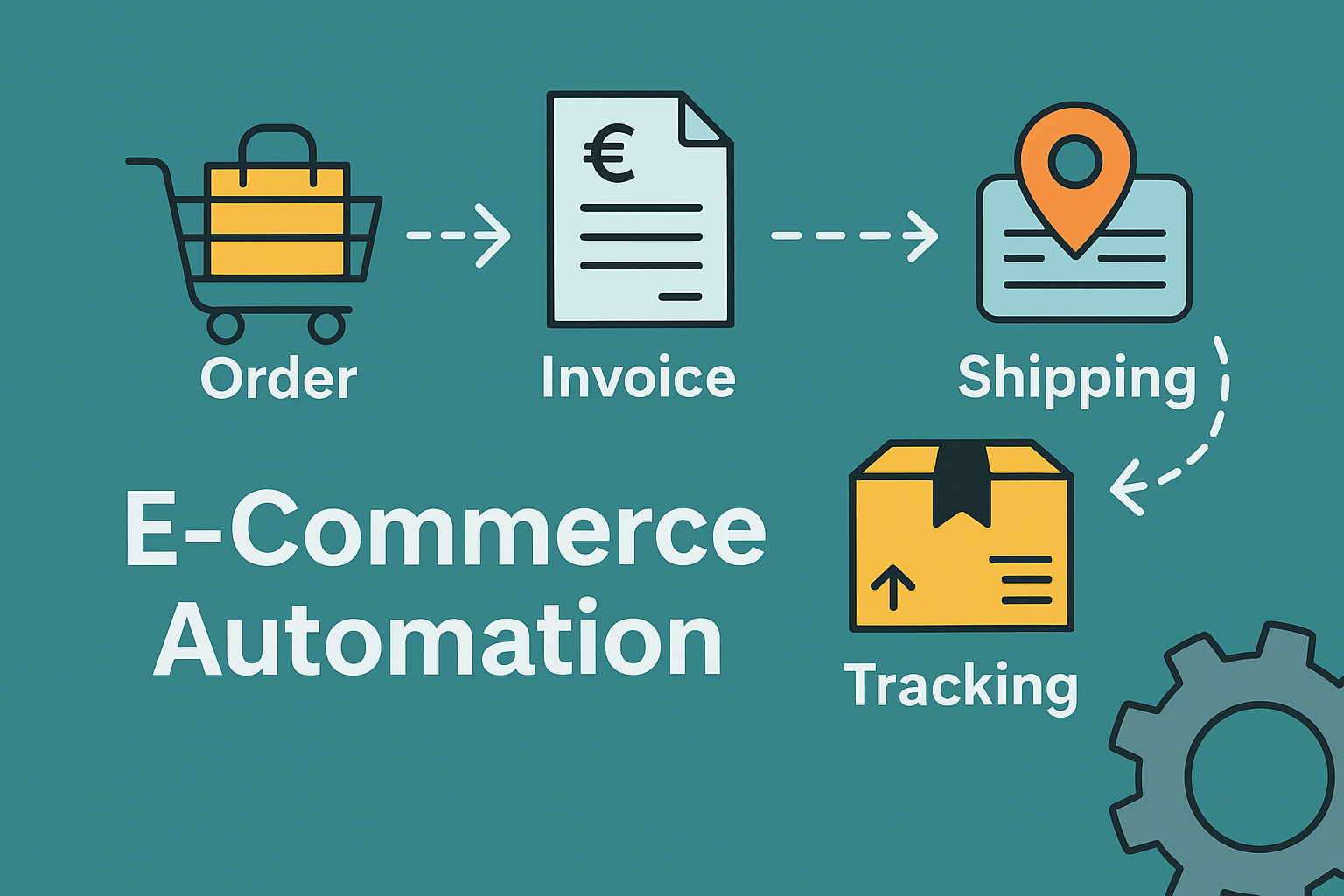
Today, e‑commerce is far more than just receiving orders. Dozens of processes run simultaneously behind a single purchase: payment receipts have to be checked, invoices created, shipping data transmitted and stocks updated. In addition, returns, accounting and communication with shipping service providers are added – an enormous effort when everything happens manually.
E‑Commerce Automation solves precisely this problem. It ensures that shop systems such as Shopware, Shopify or WooCommerce are directly connected to accounting, logistics and marketplaces. As soon as a customer orders, an entire chain of automated processes starts: Invoicing, stock update, shipping label, tracking link – everything runs in the background without manual intervention
The benefits are clearly noticeable:
- Procedures become faster and more error-free,
- Teams win more time for customers and strategy,
- and the customer experience remains consistent and professional, from shopping cart to delivery.
This creates a flowing process in which each system speaks to the next – Orders, invoices and shipping in perfect flow
Why e‑commerce automation is crucial
In e‑commerce, every second counts. Customers today expect orders to be confirmed in real time, shipments to be tracked immediately and queries to be answered without delay. At the same time, complexity increases in the background: returns must be processed correctly, taxes automatically calculated and payments reliably allocated.
This can hardly be done manually – especially when the order volume is growing or there are several distribution channels in play. Automation ensures that all these processes free of friction, comprehensible and scalable run out. Systems exchange information independently: Shopware transmits new orders to ERP, the ERP generates invoices and initiates shipping processes, while accounting automatically records in the background .
The advantages are obvious:
- Time saving: Recurring tasks run automatically, while teams can focus on strategic topics
- Data consistency: Orders, stocks and invoices remain synchronous across all systems
- Customer transparency: Automatic status messages and shipping updates create trust
- 的 Scalability: Even with the order volume increasing, costs remain constant low
In short: E‑Commerce automation is the engine for growth.
It makes it possible to handle more orders with less effort – and with higher precision and better customer experience
Typical processes of e‑commerce automation
Automate order processing – the digital process at a glance
Order processing is the heart of every successful online trade – here it is decided whether a purchase will be processed efficiently, fault-free and customer-friendly. From receipt of the order to delivery, numerous individual steps take place, which will quickly become a burden without automation.
A automated workflow ensures that all systems play together smoothly: Shop, merchandise management, accounting and shipping service providers are connected to each other. Thus, orders are no longer transferred manually, but processed automatically – from the shopping cart to the tracking link
This is what an automated process looks like in practice:
- Order in the shop: The customer orders in the online shop (e.g. via Shopify, WooCommerce or Shopware).
- Data transfer: Order data is automatically transferred to ERP or accounting.
- Invoice & Shipping: Systems automatically generate invoices, shipping labels and delivery notes.
- Status update: The customer receives an automated e‑mail with payment and shipping status.
- Archiving: All documents are stored digitally, audit-proof and GDPR-compliant.
The result is a closed process, in which each step triggers the next – without media breaks or manual interventions.
Tools such as Billbee, JTL or Lexoffice take over the synchronization between shop, warehouse and accounting.
This means: new order in the shop → inventory is automatically reduced → invoice goes to the customer → shipping service provider receives the shipping data.
So everything remains consistent – and from a complicated process becomes an efficient, automated flow that saves time and almost excludes errors
Workflow – From order receipt to delivery
的 Shipping automation – from label to delivery
Shipping is one of the most crucial and at the same time prone to errors in online retail – and therefore predestined for automation. Every manual step takes time: printing labels, transferring parcel numbers, selecting shipping service providers or informing customers about the status. If this process is digitally controlled, a consistent and error-free procedure is created.
With modern shipping automation, the entire fulfillment process runs fully automatically – from label to delivery
How automated shipping works in practice:
- Label creation: After order receipt, the appropriate shipping label is automatically created and sent to the printer.
- Data forwarding: Package data is passed directly to DHL, DPD, Hermes, UPS or GLS – including shipment number.
- Notice: The customer will automatically receive a shipping confirmation with tracking link.
- Shipping costs: Systems calculate costs dynamically according to weight, destination region or shipping type.
Tools like Shipcloud, Sendcloud or JTL Shipping integrate seamlessly into shop systems such as Shopware, Shopify or WooCommerce. They take over all communication with the shipping service providers without an employee having to intervene.
The result: fewer manual interventions, shorter processing times and significantly fewer errors.
An additional advantage lies in the uniform communication – each status change, every packet number and every update occurs automatically.
So customers know where their order is at any time – a small technical step that strengthens confidence and significantly increases the buy-back rate
Comparison of dispatch automation tools
Automate accounting and booking processes
Hardly any sector benefits as much from automation as accounting. In e‑commerce, hundreds or even thousands of documents arrive every day – orders, payments, credits, returns. If all this is handled manually, it quickly leads to errors, double bookings or late payments.
With modern invoice and booking automation these processes are regulated and completely digital. This means: Each order automatically generates the appropriate documents and booking sets – without any employee intervention.
Typical processes in an automated booking process:
- After each order, a invoice is automatically created and linked to the customer data.
- Payment receipts from PayPal, Klarna or credit card are automatically matched.
- The invoice is sent directly to the customer and archived simultaneously in the system .
- The accounting software – for example Lexoffice, SevDesk or DATEV – automatically receives all booking sets via an interface.
Thus, the administrative effort is reduced by up to 80 %, and at the same time the accuracy of financial data increases
Error sources disappear through manual input, and legal requirements such as GoBD or GDPR are automatically complied with.
Invoicing automation is a real efficiency booster, especially with an increasing order volume:
It ensures order, saves staff time and ensures that every cent is booked correctly – from receipt of payment to tax returns
Retour management in automated flow
Retours are simply part of online retail – but they do not necessarily have to cost time, money and nerves. With a clearly defined, automated process, the entire return handling can be made efficient, transparent and customer-friendly.
Instead of answering e‑mails manually or sending labels individually, modern systems take over the complete processing.
An automated return process not only provides faster processes, but also for a better customer experience, because each step is understandable
How automated returns management works in practice:
- Customers request their return via an online form or customer account.
- The system automatically creates the Retourlabel and sends it by e‑mail.
- After receipt of the goods, the status is updated in the CRM and shop system.
- The verification process starts automatically, and after release the refund or credit takes place.
Such processes have long been standardized with large platforms such as Amazon or eBay – but even smaller shops can implement this without problems today.
Tools such as Returnless or Sendcloud Returns enable individual return portals, automatic status messages and central management of all returns.
This saves an enormous amount of time in support, reduces errors and ensures that customers feel well looked after even in the event of a return.
Thus, a potentially negative experience becomes a professionally controlled process that creates trust and makes buybacks more likely
Multi-channel & platform integration
Many retailers no longer sell their products exclusively through their own online shop. Besides Shopware, Shopify or WooCommerce platforms such as Amazon, eBay, Google Shopping or Meta Ads play a central role in sales today. But those who are active on multiple channels face a huge challenge: Product data, prices, stocks and orders must remain permanently synchronous.
This can hardly be done manually – especially if product ranges and prices change regularly. Precisely here, specialized automation tools such as Channable come into play.
Channable acts as an interface between shop and platforms. It ensures that all channels receive up-to-date information at any time – and orders flow seamlessly back into the shop system.
The system takes over, among other things:
- the feed creation for each marketplace or channel,
- the rule-based optimization of titles, prices and descriptions;
- the automatic return of orders to the shop,
- and the real-time inventory matching.
Example of practice:
A dealer changes the price of a product to WooCommerce → Channable automatically updates all linked platforms → an order via Amazon will be passed automatically to the shop system → Invoice and shipping start immediately
The result is a continuous multi-channel flow in which all systems talk to each other.
Dealers save on the daily maintenance of countless feeds and can offer their products on multiple channels, without extra effort and without risk for errors.
Thus, multi-channel commerce can be planned, efficient and scalable
Multi-channel integration with Channable
Monitoring, Alerts & Reporting
Even if automation simplifies a lot of things – check them anyway. Even the best system can stall when interfaces fail, data is incomplete or an API does not respond. To avoid such problems being unnoticed, it requires automated monitoring and intelligent alerts.
Central dashboards provide an insight into whether all processes are running smoothly at any time – from order import through invoice shipment to parcel tracking. As soon as a mistake occurs, a notification is automatically triggered even before sales or customer satisfaction suffers .
Examples of practice for meaningful alerts:
- Warning if orders have not been imported correctly
- Note if Tracking numbers or shipping labels are missing
- Notification at incomplete invoice data or delays in payment
- Alarm if a inventory changes unplausibly
By connecting e‑commerce and reporting systems – for example Looker Studio, Power BI or automated Google Sheets Dashboards – all relevant key figures can be evaluated in real time.
This allows retailers to automatically visualize values such as shipping speed, return rate, order runtime or conversion rate.
This creates maximum transparency and makes optimization measurable: Problems are not only detected when they become expensive, but proactively recognized and fixed before they affect the sales
Key figures in e‑commerce monitoring
Best Practices for Successful Shop Automation
Automation is not a switch that you simply flip – it’s a step-by-step process that grows with planning, testing and optimization. Anyone who wants to digitize everything at the same time risks chaos. It’s better to start targeted with areas that bring the greatest benefit, such as invoices, shipping or product feeds.
The success does not depend on how many tools are used, but how well they play together.
Recommended approach for sustainable shop automation:
- Analyze processes: Identify all recurring tasks and identify bottlenecks.
- Define workflows: Set clear processes – from incoming orders to shipping.
- Connect tools & interfaces: Connect systems via API, n8n, Pabbly or Zapier and test automated handovers.
- Execute test phase: Start with a few orders to detect sources of error.
- Scaling & fine tuning: Expand processes, check key figures and regularly optimize processes.
Automation only works in the long term if it structured, documented and regularly monitored (Parliament adopted the resolution)
In addition, the use of artificial intelligence opens up new possibilities: Systems can make proposals independently in the future – for example, when products should be re-ordered, which customers receive a reactivation offer or how shipping times can be optimized
Thus, an automated shop does not become a rigid system, but a learning network that actively supports the dealer – efficient, predictive and scalable.
Step-by-step to successful shop automation
From ordering to perfect flow
E‑commerce automation means to make many individual systems a harmonious whole. When shop, accounting, shipping and marketplaces are connected together, each process runs like a precise movement – transparent, efficient and scalable.
As soon as systems such as Shopware, Shopify or WooCommerce are linked to tools such as Channable, Billbee or Lexoffice, a consistent data flow occurs:
Orders are processed automatically, invoices created, shipping labels generated and tracking information sent to the customer
The result is a smooth process from ordering to delivery – without double data input, without manual intermediate steps.
Each order runs automatically through the system, each customer receives up-to-date information, and each team member works on the basis of the same, always up-to-date data.
If you want to automate your e‑commerce processes – from order to invoice to shipping – I will be happy to support you in building an individual, scalable workflow structure that accelerates your processes, lowers costs and sustains your growth in the long term
FAQ: Frequently asked questions about e‑commerce automation
- What does e‑commerce automation mean?E‑commerce automation describes the automatic control of central online trading processes.
Orders, invoices and shipping are processed automatically
的 Systems such as Shopware, Shopify or WooCommerce communicate directly with accounting, warehouse and shipping
Traders save time, avoid mistakes and increase their efficiency - What areas can be automated in e‑commerce?Typical fields of application:
Invoices and accounting
的 Shipping and tracking processes
Retour management
Multi-channel integration (e.g. Amazon, eBay, Google Shopping)
Customer communication (status updates, email notifications)
The goal is a consistent workflow where all systems automatically work together. - What tools are suitable for shop automation?Popular solutions are:
Channable for product feeds and marketplace connection
Billbee or JTL for order processing and shipping
Lexoffice, SevDesk or DATEV for accounting
Shipcloud and Sendcloud for shipping labels and tracking
All tools can be flexibly linked via interfaces (API, n8n, Pabbly, Zapier). - How do I start with the automation of my shop?The start is gradually made:
Identifying and prioritizing bottlenecks
Select Automatizable Processes
Build 3‑to-work interfaces between shop, accounting and shipping
Perform 4 such test runs with a few jobs
Scaling and expanding after successful exam
This means that the introduction remains controlled and risk-free. - 的 Does automation also work with multiple sales channels?Yes – it is precisely here that their full potential is shown.
Tools such as Channable connect shop systems with marketplaces such as Amazon, eBay or Google Shopping
The stocks and prices are automatically synchronized
Orders flow back into the shop, invoices and shipping start automatically
Multi-channel commerce thus remains clear and efficient. - What are the advantages of automated returns management?An automated return process ensures clear processes:
Retour labels are generated automatically
Status changes are updated immediately in the shop and CRM
Refunds are automatically made after verification
This significantly reduces the manual effort and customers experience a professional service. - How do I keep control of automated processes?Monitoring and alerts ensure process quality:
Dashboards show whether order, shipping and invoice processes are running correctly
• Notifications for errors, e.g. missing tracking numbers or order imports
Report about Looker Studio or Power BI make results measurable
All processes remain transparent and controllable.
Schreibe einen Kommentar zu "E-commerce automation for orders, invoicing and shipping"