

Customer retention automation across the customer lifecycle
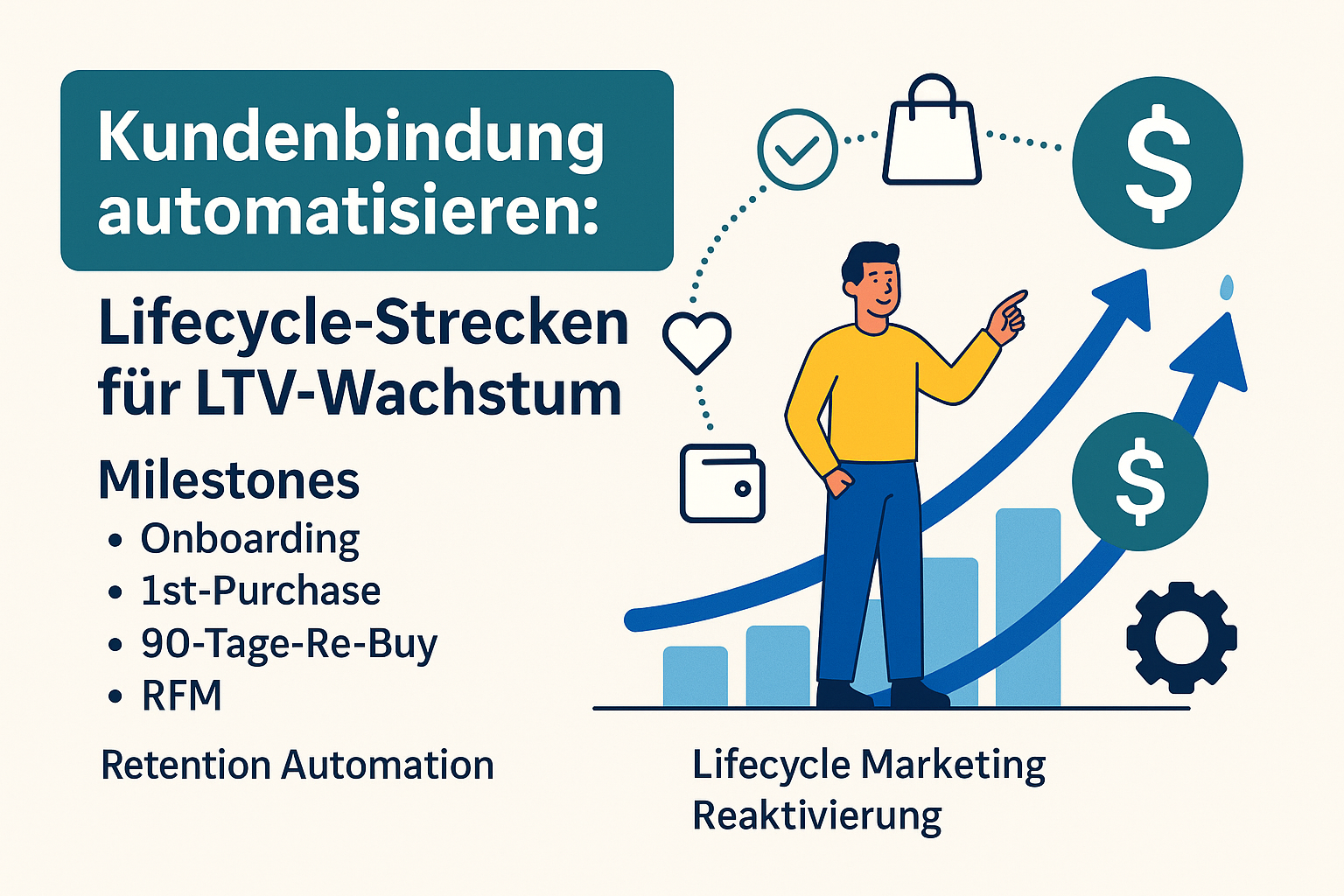
Customer acquisition is becoming more expensive from year to year. Advertising prices are rising, attention is getting scarcer and competition is increasing. At the same time, the existing customer base often has the greatest potential for revenue – but many companies do not exploit it because the focus is almost exclusively on new customer acquisition. Existing customers “run with” instead of being actively developed.
But from an economic point of view, this is exactly the decisive factor: How much turnover does a customer bring over the entire duration of the business relationship?
This indicator is called Customer Lifetime Value (LTV). The higher the LTV, the more profitable a company works – even with rising acquisition costs
This is exactly where Retention Automation starts. Instead of sending individual campaigns manually, Lifecycle routes are built: automated processes that systematically guide customers through central phases – onboarding, first purchase, buy-back (rebuy) and reactivation after a long break.
The advantage: these routes run permanently in the background and automatically respond to events such as new registrations, missing purchases or certain periods of time after an order.
Technically, this can be very well illustrated with automation platforms such as n8n or Pabbly. Data from shop, CRM and email tool flow together there, are checked and processed according to clearly defined rules
This creates a system that works in the background – with a clear goal: to increase customer lifetime value (LTV) by staying longer, buying more often and jumping less frequently.
What retention automation really means
Retention Automation is much more than an automatically sent newsletter. It describes a system that uses customer behavior, purchase history and times to trigger recurring processes that accompany each customer individually. Instead of sending one-off campaigns, a permanently active process arises, which automatically collects each contact at the right time.
Typical examples of such routes are:
- Onboarding after a registration – the customer gets all the information he needs to get started step by step
- Activation routes around the first purchase – Building trust, explaining benefits, removing doubts
- Rebuy pulses after 30, 60 or 90 days – ideal for products with natural consumption or buyback rhythm
- Winback routes for inactive customers – recognize customers who “fall asleep and specifically bring back”
In order for these processes to function reliably, a clean data structure is required.
- Which customers belong to which segment?
- How long has the last purchase been?
- How many times has a customer already bought?
- How high is the total turnover so far?
From these data clear triggers can be derived – i.e. triggers that start an automation.
Such triggers can be technically very simple in n8n or Pabbly, for example:
“If a customer hasn’t made a purchase for 60 days → Check segment → Start matching reactivation route”
Retention automation means in practice:
Read data, recognize patterns, define routes – and let everything run automatically
The result is a system that works around the clock without anyone having to intervene manually every day.
The Customer Lifecycle at a glance – from onboarding to loyalty
In order for Lifecycle routes to work properly, a clear understanding of the Customer Lifecycle is needed. It describes the typical stations that a customer passes through from the first contact with the brand to the re-purchase phase. Each of these phases has different needs – and therefore also other triggers for automations.
Overview of the most important phases:
- Onboarding – the customer gets to know brand, product and benefits
Objective: orientation, trust, first sensible step - Activation / First Purchase – out of interest will be a purchase
Goal: take last hurdles, give security, facilitate decision - Rebuy / Usage – the customer uses the product and buys again
Objective: To meet the right time, to trigger appropriate needs - Loyality / regular customer – the customer buys regularly
Objective: Strengthen commitment, offer exclusivity, show appreciation - Inactivity / Emigration – the customer no longer responds
Goal: get back, understand reasons, re-enable interests
Each phase is triggered by different events, which are very suitable for automated triggers:
- Onboarding: new registration, download, first profile update
- Beim First Purchase: Shopping cart cancellation, product views, voucher use
- In the Rebuy range: 30/60/90 days since last purchase, product usage cycles
- In the loyalty phase: Reaching certain turnover limits, frequency of orders
- In the inactivity: long breaks without clicking, visiting or buying
Lifecycle marketing therefore means:
Do not treat all customers equally, but develop the right automation for each phase.
This creates a system that really accompanies customers – instead of overdoing them with general campaigns.
Overview Customer Lifecycle + typical triggers
Automate onboarding – the first milestone
The first contact after a registration often decides whether an interested person becomes active – or jumps off again. That’s why structured onboarding is one of the most important building blocks in the entire lifecycle. It ensures that a new contact does not “fall into emptiness”, but is systematically taken to the hand.
A strong onboarding achieves two things simultaneously:
- It conveys orientation.
The contact immediately understands what awaits him, what the next meaningful step is and what benefits he can derive from the offer. - It builds trust.
Security is created through helpful content, clear communication and comprehensible added value – a basic requirement for the first purchase or use of a service.
A typical onboarding route looks like this:
- Day 0 – Welcome:
Immediately after the registration, the contact receives a confirmation, a brief introduction and a clear hint: “What happens next?
No marketing pressure – just orientation and security. - Days 1–3 – Making benefits tangible:
Tips, best practices, frequent questions, product advantages or short application examples.
Objective: To deepen interest and show relevance. - Day 4–7 – Activation:
Now follows a clear next step – for example first order, demo request, product recommendations or setup of the user account. - Optional – Segmentation:
Depending on the behaviour, it is decided which next route of contact flows.
Does it react actively? → Activation or first-purchase route.
No response? → Nurturing or information route.
The technical implementation is clearly structured:
- A registration in the shop or form triggers a webhook or API event.
- n8n or Pabbly creates the contact in the e‑mail system and automatically starts the appropriate onboarding sequence.
- Openings, clicks or page visits are then evaluated in order to dynamically adapt the segment.
This results in a onboarding route that adapts to the behavior of the contact without having to manually recapture or update lists. The result is a consistent start for each new contact – and a significantly higher chance that an active customer will become interested
First-purchase routes – turning prospective buyers into buyers
In e‑commerce, the biggest hurdles often lie between initial interest and actual purchase. Many visitors find out, compare products or put something in their shopping cart – but break off the process shortly before completion. This is precisely where a well thought-out first-purchase route unfolds its greatest value: It guides interested parties structured over these last hurdles.
The building blocks of a successful first-purchase route
- Behavioural product recommendations
Instead of showing generic bestsellers, recommendations are made based on the categories or products considered. - Integrate social proof
Reviews, real reviews or previous-after examples create trust and reduce doubts. - Prevent any objection
Many abortions are caused by uncertainties:
“How long is the delivery time? Can I exchange easily? What happens in case of warranty?
A good route answers these questions clearly and proactively. - Set targeted incentives
For example, a small first orderer advantage, a bundle option or a supplemental recommendation.
Important: Use sparingly, not inflationary — the focus is on support, not pressure.
Triggers that make a first-purchase route particularly effective
The strength of such automation lies in clearly defined triggers:
- Several product pages viewed, but not bought
→ Recommendation of the appropriate articles + use arguments - Shopping cart filled but not completed
→ Reminder with answers to typical uncertainties
(delivery time, material, right of return, compatibility) - First purchase made
→ Transfer customer directly to a suitable rebuy or usage route, so that communication continues logically
Detect early potentials – use RFM at first purchase
The first purchase already says a lot about the future potential of a customer.
The classic RFM analysis (Recency, Frequency, Monetary) helps to make these differences visible early on:
- Recency: How fresh is the interaction?
- Frequency: How many actions/purchases have there been so far?
- Monetary: How high is the first shopping cart?
Examples:
- A customer who directly chooses several products at the first purchase often shows high potential.
- A person who only buys a cheap item in the sale needs more trust and other points of contact.
These differences should become visible in the route – for example through different recommendations or slightly varying content.
90-day strategy – Rebuy pulses for more LTV
One of the most effective levers in all retention marketing are time-based triggers, i.e. clear triggers such as 30, 60 or 90 days after a purchase.
The reason is simple: Many products have a natural buy-back cycle. If an enterprise knows these cycles and systematically accompanies them, buy-backs increase measurable – and thus the Customer Lifetime Value (LTV).
A good rebuy strategy ensures that the customer:
- be reminded of the needs in due time,
- receives helpful usage tips,
- receives appropriate recommendations,
- and can make the next purchase without any pressure.
Typical Rebuy pulses from practice
Consumable products (e.g. food supplement, cosmetics, animal feed)
- about 20 days after purchase: Application tips, dosage instructions, “This will get the maximum out.”
- 30–35 days after purchase: discreet reference to reorder, gladly combined with matching supplement products
Subscriptions or licences
- Before the expiry: Remembrance of what the extension includes, which benefits exist
- Optional: Upgrade or upsell offers (“More features for a small extra charge”)
Fashion, Lifestyle & Seasonal Products
- suitable to the season: Recommendations based on previous purchases
- Example: “You bought X in spring – now Y fits particularly well.
How a Time-Based Rebuy Workflow Is Structured
Whether 30, 60 or 90 days – the mechanism is always the same:
- Buying takes place: The customer is automatically assigned to a schedule.
- Rebuy time reached: The system checks whether a new purchase has taken place since then.
- If no: Dispatch a reminder, optionally with application tips or recommendations.
- If yes: Customer is automatically moved to another route (e.g. for complementary products).
- If several memories remain unresponsive: Transition into a gentle reactivation route.
The result is a continuous dialog that automatically accompanies each product and every customer – without anyone having to manually manage timings or lists.
Automate reactivation – get customers back
No customer remains permanently active – even satisfied buyers have phases in which they order less or lose contact. Without automation, this is often only noticeable very late. That’s why a clear reactivation concept is needed that automatically detects and specifically recovers inactive customers.
Examples for 30/60/90-day rebuy routes
How do you recognize inactive customers?
Typical criteria from practice:
- Last purchase is longer than X months back
(e.g. 3, 6 or 12 months – depending on the assortment) - No opening of e‑mails since several campaigns
A strong signal for decreasing interest or an inactive address. - Goods baskets were created several times, but never completed
Shows interest, but also hurdles in the decision-making process. - No website interactions
No visits, no clicks, no reactions over a longer period of time.
These signals can be automatically evaluated, so that a reactivation route does not start until the customer is “completely lost”.
What makes a good Winback track
Reactivation routes work best if they are estimation, relevant and clearly structured. Typical building blocks:
- Soft start:
“We haven’t heard from you for a while – without pressure, without a discount weather. - Personal product proposals:
Based on previous orders or viewed products. - Limited offers:
Clear, temporally defined impulses that do not have an inflationary effect. - Receipt feedback:
“What did you do?” – valuable for optimization and segment reorganization. - News from the assortment:
Often customers do not lose interest in the brand, but in the old products.
New collections, improved versions or fresh bestsellers can work very well.
How logic works in the background
A well-structured reactivation logic regularly checks:
- Does the customer meet an inactivity criterion?
- If so, which Winback track fits its segment?
- How does the customer react to the impulses?
- Click → Interest available → alternative route or offer
- Purchase → immediately move customer back to active segment
- No reaction → next step or later, reserved speech
This means that many customers will be brought back who would otherwise disappear quietly – without overcharging the active segment with Winback content unnecessarily.
RFM analysis in use – Segments that are really worthwhile
The RFM analysis is one of the most effective models in retention marketing. With only three key figures, customers can be segmented according to their actual value and behavior. This makes them ideal for targeted automation where they bring the greatest effect.
RFM stands for:
- Recency – How long has the last purchase been made?
- Frequency – How often has the customer purchased so far?
- Monetary – What is the total turnover generated by the customer?
These three values show at a glance, how active, how valuable and how ready to buy a customer is likely to be.
What emerges from RFM: a clear segment matrix
When combining the three factors, very meaningful customer groups emerge:
- VIP customers
Buy regularly, have recently ordered and spend a lot.
→ highest priority, most important binding goals. - Sleeps with potential
Earlier good sales, but long inactive.
→ very valuable for targeted reactivation. - Opportunity buyer
Buy rarely, mostly with smaller shopping cart.
→ good segment for cross-selling and value-added communication. - New buyers with potential
Recently bought, but not often yet.
→ ideal for first-purchase → rebuy routes. - Risk customers
Little sales, long inactive, hardly any interaction.
→ low priority, only gentle or rare impulses.
The right automation for each segment
As soon as the segments stand, it becomes clear which route is useful for whom:
- VIP customers
Exclusive content, pre-sale, surprises, priority support.
Goal: Show appreciation and deepen commitment. - Sleeps with potential
Personal reactivation routes, new product ideas, clear use arguments.
Goal: get back and get back active. - Opportunity buyer
Recommendation of suitable supplements, hints on bundles or sets.
Goal: Increase cart value and shape habits. - New buyers
Application tips, matching derivatives, rebuy reminders.
Goal: trigger early buyback and establish routine.
Why RFM is so valuable for automation
RFM is one of the few approaches that combines marketing logic and economic relevance.
Instead of “everybody gets it all,” RFM helps to focus on the segments where extra effort really does work.
This ensures that:
- do not sink valuable customers,
- Reactivations function more specifically,
- more efficient use of the budget;
- Automations really have a strategic effect.
In short: RFM clearly shows you which customers really need which routes – and which ones don’t.
RFM segments & appropriate measures
Trans-channel retention routes – e‑mail, SMS, paid audiences
Modern lifecycle routes only work really well if they play across multiple channels. Customers move not only in the inbox, but also in social media, on the website or in the customer account. An effective retention strategy takes this into account and connects different contact points to a coordinated overall system.
Channels & their role in retention routes
Why multiple channels are important
Each channel performs a different task:
- E‑mail is suitable for detailed content, product benefits and recommendations.
- SMS works ideal for time-critical impulses such as delivery updates or rebuy reminders.
- Push notifications address active app or web users directly.
- Customer Audiences in Social Ads ensure that customers receive parallel visual impulses.
This creates an even but not intrusive communication pattern: the customer sees the brand where it is active anyway.
Practical examples for cross-channel retention routes
- Onboarding via e‑mail and additionally a gentle SMS reminder if the contact has not yet completed important steps
- Reactivation distance via e‑mail, accompanied by a Facebook or Instagram Custom Audience that sets a visual impulse
- VIP customers receive not only valued content by email, but also exclusive ads with early access offers or pre-sales
This combination ensures that every message arrives where it has the greatest effect.
How the channels work together in the background
A cross-channel retention system requires a central data flow that:
- Events from shop and CRM detects (e.g. purchase, shopping cart, inactivity)
- Segments automatically updated (e.g. VIP, sleeper, first-purchase)
- The appropriate channels trigger – e‑mail, SMS, ad platform, push
This is done completely automatically without anyone having to export lists or move contacts manually. As soon as a customer’s behavior changes, the entire communication automatically adapts.
The result
A cross-channel retention system ensures that:
- messages are consistent,
- customers are picked up at several touchpoints,
- valuable segments are further strengthened,
- and no more opportunities “to be lost between the channels.”
In short: a single data set creates a 360° customer approach, which runs reliably and without manual effort.
Practical examples – complete lifecycle routes
To ensure that retention automation does not remain theoretically, it is worthwhile to completely declinate typical routes. The following three examples are among the most effective setups in customer loyalty marketing and can be represented in almost every shop system or CRM.
Construction blocks for onboarding, first-purchase and reactivation sections
1. Onboarding route – the starting point of any customer relationship
Trigger: Registration, newsletter subscription or creation of a customer account
Goal: Turn interest into activity and start the first purchase as early as possible
Typical sequence:
- E‑mail 1 (immediate): Welcome, expectation management, indication of benefits and next steps
- E‑mail 2 (days 1–3): Explain benefits, answer FAQ, resolve common objections
- E‑Mail 3 (days 3–5): Product recommendations, social proof, concrete calls for action
- Optional segmentation:
- Active → hotter content
- Passive → Reminder or alternative entry offers
channels: E‑mail as a basis, supplemented by remarketing ads that visually enhance what the emails inform about
Why it works:
A structured onboarding takes uncertainty, creates trust and leads prospective customers to the first purchase.
2. First-Purchase → Rebuy track – specifically toast the second purchase
Trigger: first completed purchase
Objective: second purchase within the typical product use window (usually 30–60 days)
Contents that have proven themselves:
- Application Tips: ensures that the purchased product quickly provides benefits
- Supplement products: logically appropriate recommendations, no generic cross-selling
- Remembrance of the repurchase: depending on consumption or usage behaviour
- Customer feedback: strengthen confidence and reduce purchasing barriers
An example from practice:
- Day 5: “How to get the best out of your product
- Day 20: “Supplementary Recommendations That Really Fit
- Day 30–35: “It might be time for a reorder”
Why it is important:
The second purchase is the strongest indicator for long-term customer loyalty. Those who support this automated process significantly increase customer lifetime value.
3. Reactivation route – selectively retrieve inactive customers
Trigger: no purchase for X months, no interaction across multiple campaigns
Objective: Reactivate lost customers or cleanly control them from the active segment
Possible content:
- “We haven’t heard from each other for a while”
- personal recommendations based on purchase history
- Time-limited Winback pulses
- short feedback question (“Has something changed?”)
Driving in practice:
- Phase 1: Gentle Memory
- Phase 2: Individually relevant recommendations
- Phase 3: Limited actions or special conditions
- Phase 4: if still inactive → Transfer to an archive or rest segment
Why it works:
Many customers do not deliberately jump off, but simply lose contact. A reactivation route closes this gap – without unnecessarily burdening the active email segment.
Common success base: Events → Segments → Routes → Evaluation
All three routes follow the same pattern:
- Event: Registration, purchase, inactivity
- Segment: Allocation by behavior, value or frequency
- Route: Automated messages across multiple channels
- Exploitation: Openings, clicks, purchases, reactions – everything flows back into the system
This creates a cycle that runs permanently, optimizes itself and improves the customer loyalty measurable.
Best practices for successful retention automation
In order for Lifecycle routes to function reliably and have long-term effects, more than a few automated emails are needed. Successful retention automation is created by structure, data quality and regular fine tuning. The following basic principles have proven themselves in practice over and over again:
1. Clean data base – the foundation of every automation
Retention only works if the system knows who is the customer and where it is in the lifecycle. Incorrect or incomplete data inevitably leads to wrong triggers.
Important measures:
- Clean duplicates → a customer = a record
- Purchase history clearly lead → last purchase, number of purchases, turnover
- Keep fields consistent → same structures for segments and attributes
- Keep opt-ins up to date → outdated consents make routes ineffective
Poor data quality leads customers to receive false messages – or none at all. That’s why it is the most important lever ever.
2. Clearly defined triggers – each sequence needs a starting point
Every good automation starts with a precise question:
“When is this route to be triggered – and why?”
Examples of clear, working triggers:
- Registration → start onboarding
- First purchase → start first-purchase route
- 30 days without purchase → send Rebuy reminder
- 90–120 days inactive → start Winback
Equally important: a cleanly defined conclusion of the route so that customers do not end up simultaneously in multiple processes or receive messages twice.
3. Clear logic – better clearly separated routes than a megaworkflow
A common mistake is to put everything into a single huge workflow, which quickly leads to chaos.
Better:
- A separate, clearly defined route for each phase
- clear transfer points from one to the next phase
- Clear responsibilities for individual segments
This makes automations more scalable and easier to analyze, because you can see exactly which route works how well.
4. Regular evaluation – retention needs measurable signals
The effect of individual lifecycle distances is only visible if their results are measured regularly.
Important KPIs:
- Opening and clicking rates → shows whether content is relevant
- Rebuy rate → central lever for increasing customer lifetime value
- LTV → measures the quality of the entire customer relationship
- Inactivity rate → shows how well Winback routes work
All key figures should flow into a central reporting. Only then can trends be identified and measures derived.
5. Testing and iterating – small optimizations, great effect
Retention Automation is not a “once set up and never touch again” system. Small improvements add up over months to massive effects.
What should be tested regularly:
- Subject lines → influence openings
- Content & Tonality → influence clicks
- Times → influence purchases
- Offers & Recommendations → affect sales
An improvement of 2–3 percent in the rebuy rate has a massive impact on customer lifetime value.
FAQ: Frequently asked questions about retention automation & customer loyalty
Events such as registration, first purchase or inactivity automatically trigger suitable routes
Data from shop, CRM and e‑mail merge
Customers get the right message at the right time
The aim is to increase purchases and increase customer lifetime value in the long term.
Repurchasers respond better to offers
Marketing costs per purchase are lower
Loyalty protects against emigration to competition
Retention Automation helps to systematically exploit these potentials.
Onboarding
1 Activation / First Purchase
Rebuy / Use
4-” Loyalty
Inactivity / Emigration
For each phase, there are own triggers and matching content that can be automatically played out.
✔welcome + expectations management
● Explain benefits and show benefits
● Activation impulses for the first purchase
✔的 Segmentation based on interactions
A cleanly built onboarding increases buying probability and commitment.
30 days: Remembrance + Application Tips
60 days: recommendation of suitable supplement products
90 days: targeted Rebuy pulses
Such triggers are simple but extremely effective building blocks to increase customer lifetime value.
Recency (How long has the last purchase been?)
— Frequency (How often was bought?)
的 Monetary (What is the turnover?)
The analysis identifies particularly valuable customer groups (e.g. VIPs, sleepers, casual buyers) and helps to tailor routes specifically to these segments.
E‑mail
SMS
Push messages
Custom audiences for Facebook & Instagram Ads
By combining multiple channels, the contact probability increases – without manual effort.
Rebuy rate
‑Repurchase volume
Time between first and second purchase
Customer Lifetime Value
Open and click rates
Central reporting should automatically record these values and update them regularly.
Testing Subject Lines
Optimise content
Customize Triggers
Updating segments
This way routes remain effective, while products, target groups or seasonalities change.
Schreibe einen Kommentar zu "Customer retention automation across the customer lifecycle"