

E‑commerce automation: connect processes across your business
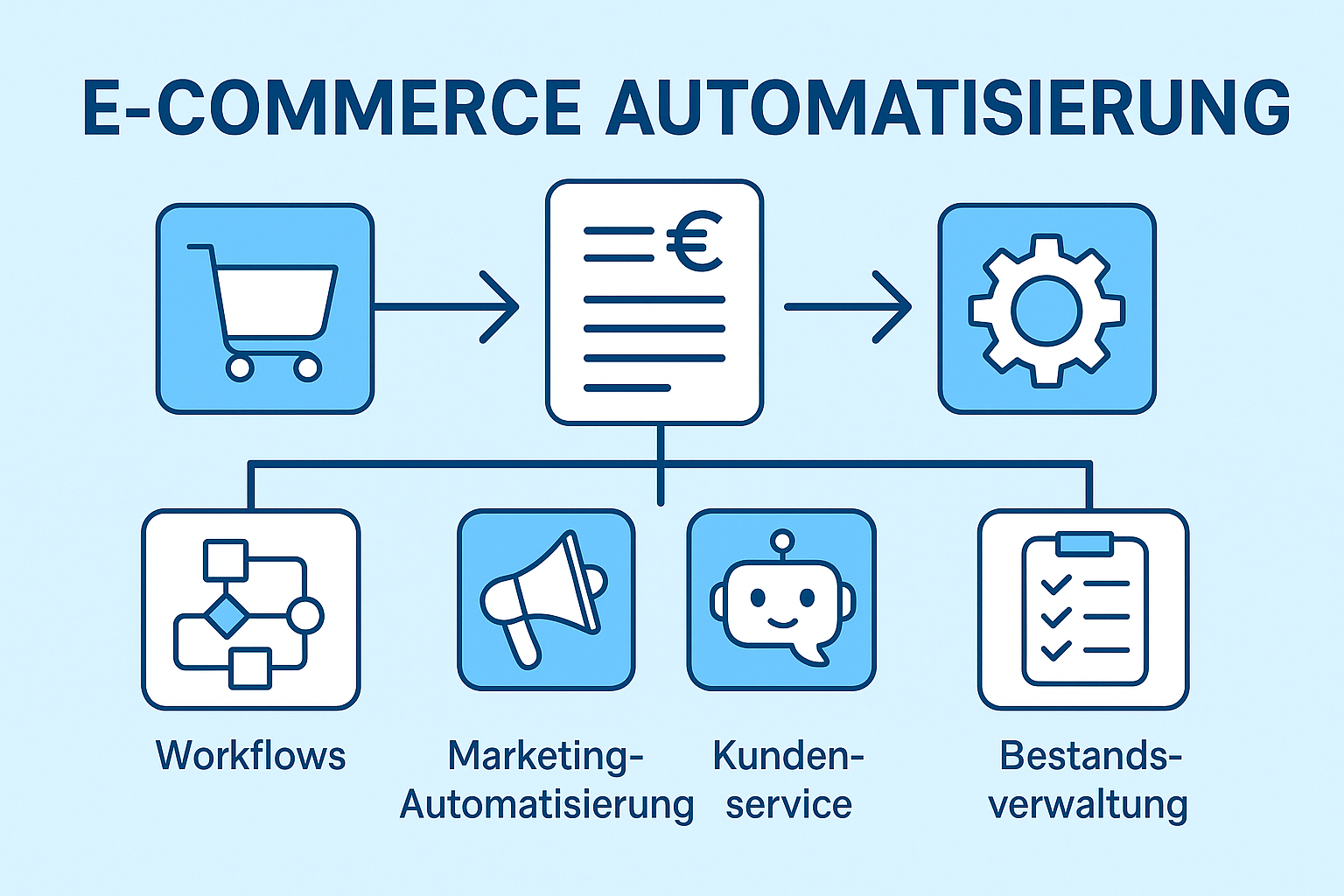
Monday morning, 8:30 a.m. You open your laptop – and only see notifications that are really important. No 20 tabs, no constant jumping between shop, CRM, accounting, ads manager and social media. All orders are processed, invoices sent, customers informed, stocks correct, and your advertisements automatically respond to the current inventory. And best of all: your team is working on strategic topics instead of time consuming copy paste.
This is not a dream of the future, it’s feasible today. The key: clear processes, the right tools and clean data flows. This guide shows you step by step how to automate your shop internally and across systems, which workflows deliver measurable sales – and how to keep your automation stable permanently.
E‑Commerce Automation Overview
- In-store automations that have immediate effect.
- Cross-cutting workflows with tools such as n8n, Pabbly Connect, Zapier or Make.
- Marketing automation, which increases measurable sales and CLV.
- AI-supported scenarios (e.g. Predictive Inventory, Dynamic Pricing).
- Checklists, step-by-step instructions, case studies and templates.
- Tool comparison with strengths/weaknesses, cost logics and practical notes.
- 90-day implementation plan including KPI and ROI formula.
1. What does e‑commerce automation mean?
The planned use of software and workflows to perform recurring tasks standardized, reproducible and without manual intervention. Automation is not a “nice to have” but a scaling lever: automation reduces costs, minimizes errors and creates capacity for growth.
Objectives:
- Save time – Eliminate manual work on routine tasks.
- Reduce error – less copy paste, more data quality.
- Increase scalability – more orders with the same team.
- Improve customer experience – fast, consistent communication.
- Creating transparency – Workflows are documented and measurable.
1.1 Two levels of automation
- A) Shop-internal: Everything that happens directly in the shop system (stock, catalog, order status, invoices, shipping updates, chatbot, drop-off emails).
B) Extensive: Data flows between systems (Shop
Example story (end-to-end):
Order paid → Shop cancels invoice → CRM deposits contact + purchase history → E‑mail series “Onboarding” starts → Shipping label is generated → Tracking is sent via SMS → Ads for the product are automatically throttled if the residual stock is critical → after 10 days starts automated review nudge (friendly, time-matched reminders that encourage the customer to a product rating) → 45 days later triggers a cross-sell campaign based on the purchase category.
1.2 Maturity model (orientation)
The maturity model helps you to assess where your company is currently and which steps are useful next to increase your automation level. Each stage builds on the previous one and brings new efficiency potentials.
🔹 Stage 1 – Ad hoc
- License plate: Procedures are mostly manual, often documented in Excel tables. Data is entered multiple times (shop → CRM → accounting), often by copy paste.
- Risikes: High error rate, slow response times, no uniform data.
- Example: Orders are transferred by hand to the accounting system, customer emails are typed individually.
- Objective: Quick relief through first, simple automations.
的 Stage 2 – Partially automated
- Character: Individual automations in the shop are active – e.g. drop-down emails, automatic billing or shipping notifications.
- Benefit: First time savings and less manual routine work.
- Example: After 24 hours, a shopping cart canceling automation sends a reminder with checkout link.
- Objective: Fully exploit shop-internal automation before complex integrations start.
🔹 Stage 3 – Integrated
- Character: The most important systems (shop, CRM, accounting, newsletter tool) are connected via interfaces or automation platforms.
- Benefit: Data flows automatically between the systems, standard workflows run reliably in the background.
- Example: New orders automatically create customers in CRM, create invoices in accounting and add buyers to the appropriate newsletter segment.
- Objective: Avoid manual data input and make processes consistent across teams.
的 Stage 4 – Data-driven
- Character: Automations react dynamically to customer data and events. Segmentation, personalization and event triggers are standard. Monitoring measures the performance of workflows.
- Benefit: Targeted communication, higher conversion rate, fewer scatter losses.
- Example: Customers who bought a particular product will automatically receive accessory recommendations after 30 days, based on their purchase history.
- Objective: Deriving concrete actions from data and targeting campaigns.
🔹 Stage 5 – Predictive
- License plate: Artificial Intelligence (AI) and Machine Learning support predictions and automatic decisions. Prices, stocks and campaigns adapt proactively.
- Benefit: Maximum efficiency, proactive control instead of reactive response.
- Example: AI predicts when an item will be sold out and triggers a re-order in time. Prices are automatically adjusted to demand and competition.
- Objective: Control the company in such a way that bottlenecks and opportunities are recognized before they occur.
💡 Tip:
In practice, many companies are between level 2 and level 3 – they have first shop-internal automations, but not yet complete system integration.
Objective: If you are currently at Level 1 or 2, a realistic first milestone is to come in 90 days to Level 3 so that your core systems are integrated and standard workflows are stable.
From there, you can climb to Level 4 in the medium term to implement data-driven, personalized automations.
2. Shop-internal automation
Before connecting systems, make sure that your shop itself works as self-sufficiently as possible.
2.1 Automate product & inventory management
Why? Nothing costs sales faster than “out of print, misdeliveries or false availability.
Necessary steps:
- Activate real-time inventory and track (per SKU/variant).
- Define minimum stocks (per SKU) – e.g. 5/10/20 pieces depending on the sale.
- Take warning logic:
- Info banners (“X‑only available”)
- Internal notification (e‑mail/slack)
- Optional: “Backorder” with realistic delivery time.
- Automatic supplier order:
- Triggers: inventory < minimum quantity
- Action: Generate order proposal or order (PDF/CSV/API)
- Approval step by purchasing (4‑eye principle)
- Automate catalog maintenance:
- Uniform attribute sets (color, size, material)
- Media rules (image sizes, old texts)
- Automatic quality checks (missing pictures, missing GTIN)
Example of practice:
A B2C cosmetics shop implements “Invented < 15 → Slack-Alert; < 8 → Supplier-Purchase Order-Draft; < 5 → Product page shows delivery notice + Ads campaign is automatically throttled. Result: significantly less out-of-stock, less ad-waste, higher customer satisfaction.
Checklist – inventory/catalogue
- Minimum stocks per SKU defined
- Alerts (e‑mail/slack) at lower limits
- Automatic Purchase Order-Draft (with articles, quantity, price, delivery address)
- Product page notice with low availability
- Consistent attributes / variant logic
- Media Rules + Alt Text Generator (e.g. via AI)
2.2 Price and promotion logic (optionally dynamic)
- Trigger types: Stock levels, season, demand, margin, competition.
- Rules: “If stock > 500 → ‑10 % Promo”, “If sale < Plan → Bundle offer” .
- Risikes: Price hopping, brand perception – A/B tests, set limits.
Mini playbook:
- Never permanently discount bestsellers.
- Slow turner: sequence from bundle → discount → sale.
- Automatically pair promotions to catalog identification marks (tags/collections).
2.3 Basket Cancelling Management (E-Mail/SMS/WhatsApp)
Why? Depending on the industry, 60–80% of the carts remain. Automated memories bring back measurable sales.
Blueprint (3–stage):
- T+2h: Reminder without discount, clear call-to-action, direct link to checkout.
- T+24h: Second reminder, Social Proof (Reviews), FAQ-Snippet (Shipping/Retour).
- T+72h: Limited incentive (small discount or free shipping), countdown.
Template snippets:
- Subject 1: ” Still there? Your selection is waiting (checkout in 1 click)
- Subject 2: “Populate & almost away: secure yourself now [product name]
- CTA text: “Open cart & complete purchase
KPIs: Opening rate, click rate, recovery rate, Ø discount costs per rescue.
Fine adjustment: Discount only in Mail 3; SMS only in Opt-in; WhatsApp with clear consent.
Checklist – drop-off
- Event tracking (Cart/Checkout) active
- Deep link to checkout with persistence
- 2–3 Touches, mobile optimized
- Discount only late/segmented
- Legal framework (opt-in, imprint, unsubscription)
2.4 Automate customer service
Construction blocks:
- Helpcenter/FAQ (self-operated, SEO-compatible)
- Chatbot for standard questions (shipping, returns, sizes, availability)
- Ticket routing by topic/priority/customer group
- Status-Automations: Order received → processed → sent → delivered
- RMA-Flow: Log in return → Generate label → Automate credit
Example dialog flow (short form):
- Client: “Where is my order?
- Bot checks Order ID (clear order number), calls Tracking (tracking), shows ETA (Estimated Time of Arrival – expected delivery date).
- In case of a problem (e.g., “delivered but not received”), Bot offers instant options (checking the neighbourhood, granting parking permission) and creates a ticket (support case in the helpdesk system) to support with all context data if necessary.
KPI-Set (Measurement indicators):
- First Response Time (Time to first answer to the customer)
- Resolution Time (Time to final problem solving)
- CSAT (Customer Satisfaction Score – Customer satisfaction value, often determined by a short survey)
- Self-service rate (share of requests that customers solve independently via help articles, FAQs or chatbot)
- Ticket Deflection (number of requests that are kept away from the support team by self-service or automation)
2.5 Shipping, Fulfillment & Notifications
- Automate label creation (Carrier API, WMS/3PL).
- Tracking-E-Mails/SMS with its own branding, dynamic status building blocks.
- Address validation (reduced misallocation).
- Pick/Pack checklists (barcode scanning, weighing control).
- Split-Shipments and Backorders automatically explain/communicate.
Checklist – Fulfillment
- Label Creation and Manifesto Automated
- Tracking events → Customer communication
- Address Validator active
- Barcode Scan in the Packing Process
- SLA monitoring (time from order to handover)
3. Comprehensive automated processes with Pabbly Connect, n8n & Co.
3.1 Why cross-automated processes?
As soon as several systems are in play, manual transmission eats time and creates errors. Excessive automation means: Events (Order Paid, Item Low Stock, Refund Issued) trigger workflows that trigger the appropriate action in other systems – reliable, logged, repeatable.
3.2 Architecture basics for stable flows
To ensure that your automations run reliably and without errors in the long term, you should observe these technical basic principles:
- Webhook (automatic data transmission mechanism between systems) instead of polling
- Webhook (automatic data transfer mechanism between systems) are automatic “push” notifications of your system as soon as an event occurs (e.g. new order).
- Polling means that a system regularly asks whether there is new data – it’s slower and burdens resources.
- Recommendation: If possible, always use Webhook (automatic data transfer mechanism between systems).
- Idempotency
- Ensure that the same workflow with multiple executions always the same result ==References==
- Example: If an order is reported twice as “new”, it may not be written to CRM twice.
- Practice: Combination of Order ID + Process step as a clear protection against duplicates.
- Retries & Dead Letter Queue
- Retries: If an API request fails (e.g. server cannot be reached), repeat the attempt automatically.
- Dead Letter Queue: Collect persistent error cases in order to manually check and correct them later.
- Variables & Secrets
- Never write login data like API keys in plaintext in flows.
- Instead, store it in a secure memory (Secrets Manager) and use it via variables.
- Name Conventions
- Name flows so that purpose and version are immediately recognizable.
- Example: shopify_newOrder_to_crm_createContact_v1 (source, event, destination, action, version).
- Observability
- Always make it understandable, what the flow did when.
- These include: logging, error messages via Slack/E‑Mail, measurement of throughput times.
- Version & Staging
- Implement and check changes only in a test environment (staging).
- Only after successful testing take over into the productive environment (live system).
3.3 Example workflows (concrete & replicable)
In this section you can see four tried-and-tested automation workflows, which you can replicate directly in a platform such as n8n, Pabbly Connect, Make or Zapier.
Each workflow consists of:
- Trigger – the event that starts the process
- Steps – what the flow automatically does
- Purpose/benefit – why this flow brings added value
Workflow A: New order → CRM → Email series
Purpose:
Take over new customer contacts automatically into your CRM (Customer Relationship Management System) and start immediately with a personalized post-purchase series.
Trigger:
“Order Paid (Order Paid) – sent as Webhook (automatic data transfer mechanism between systems) from the shop.
Webhook (automatic data transfer mechanism between systems): A kind of “push message” from the shop system to your automation platform as soon as a particular event occurs.
Steps in detail:
- Retrieve order
- Get all relevant data via the API (programming interface) of the shop: articles (positions), total value, shipping method, customer data.
- These data are passed as “payload” to the next step.
- Upserting contact in CRM
- “Upsert” means: If the contact already exists, update; if not, re-create.
- Identification takes place via e‑mail address or telephone number.
- Tagging in CRM
- Automatic marking of contact with keywords such as “Buyer”, “Category: Sneakers”, “AOV-Segment: 100–150”.
- AOV = Average Order Value, i.e. the average order value.
- Update newsletter system
- Sign up for contact in the email marketing tool.
- Assigning to the appropriate segment (e.g. “new customer”, “sneaker buyer”).
- Start post-purchase series
- Automated e‑mails that accompany the customer after purchase:
- Day 0: Order confirmation
- Day 2: Product Care Tips
- Day 10: Cross Selling Offers
- Automated e‑mails that accompany the customer after purchase:
- Logging and error alerts
- Log all actions.
- If a step fails, send a Slack/E‑Mail notification to the team.
n8n flow chart (simplified):
Webhook (automatic data transfer mechanism between systems) → HTTP request (shop API) → IF (contact available?) → CRM node (create/update) → Email tool Node (add to list + start flow) → Slack node (success/fail)
Workflow B: default → reminder + accounting
Purpose:
Automatically edit payment defaults, remind customers and update accounting status.
Trigger:
“Payment Failed” (Payment failed) – event from the shop or payment provider.
Steps in detail:
- Customer notification
- Email with information that payment failed.
- Offer alternative secure payment methods (PayPal, Sofortüberweisung etc.).
- Update accounting status
- Set the accounting system’s invoice to “open/emphasis”.
- Plan follow-up in CRM
- For B2B customers: Create a phone credit card in the CRM.
- Implementation of retry logic
- Send automatic memory after 48 hours.
- If no payment is received: Cancel order and release inventory.
Workflow C: Low Stock → Shopping + Ads throttle
Purpose:
Avoid bottlenecks by automatically informing and controlling the purchasing team and marketing.
Trigger:
‘Storage < minimum quantity’ – notification from the shop or commodity management system.
Steps in detail:
- Slack alert to purchase
- Message with SKU (Stock Keeping Unit = unique product number), current inventory, average sales/week and recommended order quantity.
- Create supplier-PO draft
- PO = Purchase Order (order from supplier).
- Generate design as PDF or CSV, if necessary via API (programming interface) directly into the ERP/supplier system.
- Adjust Ads Campaigns
- In Ads Manager, pause the campaign or reduce budget to avoid sending traffic to almost sold out products.
- Update product page
- Show note: “Only X pieces available – increases urgency and conversion.
Workflow D: New product → Social + PR
Purpose:
Spread new products immediately via social media, newsletter and PR – without manual double entries.
Trigger:
Product status in the shop is set to “aktiv” .
Steps in detail:
- Create social media post
- Fill template with variables such as product name, price, USPs (Unique Selling Propositions = unique selling features).
- Plan into social planning tools such as Buffer or Hootsuite.
- Customize images for different formats
- Automatically generate sizes like 1:1, 4:5, 16:9.
- Add newsletter update
- Short product presentation in the segment “Newties”
- PR distributor inform
- Automatically send a press release and a data sheet to journalists and influencers.
Tip:
These workflows are modular – you can add or remove individual steps. It is important that triggers and final destination are clearly defined and you insert error alerts at each step.
3.4 AI-supported automation (with eyewitness)
Artificial intelligence (AI) can make automation even more powerful because it recognizes patterns in data and makes predictions or decisions independently.
However, it is important to use AI targeted and with clear framework conditions – because uncontrolled automation can lead to wrong decisions or unwanted side effects.
3.4.1 Predictive Inventory
Purpose: To control stocks in such a way that you have neither out-of-stock (sold out) nor over-stock (too much tied capital).
Function:
- Simple variant: Calculation based on a gliding average of sales figures + trend analysis.
- Advanced: Machine Learning Forecast (ML-based forecast), which additionally takes into account seasonal patterns, promotions, delivery delays and external factors (e.g. weather, holidays).
Example of practice:
The system predicts that SKU “Sneaker-123” will be sold out in 19 days if demand remains unchanged. It automatically suggests:
- Purchase Order (PO) trigger over 500 pieces
- Lead Time (delivery time from supplier) of 14 days take into account
- Security inventory of 50 pieces
Benefit:
- Avoidance of bottlenecks
- Lower storage costs
- Less capital commitment
3.4.2. Dynamic pricing (dynamic pricing)
Purpose: Automatically adjust prices to market conditions, demand or inventory to optimize margin and sales.
Function:
- Definition of Rules and limits (e.g. minimum margin, trademark directives).
- Adjustment is only made for products where it makes sense – e.g. with Slow turners or residual items.
- The system includes competitive prices, trends in demand and stocks.
Example of practice:
- The price of a slowly rotating product is automatically reduced by 10% to speed up sales.
- Bestseller price rises slightly when demand is high and stock is low.
Important:
- No uncontrolled “price hopping” that confuses customers.
- Always within the scope of legal requirements and brand guidelines.
3.4.3. Recommended Engines
Purpose: Making customers personalized product suggestions to increase shopping cart value and conversion.
Function:
- Analysis of the purchase behaviour: “Customers who bought X also bought Y.
- Use in Email modules, Onsite widgets (shop pages) or Post-Purchase emails.
Example of practice:
A customer buys a coffee machine. The system automatically proposes suitable accessories on the next visit or by e‑mail – e.g. water filters or milk foamers.
Attention:
- High Data quality is crucial: Products must be neatly categorized and maintained with complete metadata.
- Bad data leads to inappropriate recommendations, which can frustrate customers.
Checklist – AI usage in e‑commerce
- Definite the target size
- Example: Reduce stocks by 30%, improve stock handling by 15%.
- Check training data
- Remove outliers, false values or missing data.
- Consider seasonality (e.g. summer/winter fashion).
- Making manual overrides possible
- Human control must be possible at any time.
- Example: Forcing manual release on price adjustments below a certain limit.
- Introduce monitoring & drift check
- Check regularly whether the AI is still working correctly or if the data base has changed (Data Drift).
- Follow transparent rules
- Compliance, price retention and customer communication.
- Document changes in a comprehensible way.
In short:
AI can bring enormous benefits in e‑commerce – but only if you have clear targets, clean data and control mechanisms. “With eyewitnessing, it means automating where it makes sense, leaving people with critical points of decision-making sovereignty.
4. Marketing automation
In e‑commerce, marketing is the area with the biggest lever for turnover growth, customer loyalty and brand structure.
The advantage of automation: your campaigns run continuously in the background, react to the behavior of individual customers and deliver at the right time the right message to the right person – without having to intervene manually every day.
4.1 E‑mail marketing – the biggest lever
Why email marketing is still unbeatable:
- Highest ROI (Return on Investment – Ratio of Profit to Investment) among all marketing channels.
- Direct contact with the customer – no dependence on social media algorithms.
- Fully measurable (opening rate, click rate, conversion).
Typical tools (examples):
- Klavyo – specialized in e‑commerce, deep shop integrations.
- ActiveCampaign – strong in automation and CRM functions.
- Brevo (formerly Sendinblue) – inexpensive, GDPR compliant.
- HubSpot – All-in-one with CRM, email, marketing automation.
- Mailchimp – Beginner friendly, large template catalog.
Principle of modern e‑mail automation:
- Event-based: This is triggered by concrete actions of the customer (e.g. purchase, cancelling the shopping cart).
- Segment-based: Content depends on the customer segment (e.g. new customers, regular customers, high value customers).
- Personalized: Content, subject lines and offers are tailored to the recipient.
Must-have automations with examples
- Welcome series (2–4 emails)
- Goal: Make first buyers out of prospective buyers (leads).
- Content:
- Brand Story (Who are you, what do you stand for?)
- Presentation of best sellers
- Social Proof (customer reviews, press quotes)
- Entry offer or discount code
- Timing: Immediately after registration → +2 days → +5 days
- Checklist:
- Set UTM tags (for tracking in analytics)
- Mobile optimized design
- Clear CTAs (Call-to-Actions) such as “Now shop” or “Learn More”
- Post-purchase series (3–5 emails)
- Goal: Increase customer satisfaction, reduce return rate, promote follow-up purchases.
- Content:
- Shipping and delivery status
- Care Instructions & How-To Instructions
- Cross-selling offers for suitable accessories
- Review Nudging (friendly call for product evaluation)
- Timing: shipping day → delivery +2 days → +10 days
- Browse Abandonment (Product view without purchase)
- Trigger: Customer visits a product page several times, but places nothing in the shopping cart.
- Content:
- Benefits & benefits of the product
- USPs (Unique Selling Propositions)
- Comparison with similar products
- Optional: FAQ about the product
- Important: Do not immediately give discount – first deliver added value.
- Winback campaign (customer recovery)
- Trigger: Customer was ≥ 90 days inactive.
- Destination:
- Remindersmail → personal address → test method incentive (e.g. exclusive discount or bonus product)
- Segmentation: Excluding active complaints.
- Replenishment (repurchase reminder)
- Target group: Buyer of consumer products (cosmetics, dietary supplement, coffee).
- Trigger: Average useful life (e.g. 30/60/90 days).
- Content: Reminder of repurchase + bundle offers + subscription option.
- VIP/High AOV campaigns
- Definition: Top 10 % of your customers by turnover or CLV (Customer Lifetime Value).
- Advantages:
- Early Access to Product Launches
- Personal customer service
- Exclusive bundles and offers
KPI targets (measurement of success):
- CTOR (Click-to-Open Rate) – ratio of clicks to open emails.
- Conversion Rate – Percentage of recipients who also buy after click.
- Sales per recipient – e‑mail redemption divided by number of recipients.
- Spam rate – below 0,1 %.
- Deregistration rate – as low as possible (< 0,3%).
Hygiene measures:
- List hygiene: Remove inactive addresses to improve delivery.
- Double Opt-In: Rechtsicheres Erholung der E‑Mail-Urlaubnis.
- Preference Center: Let customers choose what content they want to receive.
- BIMI, DMARC, SPF, DKIM: E‑mail authentication to bypass spam filters.
Mini template: Post-Purchase Mail 2 (“How-To”)
- Subject: “How to get the maximum from [product]
- Content:
- 3‑step instructions
- 1‑minute video
- FAQ Block
- Support button
- CTA: “Applying tips” / “Discover accessories”
4.2 Automate Social Media & Ads
Application cases:
- Post product launches automatically: With templates and variables such as product name, price, USP.
- Dynamic Product Ads (DPA): Displays automatically adapt to catalog, price and inventory.
- Retargeting-Audiences: Automatic target groups from events such as ViewContent, AddToCart, Purchase.
- Budget control after profit: Not only ROAS (Return on Ad Spend), but contribution as a tax size.
- UGC workflow: Embrace, share, automatically schedule customer photos.
Blueprint: Bearing-controlled Ads
- Product feed contains fields “availability” and “inventory_level” (stock).
- Rule: If inventory_level < 10, reduce daily budget by 60%.
- If out_of_stock, pause the display and activate “Back in Stock” login.
4.3 Content Automation (SEO, Blog, Short Form)
Examples:
- Automatic distribution of content: Blog articles simultaneously to LinkedIn, Pinterest, Facebook post (with customized text snippets).
- Convert short form content from product images: images into stories or short videos.
- Automate the editorial plan: Status management (“Idea”, “Briefing”, “Production”, “Review”, “Live”.
- Content-Atomization: Deriving several social posts, short videos and newsletter content from an editorial.
Checklist Content Automation:
- Automatically generate and check title & meta description.
- Maintain uniform old texts and structured data.
- Syndication links with UTM tags (for tracking).
- Define clear release levels in the workflow.
5. 25 workflows that can be implemented immediately
(trigger → action → benefits)
The great advantage of modern e‑commerce automation: You can run many sales and service critical processes completely in the background – in a form that immediately brings measurable effects.
The following 25 workflows are directly replicable in tools such as n8n, Pabbly Connect, Make or Zapier.
Best practice:
- Start with 3–5 workflows.
- Expand your set to 15–25 workflows within 90 days.
- This enables you to achieve a high degree of automation without overloading the team.
- Order Paid → CRM Upsert → Post-Purchase Series
Trigger: Customer pays for an order.
Action: Create or update contact in CRM (Upsert = Update or Insert) and start an automated email series.
Benefit: Increase in the CLV (Customer Lifetime Value) and higher customer satisfaction.
- Payment Failed → Warning + Accounting flag
Trigger: Payment fails.
Action: Send automatic Mahn e‑mail and mark it as “open” in accounting.
Benefit: Faster payment receipts, lower exposure periods.
- Low Stock → Slack Alert + Ads throttle
Trigger: Stock below defined minimum.
Aktion: Inform shopping by Slack and reduce advertising budget for affected products.
Benefit: Less Ad Waste (wasting money on unavailable products for advertising).
- New Product Live → Social Auto Posts + Newsletter Snippet
Trigger: New product is activated in the shop.
Action: Automatic social media posts and integration into the newsletter.
Benefit: Fast market entry without manual post.
- Cart Abandoned → 3‑stage e‑mail/SMS series
Trigger: Customer cancels purchase in the shopping cart.
Action: Reminder emails/SMS in three intervals.
Benefit: Recovery of lost sales.
- Delivered → Review Nudge + UGC request
Trigger: Order marked as “delivered”.
Action: E‑mail with rating prompt and request for UGC (User Generated Content), e.g. product photo.
Benefit: More social proof, better conversion.
- Refund Issued → “Risk+Service Follow-up” segment
Trigger: Refund made.
Action: Move customer into “Risk segment” and inform service employees.
Benefit: Decrease migration rate.
- High AOV Purchase → VIP Day + Concierge Mail
Trigger: Order with high order value (AOV = Average Order Value).
Aktion: Tagging customer as VIP and sending personal thanks.
Benefit: Strengthen the bond of top customers.
- Browse Abandonment → Benefit Mail
Trigger: Customer sees product multiple times, but does not buy.
Action: Mail with advantages, USPs, possible comparison, but without immediate discount.
Benefit: Gentle nudge (initiation) before price reduction.
- Signup (DOI) → Welcome series
Trigger: New newsletter subscriber confirms opt-in (DOI = Double Opt-In).
Action: Start Welcome Email Series.
Benefit: Transform leads into buyers.
- Inactive ≥ 90 days → Winback campaign
Trigger: Customer hasn’t bought for 90 days.
Action: Sequence with memory, personal speech and incentive.
Benefit: Reactivation.
- SKU Replenishment Due → Reminder
Trigger: Consumption product approaches typical useful life.
Action: Reorder reminder.
Benefit: Planable purchases.
- OOS → Back-in-stock list
Trigger: Product sold out (OOS = Out of Stock).
Aktion: Put customers on waiting list and inform them when re-availability occurs.
Benefits: Bundle demand.
- Supplier Shipment Received → Stock + Product page Update
Trigger: Supplier delivery arrived.
Action: Update inventory and customize product page.
Benefit: Transparency for customers.
- Ticket Created → Routing + Auto-FAQ
Trigger: New support request.
Action: Automatically forward to correct department, send FAQ response.
Benefit: Shorter waiting times.
- CSAT < 3 → Escalation
Trigger: Bad CSAT (Customer Satisfaction Score) for customer surveys.
Action: Service team is alerted to actively counter.
Benefit: Prevent customer migration.
- Coupon Misuse Detected → Adjust rule + Alert
Trigger: Voucher is used conspicuously often or unlawfully.
Action: Adjust discount rule and inform marketing.
Benefit: Avoid loss of sales.
- High Return Rate SKU → Content/Size Guide Push
Trigger: Product with high return rate.
Action: Show size/guide notes more prominently.
Benefit: Reduce return rate.
- Price Change → Feed Refresh + Ads Sync
Trigger: Price change in the shop.
Action: Update product feed, synchronize ads.
Benefit: Correct price indication.
- New Collection → Landingpage + Email Block
Trigger: New collection activated in the shop.
Action: Create landing page, insert newsletter block.
Benefit: Faster campaign launches.
- Wholesale Order → Special settlement + Destination
Trigger: Wholesale order recognized.
Action: Start special shipping and payment processes.
Benefit: Cleanly separate B2B processes from B2C.
- Preorder Paid → Proactive Update Mails
Trigger: Pre-order paid.
Action: Send regular status updates.
Benefit: Less service requests.
- Carrier Delay → Info-Mail + Goodwill
Trigger: Shipping service provider reports delay.
Action: Inform customer, offer small bonus if necessary.
Benefit: Reduce frustration.
- Failed Webhook (automatic data transfer mechanism between systems) → Retry + DLQ + Alert
Trigger: Webhook (automatic data transfer mechanism between systems) fails.
Action: Repeat automatically, drop in DLQ (Dead Letter Queue), inform team.
Benefit: Secure system stability.
- Cash bonus/offline purchase → CRM Sync
Trigger: Customer buys in the store.
Action: Enter purchase in CRM, link online and offline data.
Benefit: 360° customer view, personalized offers.
Tip for getting started:
Do not try to implement all 25 workflows at once – this usually leads to overload and chaos.
Start with 3–5 of the most important automations for your business, preferably those that
- immediately generate turnover (e.g. shopping cart drop-out series),
- Save time (e.g. automatic warehouse warning)
- and Reducing error (e.g. payment-failed warnings).
As soon as these run reliably, add every 2–3 weeks one or two more.
With this step-by-step expansion, you can achieve 90 days an automation level of 15–25 Workflows, without the day-to-day business suffering.
6. Tool Comparison & Selection Criteria
The selection of the right automation platform and the complementary e‑commerce tools decisively determines:
whether your automation strategy stable, scalable and economical works – or ends up in expensive detours later.
The process should always take two levels into account:
- Integration and automation platform – the brain of your workflows that exchanges data between systems and controls processes.
- Shop and adjacent systems – the actual data and process sources such as shop, CRM, accounting or shipping.
6.1 Integration & Automation Platforms
Here is an overview of the popular platforms that are frequently used in e‑commerce:
Technical terms explain:
- Task-based: Billing according to individual executed actions or steps.
- Scenario-based: Billing by whole workflows (scenarios) that can consist of several steps.
- Self-Hosted: You run the software on your own server – full control, but also responsibility for maintenance.
- Webhook (automatic data transfer mechanism between systems): Immediate notification of a system to another when a particular event occurs (faster and more resource-efficient than regular querying).
Selection criteria for integration platforms:
- Data location & compliance: GDPR compliant? Server location EU or outside?
- API coverage: Are all required systems supported?
- Webhook (automatic data transmission mechanism between systems) support: Can the tool process real-time triggers?
- Error Handling: Are there repeat attempts (retries) and error protocols?
- Version: Can changes be tested and tracked?
- Collaboration: Does the tool support multiple users with roles/rights?
- Cost structure: Price per 1,000 versions understandable?
- Vendor Lock-in: Can you easily switch to another provider later or are you “captured”?
6.2 Shop & adjacent tools (examples)
Their integration platform is only as good as the systems that connect them.
Here are some tried and tested categories and examples:
- Shop systems:
- Shopify, Shopware, WooCommerce – all offer event triggers and webhook (automatic data transfer mechanism between systems).
- CRM & e‑mail marketing:
- Klavyo, ActiveCampaign, Brevo, HubSpot – depending on the need for automation depth and reporting.
- Accounting:
- In Germany: Lexoffice, SevDesk, DATEV (DATEV connection often via middleware).
- International: Xero, QuickBooks.
- Shipping, WMS & 3PL:
- ShipStation, Sendcloud, own WMS (Warehouse Management Systems) or 3PL (Third-Party Logistics) APIs.
- Data layer / internal data retention:
- Airtable, Google Sheets for simple catalogs, price lists or rule definitions.
- Small internal databases for more complex logic.
6.3 TCO & Governance
TCO = Total Cost of Ownership
The total cost of a tool is more than just the license fees:
- Licensing costs – monthly or annually.
- Operations – Time and cost for monitoring, troubleshooting, updates.
- Implementation effort – Unique setup, integration with existing systems.
Governance = System and Process Management
In order for automations to function reliably and intelligibly, it needs rules:
- Rights & Roles: Who is allowed to create, modify or delete workflows?
- Release management: First check changes in a test environment.
- Documentation: Every workflow should be documented (triggers, actions, purpose).
- Emergency plan: What to do if the system fails or a critical workflow fails?
Checklist – Tool Selection
- Does the tool cover at least 80% of your use cases?
- Does it support Webhook (automatic data transmission mechanism between systems), retrieves, and idepotence (doubtless to avoid)?
- Are there logs, monitoring and alerts to detect errors quickly?
- Does it offer Role & Rights Management for teamwork?
- Do the costs fair scale with your growth (price per 1,000 versions transparent)?
7. Best Practices – Keeping your automation stable and profitable
Automations are not self-running.
So that your processes also by months or years It needs clear standards, ongoing care and structured expansion that still work reliably and bring profits.
The following best practices have proved their worth in e‑commerce.
7.1 Start small, scale cleanly
- Better use 3–5 automations per quarter completely and stablely to start as 20 semi-finished workflows that constantly cause problems.
- Start with critical paths, i.e. processes that are crucial for sales and customer experience:
- Order → CRM → E‑mail shipping → Shipping process
- Only when these processes run smoothly, “Nice-to-haves” such as social media automation or internal alerts are added.
7.2 Making everything measurable
Automation without measurement of success is blind flying.
- Setup:
- Use UTM tags in links so that conversions can be associated with the analytics tool.
- Uniform Naming Conventions (benning systems) for flows to find them later.
- KPI-Dashboards (Key Performance Indicators) at a glance.
- Important KPIs:
- Turnover per e‑mail recipient
- CLV (Customer Lifetime Value) – how much an average customer spends on the entire relationship
- Return rate
- Average delivery time
- Automations Coverage: Share of orders running through the desired automation processes
- Error rate: < 1 % of all process runs
7.3 Ensure data quality & IDs
- Use clear keys like CustomerID or OrderID so that systems can clearly assign records.
- Use Upsert (Update or Insert) instead of always creating new entries – this prevents duplicate records.
- Keep data normalized:
- Uniform categories and spelling (e.g. “Sneaker” instead of once “Sneakers” and once “Sports shoes”).
- Uniform attributes such as sizes, colors, materials.
7.4 Security & Compliance (no legal advice)
- Compliance with legal requirements:
- DOI (Double Opt-In) for Newsletter
- Registration links and imprint in every e‑mail
- Data minimisation: Only collect the data necessary for the respective purpose.
- Purpose binding: Use data only for the specified purpose.
- Conclude contract processing contracts (AVV) with service providers.
- Save API keys and passwords securely – e.g. in a Secrets Manager or encrypted Vault.
7.5 Plan error tolerance
- Retries with Backoff: If an action fails, try again – with increasing time interval between the attempts not to overload systems.
- Timeout Handling: Prevents processes from “hanging” forever.
- Dead Letter Queue (DLQ): Check Faulty records in between and weekly.
- Fallbacks: For example, if the CRM fails, the data temporarily buffer in a table (Google Sheet).
7.6 Documentation & Training
- Hold on to every flow:
- Purpose
- Triggers
- Fields and data formats
- Target systems
- Responsible person (“Owner”)
- Last change
- Create runbook (step-by-step instruction on problem solving) for frequent malfunctions – with clear steps to fix (e.g. “Webhook (automatic data transfer mechanism between systems) 410 Gone” or “429 Rate Limit”).
- Add new team members with Sandbox exercises (test environment).
7.7 Naming & Structure
- Proven pattern: area_system_trigger_aktion_vX
- Example: mkt_shopify_orderPaid_crmUpsert_v3
- Folders/tags per department:
- SHOP (shop processes)
- CRM (customer management)
- MKT (Marketing)
- FUL (fulfillment/shipment)
- ACC (accounting)
- Environment variables:
- PROD (live environment), STAGE (test), DEV (development)
7.8 Testing like a professional
- Unit-like tests: Check individual workflow components such as mappers or scripts.
- Replay function: Play same input data (payload) again to reproduce errors.
- Sample test: Manually check 5–10 orders every week through the flow.
- A/B tests: Test different variants against each other in e‑mail or ads automations.
Maintenance checklist (monthly)
- Error rate below 1 %
- No orphaned flows (everyone has an owner)
- Version levels documented
- API key regularly renewed
- KPIs in the target corridor (no unexplained outliers)
8. Your 90-day plan – concrete & realistic
With a clear 3‑phase plan, you can implement automations step by step without overburdening your team.
The aim is to achieve first successes quickly, then to expand the processes in a targeted manner and finally to make scalable and stable.
Phase 1 (days 1–30): Create a base & achieve fast successes
In the first 30 days, it is about creating transparency about your processes to implement the first important automations and installing measuring instruments.
Steps:
- Inventory of the processes
- Use a simple intake sheet (Excel or Google Sheet) to capture all recurring tasks:
- What is currently done manually?
- How many times a month?
- How long does a run take?
- Objective: Clarity about which processes are the biggest time-eaters.
- Use a simple intake sheet (Excel or Google Sheet) to capture all recurring tasks:
- Implementation of Top 3 workflows – Your first Quick Wins:
- Order Paid → CRM & E‑Mail
Order paid → Automatically transfer customer data to CRM → Start welcome or welcome mail. - Cart Abandonment (3‑stage)
Three-part reminder series for shopping cart dropouts by e‑mail or SMS. - Low Stock → Purchasing + Ads-Drosselung
If a product becomes scarce → Inform purchasing + Automatically reduce advertising budget for this product.
- Order Paid → CRM & E‑Mail
- Set up monitoring
- Slack alerts for error messages.
- Dashboard that shows success and error rate.
- Uniform name conventions for workflows (e.g. shopify_orderPaid_to_CRM_v1).
- Improving the data base
- Uniform product attributes (sizes, colors, categories).
- Check unique IDs for customers and orders and maintain clean.
Phase 1: result
- Appreciable time savings
- Less manual errors
- First reports and indicators available
Phase 2 (days 31–60): scale marketing & relieve customer service
Now expand your automations to sales-enhancing marketing processes and customer service optimizations.
Steps:
- Reinforce post-purchase series
- Content: Care advice, how-to videos, cross-selling offers, evaluation request.
- Goal: More follow-up purchases, lower returns, better customer experience.
- Set up Browse Abandonment + Winback Flows
- Browse Abandonment: Customers who repeatedly view a product, but do not buy it.
- Winback: Reactivate inactive customers after 90 days.
- Start service automation
- Chatbot with answers to common questions (FAQ).
- Automatic ticket routing to the right departments.
- Automate RMA flow (return management).
- Content automation
- Templates for product launches.
- Automatic publication of blog articles in social media.
Result after phase 2:
- More buybacks
- Less support tickets
- Better self-service for customers
Phase 3 (days 61–90): Optimize Supply Chain & use predictions
In the last phase, optimize your supply chain and introduce simple predictive models.
Steps:
- PO raft automations + supplier workflows
- Create PO = Purchase Order (order to suppliers) automatically if inventory falls below minimum.
- Initiate suppliers via API (programming interface) or automated email.
- Replenishment emails
- Automatic reminder of customers to reorder consumer products.
- Introduce simple Forecasts
- Moving average for your best-selling SKUs to automatically adjust security stocks.
- Introduce governance
- Runbook (step-by-step problem solving instructions) (step-by-step troubleshooting instructions).
- Onboarding material for new employees.
- Quarterly review rhythm for all automations.
Result after phase 3:
- Stable processes
- Lower out-of-stock ratio
- Scalable automation setup
Appendixes, Templates & Formulas
- A) ROI-Quick calculator (simplified model)
How to calculate quickly whether automation pays off:
Forms:
- Time saving/month: (number of tasks × time per task) × degree of automation
- Cost savings: Time savings × average hourly rate
- Multi-turnover: (shopping-down recovery + replenishment + cross-sell) − Discounts
- ROI: (additional turnover + cost savings − tool costs − implementation) ♫ Implementation
Example calculation:
- 600 manual tasks per month × 3 minutes = 1,800 minutes = 30 h
- Automation degree 80 % ⇒ 24 h saved × 35 €/h = 840 € Cost savings
- Shopping cart drop-out recovery: +€6,000 turnover/month at 10 % margin = €600 DB
- Tool costs: 150 €
- Unique implementation: 2,000 €
- Payback time: Less than 3 months
- B) Roles & RACI
- Owner: Responsible for the business goal and budget.
- Builder: Builds the workflows technically.
- Reviewer: Tests, measures KPIs, releases.
- IT/DSB: Checks security & privacy.
- C) E‑mail checklist (legally & practically)
- Follow Double Opt-In (DOI)
- Unsubscribe link & imprint in every mail
- SPF/DKIM/DMARC set up (authentication)
- Clean segmentation (buyer, leads, inactive, VIP)
- Clear Subject Lines & Preheader
- A clear CTA per e‑mail
- Mobile optimization tested
- D) Technical Samples (Mapping & Upsert)
- Upsert Key: Combination of e‑mail + shop ID or external customerID
- Mapping table: e.g. shop.first_name → crm.first
- Date format: Clean up ISO 8601 (UTC) and time zones
Frequently stumbling traps (and how to avoid them)
- Too much at once: Start 20 flows, no clean completion → Antidote: Roadmap, WIP limit.
- No monitoring culture: Flows are running “somehow” → Antidote: Alerts, weekly review.
- Dublette hell in CRM: No upsert → Antidote: clear keys, merge rules.
- Legal risks: Mails without DOI → Antidote: clean opt-in, clear texts.
- Automatisms without limits: Brand diluted → Antidote: Min/Max rules, manual release in case of deviation.
- Depending on individual persons: No knowledge transfer → Antidote: Documentation + Training.
Check, customize and expand e‑commerce automation
Automation in e‑commerce is no one-time project that you implement once and then forget.
Rather, it is a permanent operating mode – similar to accounting, marketing or customer service.
As soon as the first processes are automated, a continuous cycle starts from checking, adjusting and expanding.
With 3–5 strategically selected workflows you can already achieve noticeable results in the first few weeks:
- Relieving your team because repetitive tasks are automatic
- More turnover because fewer customers are lost in the purchasing process
- Higher customer satisfaction because orders are processed faster, more transparent and more personal
These first successes create the basis for expanding your automation systematically:
- Monitoring & Error Control – Ensure that all processes run stable.
- Optimize data quality – Uniform IDs, clean categories, current product information.
- Expanding Marketing Journeys – From simple welcome flow to personalized, event-driven campaigns.
- Integrate supply chain flow – completely link order and storage processes with suppliers.
- Introduce predictive elements – Optimise demand, stocks and prices with AI-based forecasts.
Important:
Step by step. Do not try to implement all automations at the same time – otherwise you risk overload and error.
Any functioning automation is a permanent profit that pays off month after month.
Your next step:
- Choose three workflows today that have the biggest leverage on your business.
- Apply within the next 30 days.
- Measure the results and then continue to expand.
Thus, automation from the theoretical concept becomes a practical competitive advantage that your competition cannot copy so quickly.
Schreibe einen Kommentar zu "E-commerce automation: connect processes across your business"