

Automated email campaigns: how email marketing automation works
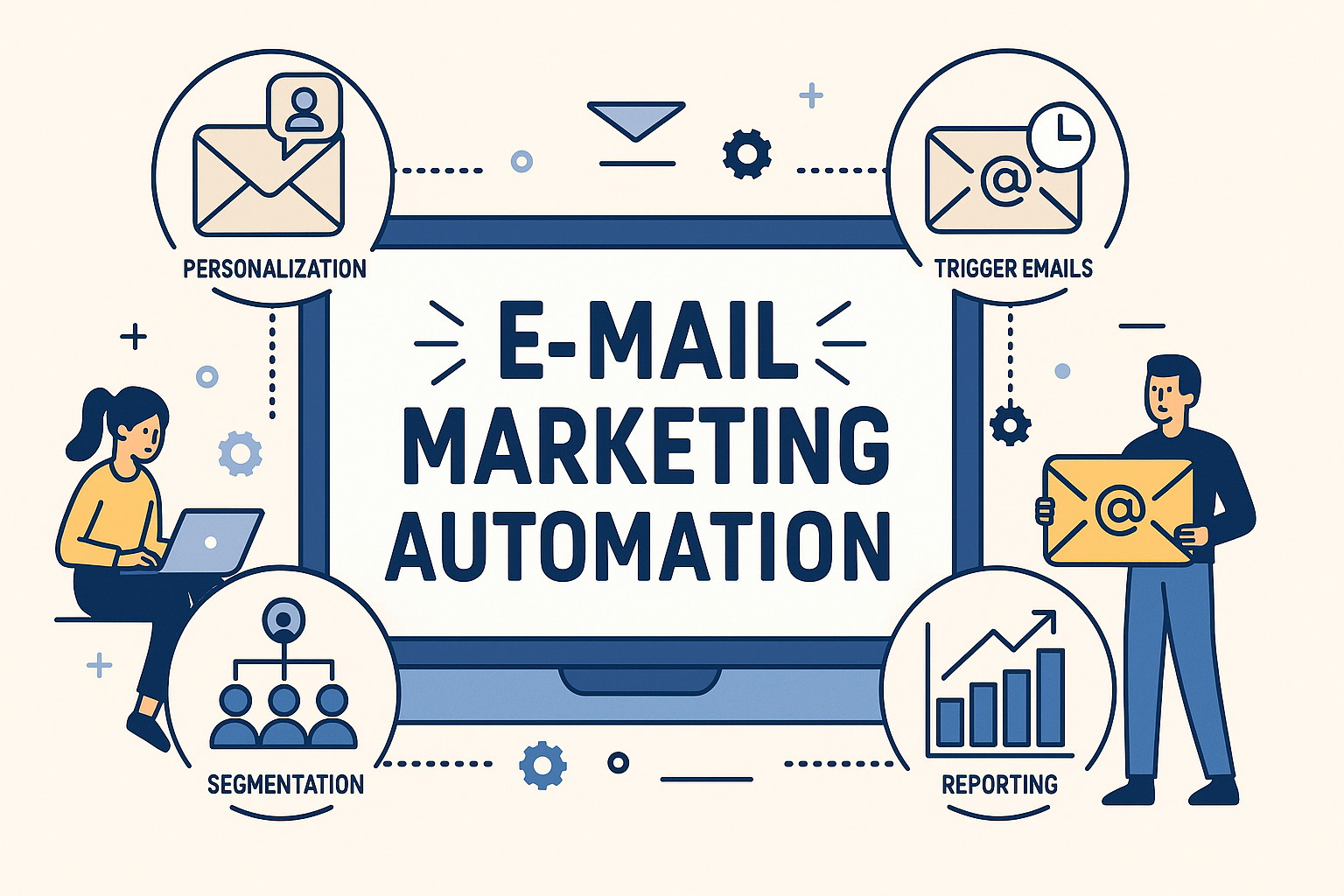
For many years, email marketing has been one of the most successful tools in digital marketing – and with good reason. Hardly any other channel allows companies to address their target groups so specifically, personally and at the same time cost-efficient. Whether small online shops or international corporations: e‑mails are still among the most reliable ways to build customer relationships and sustainably increase sales.
While classic newsletters often still manually planned and sent In addition, more and more companies rely on the possibilities offered by Email Marketing Automation – or in German: Email Marketing Automation. This is not about simple round mails, but about intelligent workflows, which automatically orient themselves on the behavior, interests or status of your contacts.
The principle behind it is easy to understand, but extremely effective:
- A new contact sign up in the newsletter? Automatically starts a welcome series.
- A shopping cart stops without a purchase? A reminder will be sent immediately.
- A customer hasn’t bought anything in months? A reactivation campaign draws attention to new offers.
Through such automated processes, companies not only save time and resources, but at the same time increase the relevance of their messages – and thus also the probability that emails will be opened, read and answered with an action.
In this article you will learn step by step how E‑Mail Marketing Automation works, what concrete advantages it offers you and which tools are particularly popular in the German-speaking market. You will also receive practical tips on how to start own campaigns, test them and constantly optimize them.
We take a look not only at well-known classics such as Mailchimp or HubSpot, but also at No code solutions such as n8n or inexpensive alternatives such as Pabbly, which are suitable for both beginners and experienced marketers.
1. What is Email Marketing Automation?
E‑Mail Marketing Automation is the process in which emails are no longer sent manually, but automatically – based on previously defined rules, triggers (so-called triggers) and workflows.
So instead of planning each campaign individually and sending it by hand, a specialized software takes on this task: It ensures that the right message is sent to the right target group at the right time.
The goal is clear: more personalization at the same time higher efficiency. While classic newsletters are often distributed to a wide list of recipients according to the “gift-pot principle”, automation enables highly tailored communication.
This is how recipients feel understood because the content matches their behavior, interests and current situation. For companies this means: higher opening rates, better click rates and at the end more sales.
Key features of e‑mail marketing automation
- Trigger-based processes
A certain behavior or event automatically triggers an email or even a whole series.
Examples: Click on a specific link, a canceled shopping cart in the online shop or subscribe to the newsletter. - Segmentation of target groups
Contacts are divided into groups based on criteria such as age, gender, purchase history, interests or customer status. Thus, each recipient receives content that is really relevant. - Scalability
Once set up, workflows run automatically – whether you have 100 or 100,000 receivers. This makes email marketing automation suitable for both small start-ups and large companies. - Measurability & Optimization
Most tools provide detailed analysis of opening rates, click rates, log-off or conversion rates. This allows you to continuously adjust and improve your campaigns.
Delimitation to classic email marketing
- Manual Newsletter Marketing
A team creates a campaign, sets a shipping date and sends the email to the entire recipient list – regardless of whether the content is equally relevant for everyone. - Automated email marketing
Here campaigns are permanently active, react dynamically to recipient actions and are continuously optimized. A new contact immediately receives a welcome series, while a long-time customer gets a reactivation e‑mail purposefully.
Why is this important?
This creates a communication channel that is more efficient, personal and scalable than anything that would be possible with purely manual procedures. For this reason E‑Mail Marketing Automation is now considered as the central building block of modern marketing strategies – not only for international corporations, but increasingly also for medium-sized companies and young start-ups.
2. Basics & Building Blocks of Email Marketing Automation
In order for automated email campaigns to be truly successful, certain basic elements are needed which play together like building blocks. These elements form the foundation of each strategy and ultimately decide whether recipients perceive your messages as real added value or as disruptive advertising.
2.1 Personalised e‑mails
Today, personalization means far more than just using the first name in the title. Thanks to modern automation tools, content dynamically adapt so that it is relevant for each recipient.
Possibility of personalisation:
- Individual product recommendations based on the purchase history or viewed articles.
- Location-related content, such as local events, regional offers or even weather-related information (“Today rainy – get 20% discount on our rain jackets).
- Dynamic text and image blocks, which change according to the target group.
Example: A sports dealer sends out a newsletter containing current jerseys and game reports for football fans, while runners receive tips on new running shoes and training events – all within the same campaign. This not only increases relevance, but also leads to higher conversion rates.
2.2 Segmentation
Segmentation is the division of the recipient list into clearly defined groups to target them with appropriate content. Thus, you avoid flooding all contacts with the same messages.
Typical types of segmentation:
- Demographic: Age, sex, place of residence or language.
- Behavioral based: click behavior, purchase frequency, visited pages, shopping cart cancellations.
- Lifecycle phase: New customer, active existing customer, inactive customer for several months.
A good segmentation ensures that each recipient receives only content that really interests him . This directly affects opening rates, click rates and customer loyalty.
2.3 Trigger-based campaigns
The heart of automation are the so-called triggers. They ensure that e‑mails are sent automatically as soon as a certain condition is fulfilled.
Typical examples:
- Subscribe to the newsletter → automatic welcome series starts.
- Abandoned shopping cart → Reminder mail after 2 hours.
- Customer’s birthday → Congratulations email with voucher.
- Inactivity over 6 months → Reactivation campaign.
Such e‑mails are sent exactly at right moment – and this makes them particularly effective. Studies show that trigger-based campaigns on average achieve clearly higher opening and click rates than conventional newsletters.
2.4 A/B testing
Even if many things are automated: You should never leave the success to chance. With A/B‑Tests (split tests) you systematically check which variant of your email works better.
Possible test elements:
- Subject lines: short vs. long, with Emoji vs. without Emoji.
- Content: image-intensive design vs. text-based design.
- Call-to-Action (CTA): “Buy now, vs. “Save offer.”
By continuously testing, you can optimize the performance of your campaigns step by step – until each email unfolds its maximum potential.
2.5 Automatic tracking
A often underestimated building block is the follow-up communication. Instead of abruptly ending the communication after a click or purchase, use tracking to deepen the customer relationship.
Typical follow-up examples:
- Order confirmation → Shipping info → Review request
- Webinar registration → reminder → follow-up with recording
- Download of a white paper → Nurturing series with related content
This creates a continuous dialogue that builds trust, creates added value and binds customers in the long term.
3. Strategic Advantages of Email Marketing Automation
E‑mail marketing has been one of the most effective channels in online marketing for years. However, with automation, the potential rises to a completely new level. Companies that use e‑mail marketing automation benefit not only from time savings but also from better performance, sustainable customer loyalty and data-driven decisions.
The following are the five key advantages:
3.1 Time and Resource Benefits
The biggest and most obvious advantage is the enormous increase in efficiency .
- Once set up workflows run permanently in the background – without employees having to intervene constantly.
- Manual segmentation, recurring shipping planning or the sending of individual series are completely omitted.
- Standard tasks such as Welcome mails, birthday greetings or reminders automatically do the system.
The result: Marketing teams can focus their time on strategic tasks, creative content and innovative campaign ideas – instead of going into time-consuming routine work.
3.2 Higher Relevance & Conversion Council
Automation makes it possible to reach recipients at the right moment with the appropriate message.
- Trigger e‑mails come exactly when the interest is greatest – for example in a canceled shopping cart.
- Personalised recommendations are based on real customer data, not general assumptions.
- A/B tests help to continuously optimize and thus achieve better results step by step.
Studies show that such automated, trigger-based campaigns achieve an average of 2–3 times higher opening and click rates than classic newsletters. This means more conversions, more sales.
3.3 Stronger customer loyalty
Email Marketing Automation is not just a Sales instrumentbut also a tool to Maintain and strengthen customer relationships.
- Stock clients regularly receive relevant content that offers them real added value.
- Reactivation campaigns help to recover inactive customers.
- Feedback and evaluation requests make the customer an active part of the process.
This creates a long-term dialogue that creates trust, strengthens brand loyalty and prevents customers from moving to the competition.
3.4 Scalability for each company
Whether start-up with 500 contacts or international group with millions of customers – automated campaigns can be scaled any time.
- A workflow can be applied to a few contacts – or hundreds of thousands.
- Tools such as n8n or Pabbly offer flexible, cost-effective solutions that are suitable for both beginners and professionals.
With this, email marketing automation is a system that grows with the company – without the complexity running out of control.
3.5 Better Data & Insights
Another decisive advantage: Automated systems provide precise, continuous data.
- You can see at a glance which content works best.
- You can refine your segments continuously and align them even more precisely.
- In the long run, they develop a marketing strategy based on real insights – rather than on gut feeling.
Thus, email marketing becomes a learning system that constantly improves and delivers better and better results.
The foundation is thus laid: With automation you not only increase efficiency, but also relevance, customer satisfaction and ultimately turnover.
4. Typical application examples for email marketing automation
The theory is convincing – but it is only in practice that we can see how powerful automation really is in email marketing. Below you will find concrete examples which can be used in almost every company. Many of them can be set up without much effort, others require a little more planning. In all cases: Automation increases efficiency, improves results and ensures professional visibility.
4.1 Welcome series for new subscribers
The first impression counts – and often he decides on the long-term relationship. With an automated welcome series, new subscribers get to know your company directly from the best side.
Typical procedure:
- E‑Mail 1: Welcome, thanks for the registration and clear explanation of what the recipient may expect in future.
- E‑mail 2: Presentation of your company, products or services. A personal note may also be included here – for example your company history or mission.
- E‑Mail 3: An exclusive discount, a white paper or another goodie that creates an additional incentive.
的 Studies show: Welcome emails have the highest opening rates ever – use this moment to build trust and enthusiasm.
4.2 Shopping Cart Cancelling Mails
Especially in e‑commerce, the canceled shopping cart is one of the largest sales traps – and at the same time one of the greatest opportunities. Automation makes it possible to remind every customer specifically of their choice.
Possible procedure:
- After 1 hour: First friendly memory (“Your selection is still waiting for you”).
- After 24 hours: Additional incentive, e.g. a discount or free shipping.
- After 3 days: Last reminder with reference to scarcity (“Only a few pieces available”).
Such trigger emails have been proven to achieve very high conversion rates and save revenue that would otherwise be lost.
4.3 Reactivation campaigns for inactive customers
Not every customer remains permanently active – many are simply forgotten. Automated reactivation campaigns bring back such contacts.
- First e‑mail: Remembrance after a long break (“We missed you!”).
- Second email: Offer of an advantage or exclusive discount.
- Third email: Demand for feedback (“What can we do better?”).
This is how you signal appreciation and show that your customers are important to you. Many contacts can be revived by this.
4.4 Cross-selling and up-selling
After a purchase, the perfect time to make more suitable offers – without being intrusive.
Examples:
- After purchasing a camera, the customer automatically receives recommendations for accessories (bag, tripod, lens).
- After booking an online course, you will find instructions on how to set up or supplement courses.
的 Properly implemented, it doesn’t seem like advertising, but like real, helpful advice.
4.5 Newsletter personalisation
Instead of sending the same newsletter to all recipients, content can be dynamically adapted, making each newsletter more relevant – and increasing interaction.
- Different theme blocks depending on the segment (e.g. sports, interests, gender).
- Regional offers or events only for recipients from the corresponding city.
- Product recommendations based on recent page views or purchases.
的 Result: higher click rate, more engagement and fewer withdrawals.
4.6 Practical example: Automation with n8n and Pabbly
In addition to classic email marketing platforms such as HubSpot or MailChimp, there are also tools that connect systems – so-called automation platforms.
- n8n: Open source tool that links applications. Example: A form is filled out on your website → the contact is automatically entered in Brevo → Brevo immediately sends the welcome email.
- Pabbly Connect: Similar to Zapier, but often cheaper. Example: A purchase in your online shop triggers a workflow → the customer is transferred to the newsletter tool → automatic confirmation mail or thank you mail goes out.
Important: These tools replace no newsletter program, but act as switchboard that links processes and automates processes.
These examples show: E‑Mail Marketing Automation is versatile and immediately usable in almost every company. In the next step, we take a look at the common tools and platforms – and compare which solution is best suited for what needs.
5. Tools & Platforms compared
If you want to start with E‑Mail Marketing Automation or improve existing processes, you need the right software. The market offers countless solutions – from classic newsletter tools to specialized automation platforms.
To keep an overview, we distinguish two categories:
- Classical email marketing tools → send campaigns and control automations themselves.
- Integration and automation tools → connect different systems and run processes in the background.
5.1 Classic email marketing tools
HubSpot
A comprehensive All-in-one platform for marketing, sales and service. Email automation is closely linked to the integrated CRM – ideal for data-driven workflows.
- 的 Advantages: Very extensive functions, seamless CRM connection.
- Disadvantages: High price, elaborate furnishings.
- Suitable for: Medium-sized and large enterprises.
MailChimp
One of the most famous newsletter tools worldwide. Especially small companies appreciate the easy start.
- . Advantages: Intuitive operation, many templates, very common.
- Disadvantages: Costs rise strongly with growing contact list.
- 的 Suitable for: Beginners and smaller businesses.
ActiveCampaign
Known for Powerful automations and segmentation. Ideal for data-based processes.
- 的 Advantages: Very flexible, strong personalization, integrated CRM functions.
- Disadvantages: More complex operation.
- Suitable for: Companies that work data driven.
Brevo (formerly Sendinblue)
A European provider with a focus on GDPR conformity and Multi-channel marketing (email, SMS, chat).
- 的 Advantages: Data protection, affordable entry, multi-channel.
- Disadvantages: Less templates and integrations than large US tools.
- Suitable for: Data protection oriented SMEs.
5.2 Automation and integration tools
n8n
A Open source automation tool, which connects different systems. Not a classic email sender, but a platform to build workflows individually.
- 的 Example: Form is filled out → Contact goes automatically to CRM → Brevo sends welcome email.
- 的 Advantages: Open source, extremely flexible, self-hosting possible.
- Advantages: Technical know-how required.
- Suitable for: Tech-affine companies that want full control.
Pabbly Connect
A alternative to Zapier or Make. Connects numerous services with each other – also newsletter tools.
- 的 Example: Purchase in the online shop → Contact is automatically transferred to the email tool → Sending a thank you mail.
- Advantages: Transparent price model, unlimited tasks.
- Disadvantages: No mail delivery, depending on integration.
- Suitable for: Small-budget companies.
5.3 Comparison table
- HubSpot, Mailchimp, ActiveCampaign, Brevo = classic email marketing platforms.
- n8n & Pabbly Connect = Integrators that connect systems and automate processes.
6. Step-by-Step: Setting up First Campaign
The start of e‑mail marketing automation often seems complicated – but it doesn’t have to be. The first campaign can be implemented with just a few steps. It is important that you use an e‑mail marketing tool such as Brevo, MailChimp or ActiveCampaign.
In addition, Automation tools such as n8n or Pabbly Connect can be used to automatically integrate data from webshop or CRM and make workflows even more intelligent.
Step 1: Configure account and import contacts
The first cornerstone is the database.
- Select a suitable email marketing tool.
- Import your contacts – always with respect to the GDPR and with Double-Opt-in for legally secure consents.
- Create first segments, e.g. prospective customers, new customers or existing customers.
Why this is important: The cleaner your data, the more targeted you can set up campaigns.
Step 2: Set segments and target groups
The right message for the right person – that is the core of every automation.
- New customers → receive a welcome series.
- Requirements → get product recommendations or cross-selling offers.
- Top customers with high sales → benefit from exclusive VIP offers.
的 Targeted segmentation increases relevance, opens doors for upselling and prevents unnecessary mails.
Step 3: Define triggers
Triggers are trigger that automatically start campaigns.
- Subscribe to the newsletter → Start of a welcome series.
- Cancel shopping cart → Memoriesmail after 1 hour.
- Acknowledgement of purchase → Thanksmail with product recommendations.
This enables you to react directly to customer actions – quickly, personalized and relevant.
Step 4: Create content
The content decides whether your emails are read and clicked.
- Pregnant subject lines that arouse curiosity.
- Personalized content with name, purchase history or product recommendations.
- Clear Tasks (Call-to-Action), e.g. “Look now” or “To the offer.”
- A/B tests to compare and optimize different variants.
The more personal and relevant the content, the higher the opening and click rates.
Step 5: Build workflow
In most email tools, you can build workflows visually.
- Starting point: Subscribe to the newsletter.
- Email 1: Immediately → Welcome.
- Email 2: After 2 days → Product presentation.
- Email 3: After 1 week → exclusive offer.
With n8n or Pabbly Connect these workflows can be extended, for example:
- Customer makes an order.
- n8n calculates the customer’s total sales to date.
- Automatic classification into groups such as “High Value”, “Standard” or “Opportunity Buyer”.
- Matching campaigns start depending on the customer group.
This creates a dynamic system that responds individually to every customer.
Step 6: Enable reporting
Success must be measurable.
- Monitor opening rates, clicks and conversions.
- Set target values, for example 25 % opening rate, 5 % click rate.
- Check and customize content regularly.
Only by continuously measuring and optimizing you develop campaigns that bring long-term sales.
With these steps you have not only created a first automated campaign, but at the same time laid the foundation for a value-oriented customer segmentation. This way you reach each target group with the right messages – efficiently, personally and scalable.
7. Avoid best practices & typical errors
Email marketing automation is a powerful tool – but only if it is used strategically. Many companies make mistakes at the very beginning, which significantly limit the impact of their campaigns. With the following best practices you get the maximum out – and avoid the typical tripping traps.
* Do‑s & Don’tTs in email marketing automation
7.1 Best Practices
- Start small – systematically expand
Do not start with ten workflows at the same time. Start with simple processes like:
- a welcome series for new subscribers
- a reminder mail at the cancelation of the shopping cart
If these run and bring results, you can expand automation step by step.
- Use segmentation consistently
The largest strength of automation is the targeted approach. A particularly effective approach: automatic customer segmentation according to sales.
- Order data from the shop can be analyzed with n8n or Pabbly Connect.
- Customers are automatically divided into groups (e.g. “High Value”, “Standard”, “Opportunity Buyer”).
- Each group receives its own campaigns, such as VIP offers for top customers or reactivation actions for small buyers.
The result: your communication becomes more relevant, customer loyalty increases – and you use your marketing budget much more efficiently.
- Continuous testing & optimization
Automation is not a self-runner. By A/B tests of subject lines, content and call-to-actions you will find out which variant is best performing. So your campaigns are constantly evolving. - Align content to added value
Automation means not to send out more e‑mails indiscriminately. Campaigns that offer real benefits are successful – for example:
- helpful tips & knowledge transfer
- exclusive offers
- Personal product recommendations
的 Customers immediately sense whether an email offers added value – or is only advertising.
7.2 Typical errors
- Too many parallel workflows
Those who run ten automations from the start lose their overview quickly. Follow: Chaos instead of efficiency. - Unclear target group strategy
If all contacts get the same message, the effect of automation is blurred. Without clear segmentation, mails are quickly perceived as spam. - Lack of data maintenance
Automation is only as good as the data base. Important are:
- clean customer data,
- regular update,
- legally secure consents (GDPR & Double-Opt-in).
- “Set up and forget”
Many campaigns are put on once – and then never adjusted again. A mistake!
的 Regularly check key figures such as opening and click rates. This is the only way to identify where triggers, content or segments need to be readjusted.
With these best practices you create the basis for sustainable success. Especially the automatic segmentation according to sales is a real Gamechanger: It makes your communication more relevant, increases conversion rates and ensures noticeably higher sales.
8. The Future of Email Marketing Automation
Automation in e‑mail marketing has made enormous progress in recent years, but development is only at the beginning. The coming years will be marked by new technologies and increasing expectations of customers. Those who adapt strategies early on will gain a decisive competitive advantage.
8.1 Artificial Intelligence (AI) as a driver
AI takes personalization to a new level. Algorithms can predict which content will deliver the best results.
- AI-based text creation for dynamic content
- Predictive Analytics for Purchase Probabilities & Delivery Time Points
- Machine Learning: The more data, the better results
8.2 Hyperpersonalization
The classical personalization (name, basic data) is no longer sufficient in the future. Hyperpersonalization means almost individual customer communication:
- Recommendations in real time
- Discounts based on purchase history
- Dynamic Customer Journeys
8.3 Multichannel integration
E‑mail remains important, but is embedded in a larger communication network:
- Connection with SMS, WhatsApp, push messages, social media
- Tools such as n8n and Pabbly Connect as an integration bridge
- Consistent messages across all channels
8.4 Data protection and trust
With more automation, responsibility also increases:
- GDPR-compliant work remains mandatory
- Transparency and traceability strengthen trust
- Data ethics becomes a competitive advantage
The future of email marketing automation lies in smarter, more personalized and cross-channel campaigns. Companies that already rely on automation and cleverly network their systems will not only master this change but actively shape it.
9. Your next step towards successful email marketing automation
Email Marketing Automation is no longer a trend, but a central component of modern marketing strategies. Companies of all sizes benefit from more efficient processes, precise segmentation and a greater relevance in customer response.
Whether Welcome Series, Shopping Cart Cancel Mail or personalized offers – automated workflows allow customers to reach the right moment with the right content.
The combination of traditional email marketing tools (e.g. Brevo, Mailchimp, ActiveCampaign) and automation platforms such as n8n or Pabbly Connect is particularly effective. This enables intelligent linking of data from webshop, CRM and newsletter tool. The result:
- Dynamic customer segmentation
- Exact campaigns
- Sustainable customer relationships
Those who now invest in automation not only gain valuable time for strategic tasks, but also create the basis for personalized, data-driven and multichannel-capable campaigns.
👉 Your next step: Start with a simple workflow – such as a welcome series – and expand your automation step by step. The more consistently you test, optimize and open up new segments, the greater your success.
FAQ: Frequently asked questions about email marketing automation
- What is Email Marketing Automation?Email Marketing Automation describes the automated control of email campaigns. Instead of sending each message manually, companies set up workflows based on clearly defined triggers – such as newsletter subscription, purchase or inactivity. Customers receive the right message at the right time.
- 的 What are the advantages of email marketing automation?The main advantages are:
Time saving through automated processes
More relevance through personalized content
Higher conversion rates
More customer loyalty
Companies can scale campaigns and make them more individual. - What tools are suitable for email marketing automation?Popular tools include HubSpot, Mailchimp, ActiveCampaign and Brevo. N8n or Pabbly Connect are recommended for complex workflows and integrations between webshop, CRM or other systems.
- How do I start with email marketing automation?The best way to start with simple workflows is to:
Welcome series after registration
的 Basket cancellation mail
的 Thank you email after purchase
Important are segmentation, clear triggers and ongoing optimization with A/B tests. - Is e‑mail marketing automation GDPR compliant?Yes – if the legal requirements are met:
Double opt-in for registration
i- Transparent Privacy Notices
Use of GDPR-compliant tools (ideally with server location in the EU)
Schreibe einen Kommentar zu "Automated email campaigns: how email marketing automation works"