

Automating lead generation for your marketing team
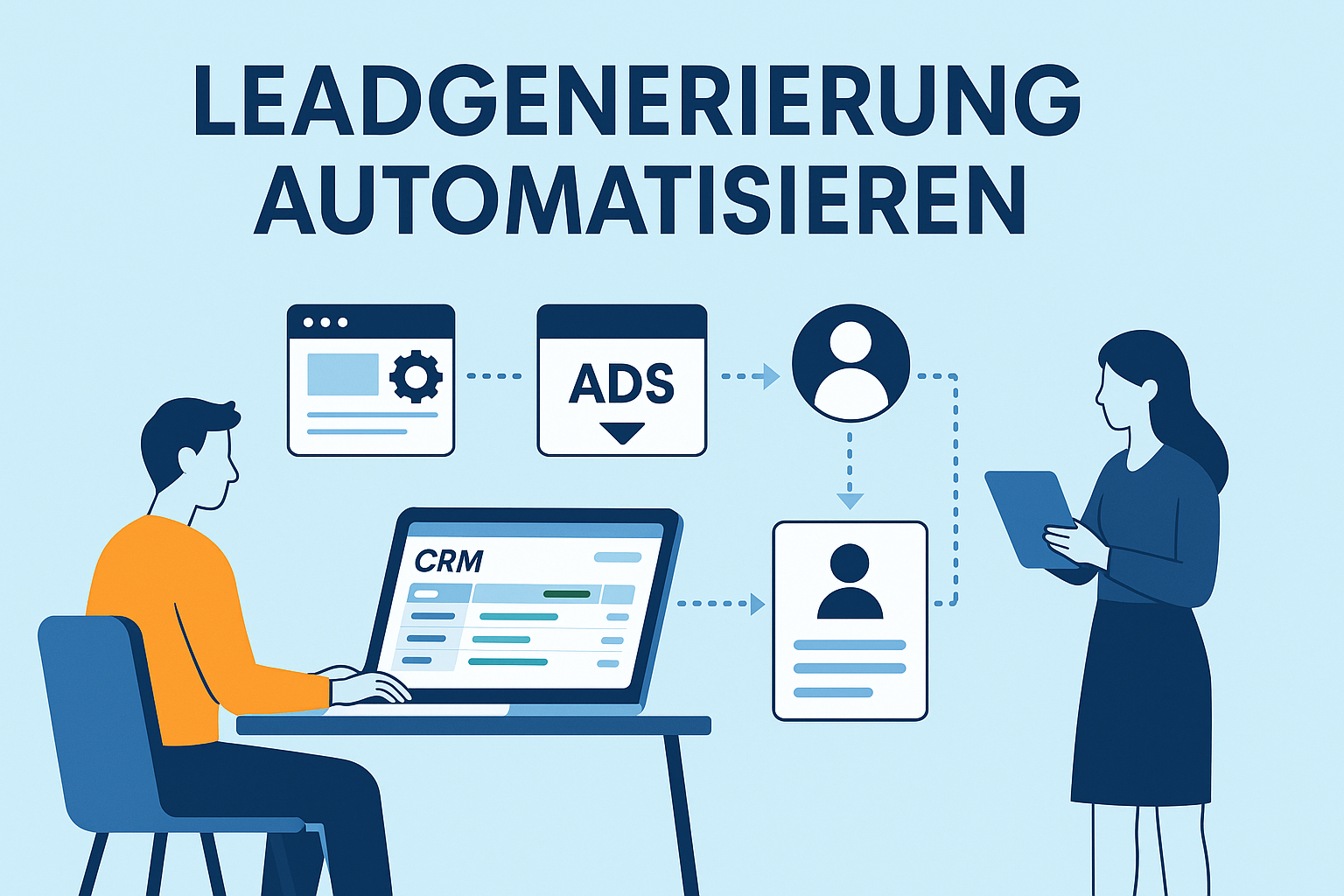
Many companies lose potential customers daily because requests are answered too late, Leads are not transferred to CRM or Follow-ups forgotten. Automation starts right here: It shortens Reaction times, prevents Media breaks and ensures consistent data quality – key factors for more Conversions and lower costs per lead.
By automated processes processes are reliable, transparent and scalable. Each request is recorded, checked and forwarded to the correct place – in real time and without manual effort. This ensures not only efficiency, but also a professional appearance towards new prospective customers.
Investigations show that companies automating their lead generation on average achieve up to doubles as many sales opportunities as operations with purely manual processes. The combination of quick response, precise data processing and automated tracking makes the difference: less lost leads, more qualifications and a measurable contribution to growth.
What does lead generation mean in online marketing?
Leadgeneration refers to the targeted and structured gains of contacts of potential customers – mostly through the own website, online campaigns or forms on platforms. It is thus the central process that makes anonymous visitors measurable interested parties.
In Marketing-Funnel, the lead generation forms the link between attention and sales: Interest arises from reach (traffic), a qualified contact from interest, and from this ultimately a request ready for distribution.
By Automation, this process can be controlled precisely and reliably. Systems collect incoming data in real time, validate them, range them with additional information and automatically transfer them to the next process step – such as a CRM entry, a personalised email follow-up or an automatic appointment.
Companies that rely on automated lead processes and personalized journeys have been proven to achieve better customer experiences, higher conversion rates and more revenue potential – because each contact is processed quickly, cleanly and consistently.
Why it’s worth automating lead generation
- Faster response times increase the chances of completion.
An investigation of the Harvard Business Review (Oldroyd et al.) showed that companies respond to a request on average only after about 42 hours – although the probability of success falls six times after an hour.
With automated initial reactions such as Confirmation emails, Terminlinks or individual queries this gap can be closed. Each request is answered in real time and the interested person immediately gets the feeling of being taken seriously. This increases trust and accelerates the decision. - More efficiency and lower costs.
If leads are automatically recorded, checked and forwarded, much of the manual effort in marketing is eliminated. At the same time, the error rate decreases because data is not entered or forgotten multiple times.
According to McKinsey marketing automation leads to significantly lower process costs and can increase turnover by up to 15% , especially through the uniform processing of all leads and better traceability in CRM.
The result: leaner processes, less time loss and a professional, consistent external appearance. - Higher lead quality due to scoring and nurturing.
Automated systems can evaluate, prioritize and specifically develop leads according to defined criteria.
An analysis of the Demand Gen Report showed that automatically maintained and post-processed leads go up to 20 % more into real sales opportunities than unstructured contacts.
Through Scoring, Nurturing and segmented communication, clearly structured sales lists emerge in which high-quality leads can be distinguished from pure prospects – a decisive advantage for any marketing team that wants to work efficiently.
Comparing manual vs. automated lead processes
Typical manual processes – and how to automate them
In everyday work there are four central areas in which automation immediately shows visible effect. It eliminates bottlenecks, saves time and ensures that no contact is lost.
Website and forms
Problem:
Many inquiries reach companies via contact forms, but are only stored as e‑mail in the inbox. Transfer to CRM is done manually – slowly, prone to errors and often incomplete.
Solution:
Over Webhooks or integrations new form entries can be recorded in real time, validate (obligatory fields, duplicates, format) and directly stored in CRM.
An automatic confirmation email with additional information creates trust and signals to the interested party that his request has arrived and is being processed. This creates a professional impression from the first moment, while no additional effort arises internally.
E‑mail and follow-ups
Problem:
Manual responses lead to delayed response times and inconsistent communication. Especially with recurring requests or requests for quotations valuable hours are lost.
Solution:
With Automated workflows Confirmations are sent immediately, Memories triggered after defined periods and Follow-up routes started automatically.
About Segmentations recipients can be targeted with relevant content – for example through product interest, region or source. Studies show that automated copy sequences significantly increase the conversion rates because interested parties receive further information without any manual delay.
Advertising and Lead Forms
Problem:
Leads from Google Ads, Facebook or LinkedIn are often exported manually and processed only hours later. During this time, many interested parties lose their current interest – one of the most common causes for missed sales opportunities.
Solution:
The lead data can be transferred directly via API to the CRM or newsletter system – including UTM data, campaign source and display ID. Thus the data quality remains , and the distribution can react immediately.
An automated process ensures that campaign results remain measurable and every lead without loss of time reaches the next step in the funnel.
CRM and lead management
Problem:
Without automation the overview is often missing, which lead must be understood when . Responsibilities are unclear and reprints are maintained manually – a typical needle eye between marketing and sales.
Solution:
An automated lead management assigns inquiries directly to Region, Product Interest or Sales Responsibility.
Over Lead scoring contacts are evaluated by activity and source, while Status changes automatically trigger Tasks and notifications in the team.
According to McKinsey such structured marketing automation processes lead to significantly more efficient processes and measurably higher conversion rate – an advantage that can be reproduced in any CRM system.
How an automated lead workflow works in practice
An automated lead workflow does not replace personal customer communication, but ensures that no contact is lost and data is reliably processed. The process usually follows a fixed pattern: Trigger → Validation → Enrichment → Routing → Follow-up → Reporting.
1) Trigger – the starting point of automation
The workflow starts as soon as an interested person fills out a form on the website or leaves data via an ad.
Instead of taking this information manually from an email, the form automatically sends the data to a so-called Webhook – a digital input point that transfers the event in real time to the automation system.
Such webhooks are set up in tools such as Pabbly Connect or n8n as the first step. This defines which fields are transferred (e.g. name, email, phone number, campaign source).
This avoids delays: The lead is immediately in the system, even at night or on weekends.
2) Validation – quality instead of mass
In the next step, the data will be checked:
- Is the e‑mail address valid?
- Is a mandatory field such as telephone number or company missing?
- Is there already an entry with the same address?
This test can be mapped with built-in filter and logic blocks. They prevent duplicates and make sure that only clean, complete records are passed on.
Especially with companies with small marketing teams, this saves an enormous amount of time because manual control is no longer necessary.
3) Enrichment – automatically supplement information
A major advantage of automated lead routes is the ability to directly enrich data.
Examples:
- Addition of UTM parameters (campaign source, medium, keyword) so that later on the lead will remain comprehensible.
- Automatic Company data query via API services such as Clearbit or OpenCorporate.
- Complement the relevant distribution area using the postal code.
These additional data enable more targeted reproduction in the CRM and help to avoid scatter losses.
4) Routing – who gets which lead?
If the data set is complete, it will automatically be decided who is responsible internally.
This can be done on the basis of criteria such as product interest, region or sales potential.
In Pabbly Connect or n8n, this is shown with simple “If Else branches” :
- Leads from Southern Germany go to contact A
- Leads with interest in service X to contact person B
- All other leads are handed over to the central mailbox
At the same time, the system can:
- create the lead in CRM,
- send an e‑mail to the relevant employee;
- and one Confirmation email to the interested party ==References==
5) Follow-up – start the first contact route automatically
Once the lead is captured, a personalized message can be sent automatically.
Examples:
- Thanks e‑mail with appointment booking link
- Reference to a white paper or case study
- Invitation to the newsletter
These automatic sequences ensure that new leads get added value immediately, while the sales department is able to track them in a targeted manner. Studies show that rapid initial contact significantly increases the likelihood of conversion.
6) Reporting – Making success visible
At the end of the workflow, all relevant information is passed to a reporting system, such as Google Sheets or Looker Studio.
This makes sense:
- from which channels lead,
- how many leads have been qualified,
- and what percentage went into real questions.
Especially in smaller companies, this automated reporting is a decisive advantage because manual Excel lists no longer need to be maintained.
Overview of workflow phases
Secure lead quality – with scoring, nurturing and segmentation
Automation alone does not lead to better leads. It is crucial which data are collected, how they are assessed and how targeted measures are derived from them. Three building blocks play a central role here: Lead Scoring, Lead Nurturing and Segmentation.
Lead scoring – making the quality of a lead measurable
Lead Scoring makes the quality of a contact objective measurable and helps to focus sales resources specifically on the most promising prospects. Each lead is evaluated based on defined characteristics and behavioral data. Thus, it can be seen at a glance who is active, shows real interest or is about to make a purchase decision.
A typical scoring model can look like this:
Once a defined threshold is reached (e.g. 30 points), the lead is considered as qualified and is automatically passed to distribution.
This logic can be implemented directly with condition blocks and variables in Pabbly Connect or n8n. Both systems can automatically add points, Refresh fields in CRM and dynamically change the lead status.
Lead scoring makes the entire process much more efficient: Marketing focuses on leads with real potential, while distribution spends less time with inappropriate contacts. According to HubSpot and Salesforce, companies using a scoring system significantly increase their degree ratio because only qualified contacts enter the sales process.
Lead Nurturing – Build relationships automatically
Not everyone interested is immediately ready to buy. Time often passes between the first request and a concrete decision – this is exactly where Lead Nurturing begins. The aim is to maintain contact continuously, build trust and be present at the right time.
Automated implementation means:
- After the first request, a predefined e‑mail series starts, which provides relevant information, practice examples or answers to frequent questions.
- If the recipient opens or clicks, it will automatically be assigned to next level in the workflow – for example, it receives more targeted content or a personal offer.
- If it does not react, the frequency is reduced or paused in order to avoid reactivity and to keep contact long-term.
Such a process can be implemented in any modern e‑mail system with triggers and tags. The time control takes place via the automation platform, which precisely determines when and under what conditions the next message is sent.
In combination with Lead scoring a closed loop is created: any interaction – such as opening, clicking or downloading content – automatically increases the score of the lead. This way, particularly committed contacts are automatically prioritized.
The practice advantage is obvious: Marketing can focus on strategic content and storytelling, while technical processing is fully automated in the background.
Studies from the B2B environment prove that structured nurturing processes can increase the proportion of converting leads by up to 20 % — because interested parties are accompanied over a longer period of time, instead of getting forgotten after the first request.
Example of a multi-stage nurturing line
Segmentation – the right message for the right target group
Segmentation ensures that each person receives the matching message – at the right time, via the appropriate channel and with relevant content. Instead of sending the same messages to all interested parties, leads are structured according to clearly defined characteristics such as Industry, Region, Product Interest or Behavior. Thus, every communication remains precise, personal and effective.
Typical examples from practice:
- Sectoral: A software provider speaks Crafts enterprises other than service providers – with different arguments, references and offers.
- Behavioral-based: When a lead repeatedly opens or clicks on a specific product offering, it receives targeted further information on this topic.
- Regional control: Leads from Austria automatically receive content with country-specific prices or contact persons.
This logic can be fully automated. If a lead in a form, for example, transmits the value “Industry = Construction”, the system automatically sets the Tag bauwirtschaft and starts the passing communication path. Future emails, campaigns or remarketing measures then refer exactly to this context.
The benefits are measurable: According to Marketo campaigns with targeted segmentation reach up to 2.5 times higher opening rates and doubles as many conversions as generic standard mailings. Whoever clearly structures his contacts speaks not only more accurately, but also more successfully – with less scatter loss and significantly higher relevance for the recipient.
Interaction of the three elements
Lead Scoring, Nurturing and Segmentation together form the foundation of a successful, automated lead strategy. Each of these elements fulfils its own task, but only their interaction creates a system that works sustainably:
- Scoring evaluates the interest. Leads are classified on the basis of concrete activities and characteristics, so that the most promising contacts are prioritized.
- Nurturing further develops the interest. Through targeted information routes, leads are introduced step by step to a decision.
- Segmentation ensures relevance. Content, offers and communication are tailored to target audiences, behavior and needs.
A clearly structured workflow that connects these three building blocks ensures that the distribution no longer receives unqualified contacts. Instead, only leads are handed over that have already shown real interest and actively react to a response. This results in a continuous process that puts quality before quantity and delivers measurable better results.
Common errors in automated lead generation
Automation makes marketing processes more efficient, but does not replace a clear structure and clean data base. Many difficulties arise not by the tools themselves, but by unclear processes, missing validation or untrue responsibilities. The following errors occur in practice particularly frequently – and can be reliably avoided with simple rules.
1) Too many or wrongly set triggers
Problem:
When each form call or click starts a new workflow, double entries, e‑mail spam or even endless loops are created. Often this happens when several web hooks are active simultaneously or different tools access the same data in parallel.
Solution:
- Define a central data input source – for example, a main webhook that all forms run over.
- Avoid double triggers by checking a condition (IF) whether the lead is already present in CRM.
- In n8n or Pabbly Connect an additional “Dedupe Check” or Filter step can be installed, blocking double email addresses before the record is passed on.
Result:
Each lead is recorded only once, the workflow remains stable, and the data quality in CRM improves permanently.
2) Missing GDPR conformity
Problem:
Especially with automated processes it is often overlooked that personal data may only be processed with a verifiable consent. The risk increases with the number of systems over which data run. Typical errors are:
- no documented consent;
- missing double opt-in processes,
- or missing deletion routines for inactive contacts.
Solution:
- Always use a double opt-in procedure – ideally automated with time stamp and logging directly in CRM.
- Clearly formulate legal texts on forms: You should clearly specify the purpose of the data collection, the storage period and the revoke.
- In automation, a regular Cleanup function activates the old or inactive leads – for example, contacts that over 24 months are and have never reacted.
Thus, the entire process remains legally safe, the data base is up-to-date and the risk of warnings or fines is low. According to Bitkom, over 30% of German companies have already experienced data protection violations in connection with marketing data – a clear indication that legal cleanliness is not a matter of detail but a duty.
3) No clear feedback between marketing and distribution
Problem:
A common misconception is that the lead generation ends with data collection. Although many leads are created automatically, but never actively pursued – mostly because responses are missing or lead status fields in CRM are unclearly defined.
Solution:
- In each workflow, automatically assign a responsible contact person and notify by e‑mail or team notification.
- Use standard lead status fields – for example new, qualified, in editing, completed.
- Create automatic reports that regularly show how many leads have been open, successfully completed or rejected.
Such feedback closes the gap between marketing and sales. Both departments work on the same data basis, and everyone knows at any time which lead is in which phase. This ensures more transparency and a measurable higher degree of completion.
4) Unclear segmentation or too broad target groups
Problem:
Many automations are too rough – All leads receive the same standard e‑mail. This results in high unsubscribe rates, low engagement and weak conversion rates.
Solution:
- Plan the segmentation directly during data acquisition: Selection fields for Industry, Company size or Product interest help to correctly classify leads from the beginning.
- Targeted in automation Set tags or fields, to various Communication Paths Initiation.
- Regularly archive or exclude inactive or irrelevant contacts automatically.
Result:
The communication becomes more precise, personal and relevant – with higher opening and click rates and less scatter loss. Even if the process is fully automatic, it has a more human and targeted effect.
5) Lack of monitoring and reporting
Problem:
Many companies consider automation as “one-time setup.” But if a workflow is not checked regularly, errors creep in – for example when a API is changed or a tool is no longer available. In such cases, the process runs into void without anyone realizing it.
Solution:
- Integrate a error notification into each workflow – e.g. email, Slack or team alert as soon as a process step fails.
- Automately create monthly reporting that shows how many leads have been recorded, processed and converted.
- About n8n you can write log files or automatically log error messages in Google Sheets to detect trends and recurring errors.
Thus, the entire process remains transparent and controllable – a crucial factor for companies that want to keep their workflows lean and efficient without needing their own IT department.
Automation unfolds its full benefits only on a stable basis.
Who observes the five central points – clean triggers, data protection compliance, clear responsibilities, target segmentation and reliable monitoring – creates the basis for sustainable growth, reliable data quality and a permanently high lead performance.
Measuring success – which KPIs really count
Automated lead processes are only effective if their results are transparent and measurable. Therefore, each lead generation should be monitored with clearly defined KPIs .
Automated data collection not only saves time, but also provides real-time decision-making bases. Especially companies that set up efficiently and lean benefit from automated dashboards that show which campaigns work and where optimization potential exists.
Conversion Rate
The Conversion Rate describes the proportion of website visitors who actually become leads.
Example: For 1,000 visitors and 50 form requests, the conversion rate is 5 %.
Automated systems continuously collect this data – without manual evaluation.
A clearly structured funnel with automatic copying and lead nurturing can increase the conversion rate according to HubSpot by 10–20 % because interested parties are addressed in time before they jump off.
Those who regularly monitor the conversion rate will recognize early on which channels or content achieve the highest effectiveness.
Cost per lead (CPL)
The cost per lead (CPL) measures the efficiency of a campaign.
Formula: Total cost of the campaign ̄ Number of generated leads.
By automation this value usually decreases significantly, because manual tasks such as exports, data transfers or post-processing are eliminated.
According to Forrester companies with automated processes reduce their marketing costs per qualified lead by up to 12%, while at the same time creating more leads with higher quality.
The indicator is particularly suitable to target budgets on the Most profitable measures to concentrate.
Response time
One of the most important, but often underestimated, indicators is the reaction time – i.e. the period between the input of a lead and the first contact.
According to a Harvard Business Review study, the average response time of many companies is over 40 hours, although the closing probability falls sharply after the first hour.
Automated First reactions, such as Confirmation e‑mails or Terminal links, shorten this time to a few seconds.
A defined Service Level Agreement (SLA) for response times should be an integral part of any automation strategy – it ensures commitment and measurable performance.
Lead-to-customer rate
The Lead-to-customer rate shows how many leads actually become customers.
It depends directly on lead quality, reaction speed, content scatter and the distribution process.
Automated systems provide the data basis to detect bottlenecks in the funnel – for example, when many leads are generated but only a few are completed.
With CRM integrations, the path of each lead can be traced from first contact to purchase. This makes vulnerabilities visible and the sales process can be specifically optimized.
Campaign and channel comparison
An automated reporting allows the direct comparison of different sources:
- Website forms
- Google Ads
- Social Media Ads
- Newsletters or landing pages
Each channel receives its own key figures for number, quality and costs of the leads. This allows the budget to be directed specifically into the most powerful channels.
In practice, a Dashboard in Looker Studio or an automated sheet that is regularly updated via Pabbly Connect or n8n will result in complete, data-based monitoring without manual care.
Regular review
Automation is not a static system.
Key figures should be reviewed at least monthly in order to respond to seasonal effects or market changes.
Once set up workflows have to be adapted occasionally – for example, if form fields, products or target groups change.
Companies that consistently follow this process recognize early, what campaigns are really profitable and where hidden potential lies.
Regular analysis makes automation a dynamic control instrument – and not just a technical tool.
Key figures at a glance
Automatic Lead Generation as Strategic Advantage for Modern Marketing Organisations
Companies that build up their marketing efficiently and structured especially benefit from automated lead processes. Automation does not replace employees – it creates freedom for strategic and creative tasks, while routine processes run reliably in the background. Thus, more time remains for what really counts: the targeted work on the customer and the development of convincing content.
By automated processes will be leads fast, clean and comprehensible processing – independent of Time, channel or volume. New contacts flow automatically into the CRM system, will be there qualified, enriched and with appropriate information The distribution receives complete data sets and can react immediately. The result is a professional, consistent process, at any time scale and expand — No, no.
Especially in growth phases the value of a clear, automated structure is shown. What still works manually in small setups quickly leads to bottlenecks with increasing requests. Automation keeps quality constant, reduces sources of error and ensures that any contact with the same precision is processed – regardless of personnel availability or time of day.
An additional advantage lies in the data and process transparency. Using automated reports and dashboards can be understood at any time, which campaigns deliver leads, which channels perform and where optimization potential exists. Decisions are thus made data based – not from the stomach.
Those who consistently align their marketing organization to efficiency, precision and scalability, get a sustainable competitive advantage.
The automated lead generation is much more than a technical step – it is a strategic investment in a resilient, sustainable marketing structure that makes growth predictable.
Overview Automation tools
FAQ: Frequently asked questions about automated lead generation
- What does automated lead generation mean?Automated lead generation describes the acquisition, qualification and forwarding of interested parties without manual intermediate steps.
systems connect forms, CRM and email marketing,
Data are automatically checked and processed,
The response times are decreasing – the probability of completion is increasing. - What are the advantages of automation?The main advantages are:
A significantly faster response time
Consistent data quality and traceability
Better prioritization by lead scoring
Relieving routine tasks
Companies can handle leads in a scalable and precise way – with less effort and more results. - What tools are suitable for automated lead processes?Popular platforms are:
Pabbly Connect – easy setup, many CRM integrations
n8n – open source, locally operated
Make (Integrat) – visual workflow control
Zapier – large app selection for cloud environments
All tools connect forms, CRM, email tools or ad platforms in real time. - How do I start with the automation of lead generation?Start with clearly defined processes, for example:
Form integration with CRM entry
Automatic confirmation or follow-up emails
A handover to the distribution at qualified leads
A clean structure, defined responsibilities and the gradual expansion of automation are important. - How does the lead generation GDPR remain compliant?For legally secure automation:
Double opt-in is mandatory
i的 Transparent data protection information in forms
Regular deletion routines for inactive leads
Use of GDPR-compliant tools with EU server location
The data collection thus remains comprehensible and legally secure. - How do I measure the success of automated lead processes?Key indicators are:
Conversion Rate – Proportion of Visitors Who Become Leads
Cost per lead (CPL) – costs per qualified contact
The response time – time to the first answer
Lead-to-customer rate – actual financial statements
Dashboards or tools like Looker Studio automatically visualize the results. - Can automation be combined with existing systems?Yes – Automation works with popular CRM and marketing systems such as HubSpot, Brevo, Pipedrive or Outlook.
Data is automatically synchronized via interfaces (APIs).
A prerequisite: The systems must support integrations or webhooks.
Schreibe einen Kommentar zu "Automating lead generation for your marketing team"