

How to create a direct link for customers to leave a Google review
Write a Google review will become increasingly popular in the age of the Internet. Especially for companies and service providers it is important that customers write a very good Google review. This is of central importance both for the general company success as well as for the new customer acquisition.
Unfortunately, the phenomenon that service providers and products are often rated only in case of dissatisfaction is well known. However, by sending a Google review links directly to your satisfied customers it is now quite easy for them to rate you. The rating is possible with a direct link for Google reviews with just two clicks.
In the following text, we will show you step by step how to easily include a link to create a Google rating on your website. With these helpful tips, your rating at Google will also quickly be better.
Why is a Google review link so useful on your own site?

© fotogestoeber stock.adobe.com — ID #206759414
A Google review link is so useful because it makes it much easier for customers to write a review.
Many customers immediately see the overall result of a company’s Google reviews, but often they don’t even know how such a rating can be created. If they know it, the cumbersomeness is often the factor why no rating takes place. Sometimes customers simply forget that they have the opportunity to give their opinion on a particular product or service.
In order to avoid these hurdles, it is particularly practical if the customers are addressed directly and asked to write a Google review and in this context immediately a link is available. Thus the customer gets without annoying detours immediately on the right page. This so-called direct link for Google reviews or briefly Google review link can be created quite easily. Incidentally, you can integrate this link both for the Google rating on the website and send it by mail for example.
Step by step, create a Google review link
You want your customers to be able to submit a Google rating directly from your website? Then you use the possibility of creating a direct link. The link always consists of two parts. First, Google’s predefined and standardized URL and then links to your personal place ID. In three steps you quickly created the link.
1. Step to create a valuation link – look for companies
Call Google’s Place ID Lookup tool and put your company name in the field “Enter a location” . The Place ID Finder can be called here.
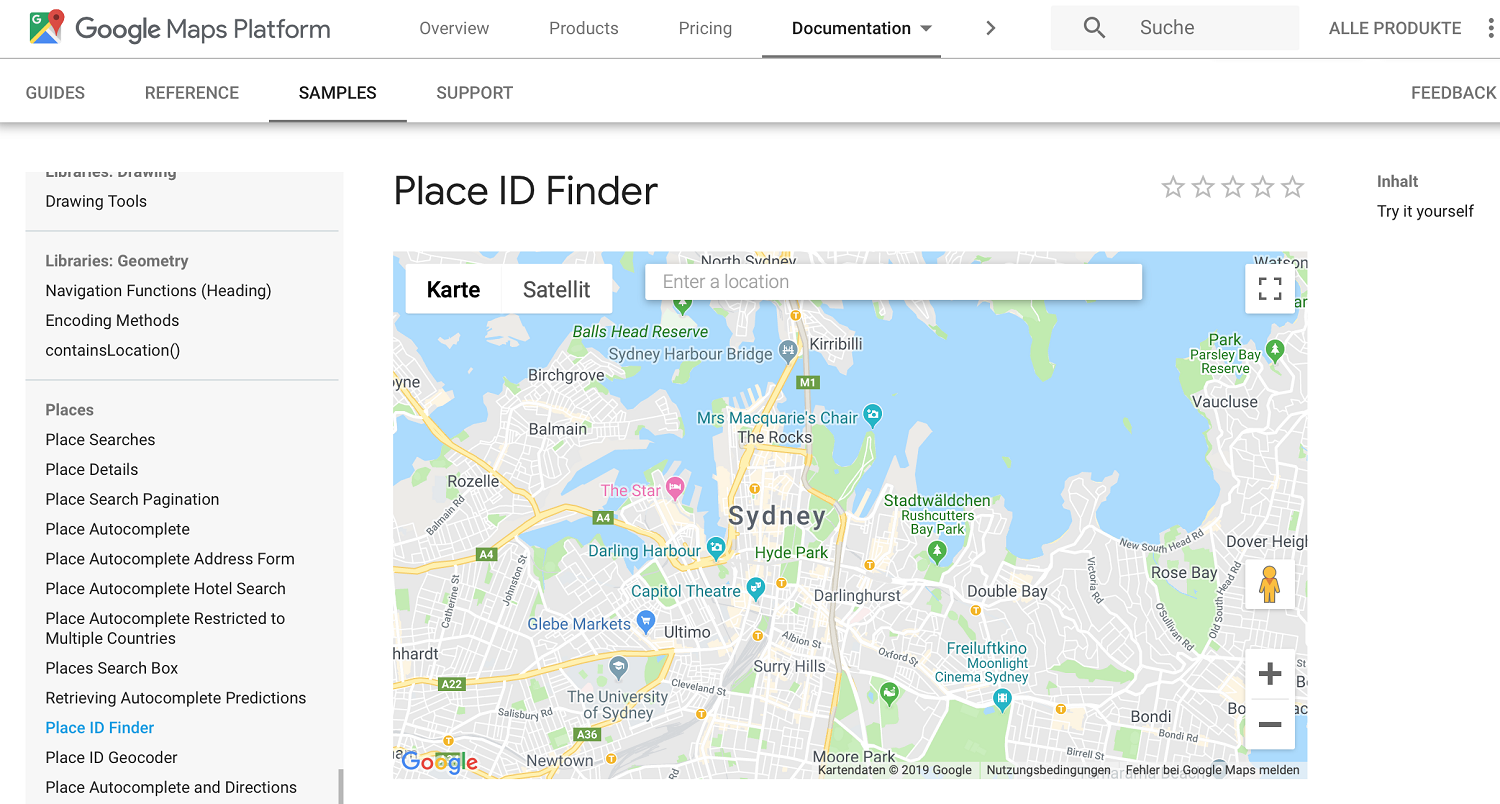
© Screenshot by MetaMove – Place ID Lookup Tool by Google
We show you the procedure by creating our own direct link.
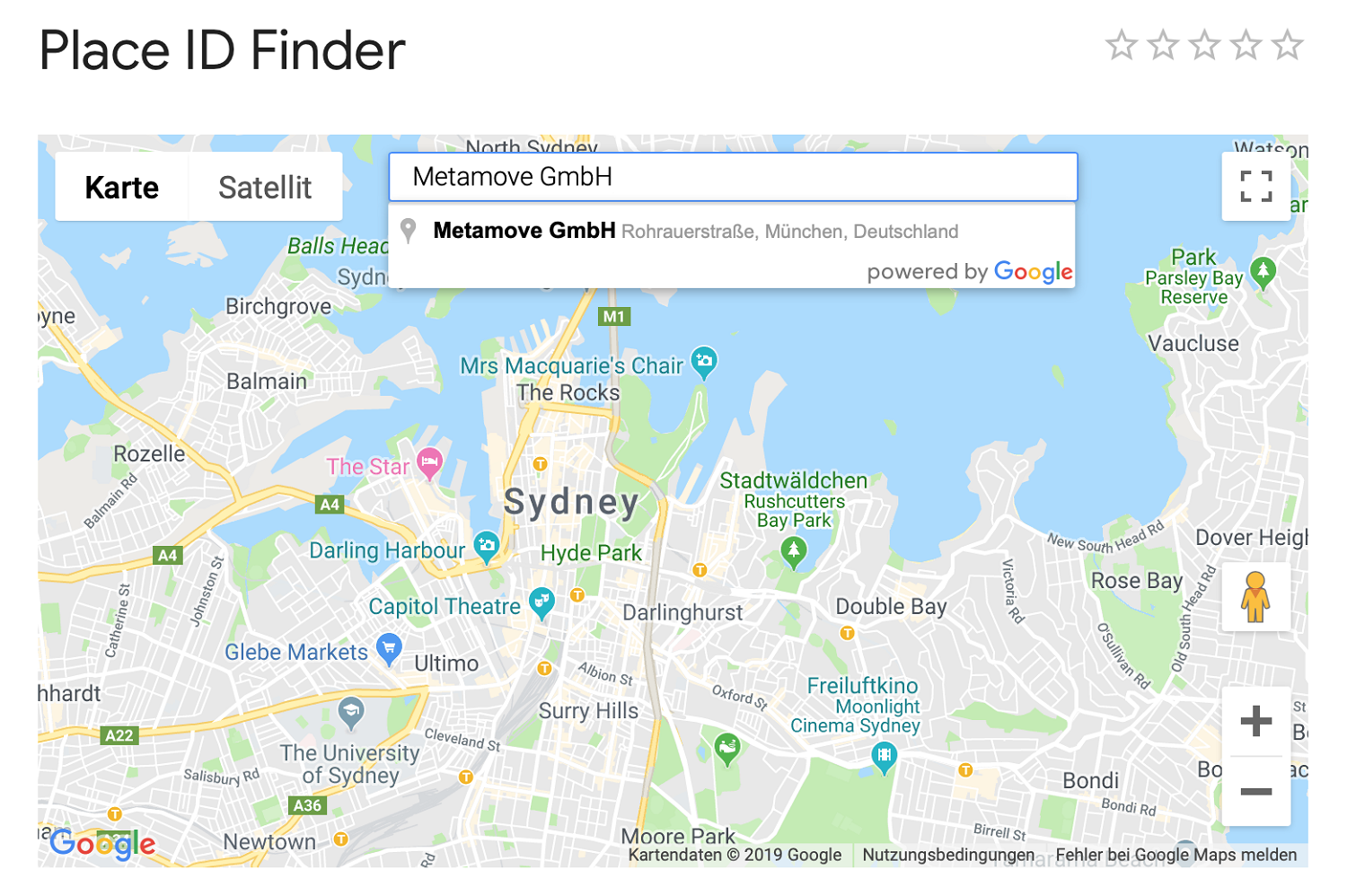
© Screenshot by Meta Move — Place ID Finder Google
2. Step to create a review link – read out Place ID
After entering your company name, you will find the search results on the Google Maps map. Directly under the company name you will find the Place ID. This is a combination of numbers and letters.
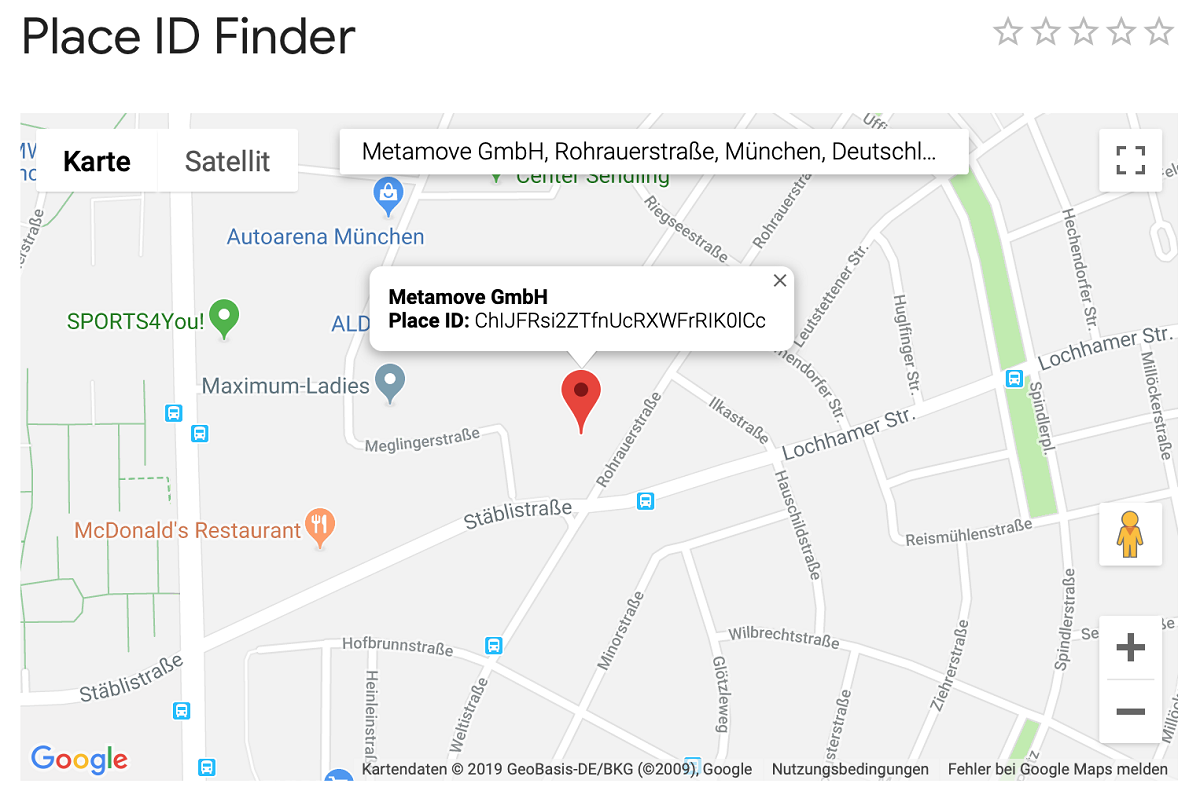
© Screenshot by Meta Move — Place ID Finder Google
The Place ID of Metamove GmbH is therefore, for example, ChIJFRsi2ZTfnUcRXWFrRIK0lCc.
3. Step to create an evaluation link – Compose a direct link
Now copy the output Place ID and place it directly at the end of the standardized Google link. The standardized link is: https://search.google.com/local/writereview?placeid=
As mentioned in the example, the direct link for Google reviews is the Metamove GmbH https://search.google.com/local/writereview?placeid=ChIJFRsi2ZTfnUcRXWFrRIK0lCc.
In order to be found via Google, you need a “Google my business account” and an entry on Google Maps. You can also find out the place ID directly via the former.
Learning by doing – create a direct link and write reviews
So you too benefit from honest and positive reviews through a direct link on your side. Because they are actually worth gold and will attract more customers for you as well as increase your seriousness and increase the sales of your products or services. Is the Google generated link too long and too cumbersome? No problem, with a URL Link Shortener the review link can be simplified so that it can be accessed more conveniently.
Did you like this report and maybe even help you get a better light from Google? Then you can also use our Metamove direct link to the rating portal. Please note that you need to be logged in to submit a review with Google. We are pleased about your review.
Schreibe einen Kommentar zu "How to create a direct link for customers to leave a Google review"